
If you have a recurring Journey, your lab tests repeat at regular intervals, such as every 3, 6, or 12 months, based on the schedule your provider set. Testing is completed through Quest Diagnostics.
This article explains how billing works, where to find your results, and how to cancel or update your Journey.
How Journey testing works
Future tests are automatically scheduled based on the frequency your provider set. You'll get a heads-up before each one, so you can plan your visit to a Quest Patient Service Center for the next blood draw.
What your lab test payment includes
When you check out after receiving a Journey lab test from your provider, your payment covers the lab panel they selected, the $10 Quest Diagnostics blood draw fee, and any additional service fees they may have added—like result interpretation.
Fullscript bills you directly, and future tests will be billed the same way before each scheduled test date.
For information about insurance and HSA/FSA eligibility, see Quest Diagnostics experience.
Viewing your results
As soon as your results are ready, you’ll get an email letting you know. From there, you can log in to your Fullscript account to view a summary of your results, any notes or recommendations from your provider, and a downloadable PDF from Quest.
Each round of testing will show up as a new set of results in your account, so you can easily track your progress over time.
How to cancel or update your Journey
To cancel or update billing for your Journey:
- Log in to your Fullscript account.
- Click My health.
- Go to the Labs tab.
- Select Manage next to your test.

- Click Cancel Journey to cancel or Contact support to update billing information.
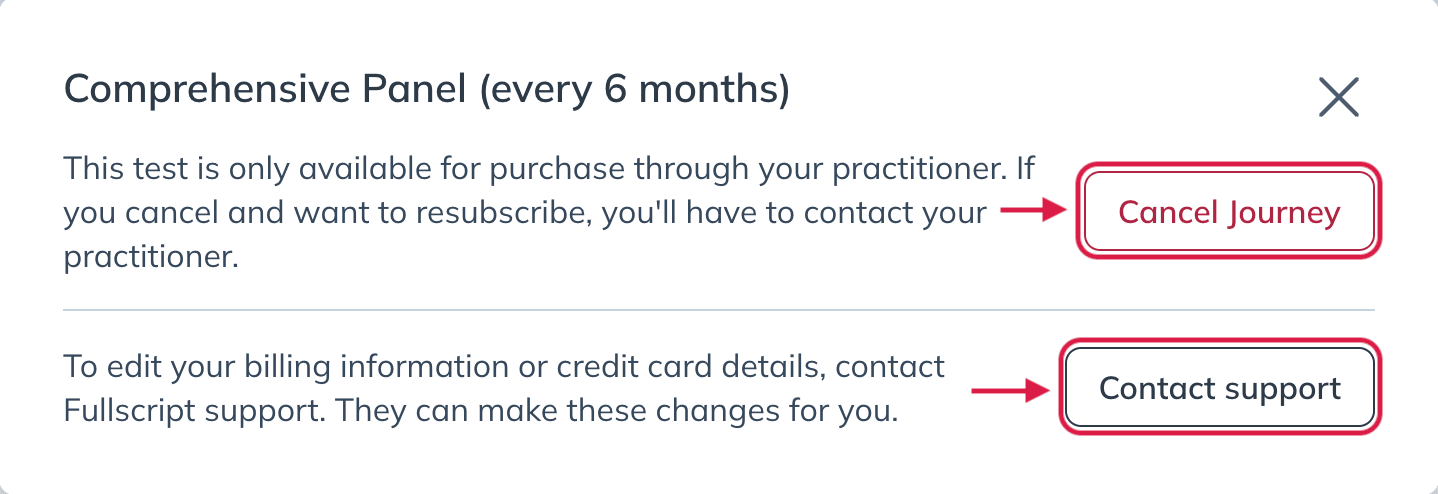
To change your testing frequency or markers, contact your provider. They can restart your Journey with a new schedule or order.
Be sure to cancel at least 24 hours before your next scheduled test to avoid being charged.