
If you have a lab order that started on Rupa and your provider now uses Fullscript, here’s what to know about payment, requisitions, results, and how new lab orders will work going forward.
Paying for unpaid Rupa orders
If your provider placed a lab order through Rupa before switching to Fullscript and it hasn’t been paid for yet:
- Complete your payment through Rupa.
- Payment and order updates for Rupa orders will continue through Rupa until the order is complete.
Once results are ready, they’ll be available in both Rupa and Fullscript.
See Rupa Payment FAQs for more information on payments processed through the Rupa Health platform.
How to access Rupa lab results
When you log in to your Rupa account, you’ll see a message that your provider now uses Fullscript.
You’ll have two options:
- View my labs on Fullscript: This takes you to Fullscript, where your results will appear once available.
- Not now: This keeps you in Rupa, where you can access items like requisitions, instructions, and past results.
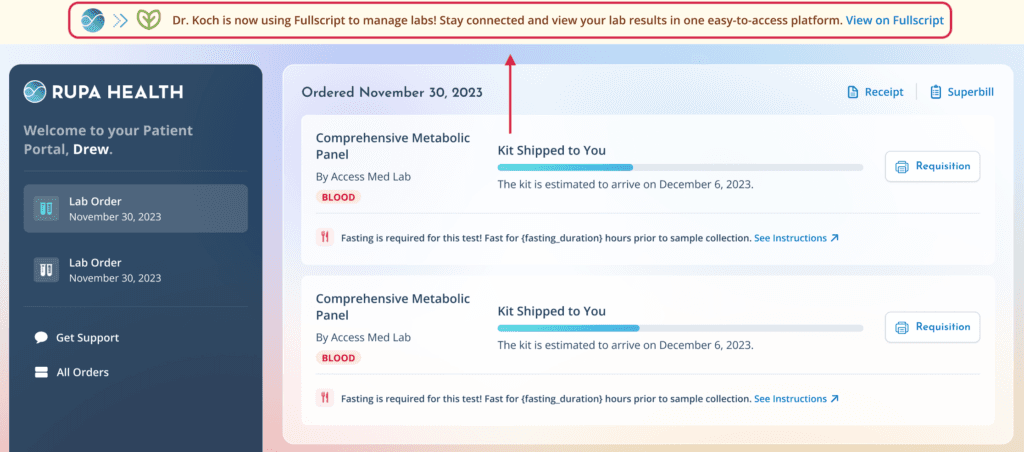
Banner shown in Rupa indicating your provider now uses Fullscript.
Viewing your results on Fullscript
If your lab order started on Rupa, it will be completed there. Once your results are ready, they’ll also appear in your Fullscript account.
To find your lab results on Fullscript:
- Log into your Fullscript account.
- From the navigation menu, click My health.

- Click the Labs tab.

- Click View details next to the lab order to view your results.
New lab orders going forward
Any new lab orders your provider places after moving to Fullscript will be created and managed entirely on Fullscript.