
Last modified: June 30, 2026
Managing lab results and sharing with patients
Providers
Track lab results from your account to keep your practice organized. Send personalized updates to patients as soon as results are available.
Labs on Fullscript offers both partial and complete results, so your team can view updates in real time—without waiting for the full report.
Provider notification for test results
When final lab results are ready, the ordering provider gets an email with a link to view them in their Fullscript account.
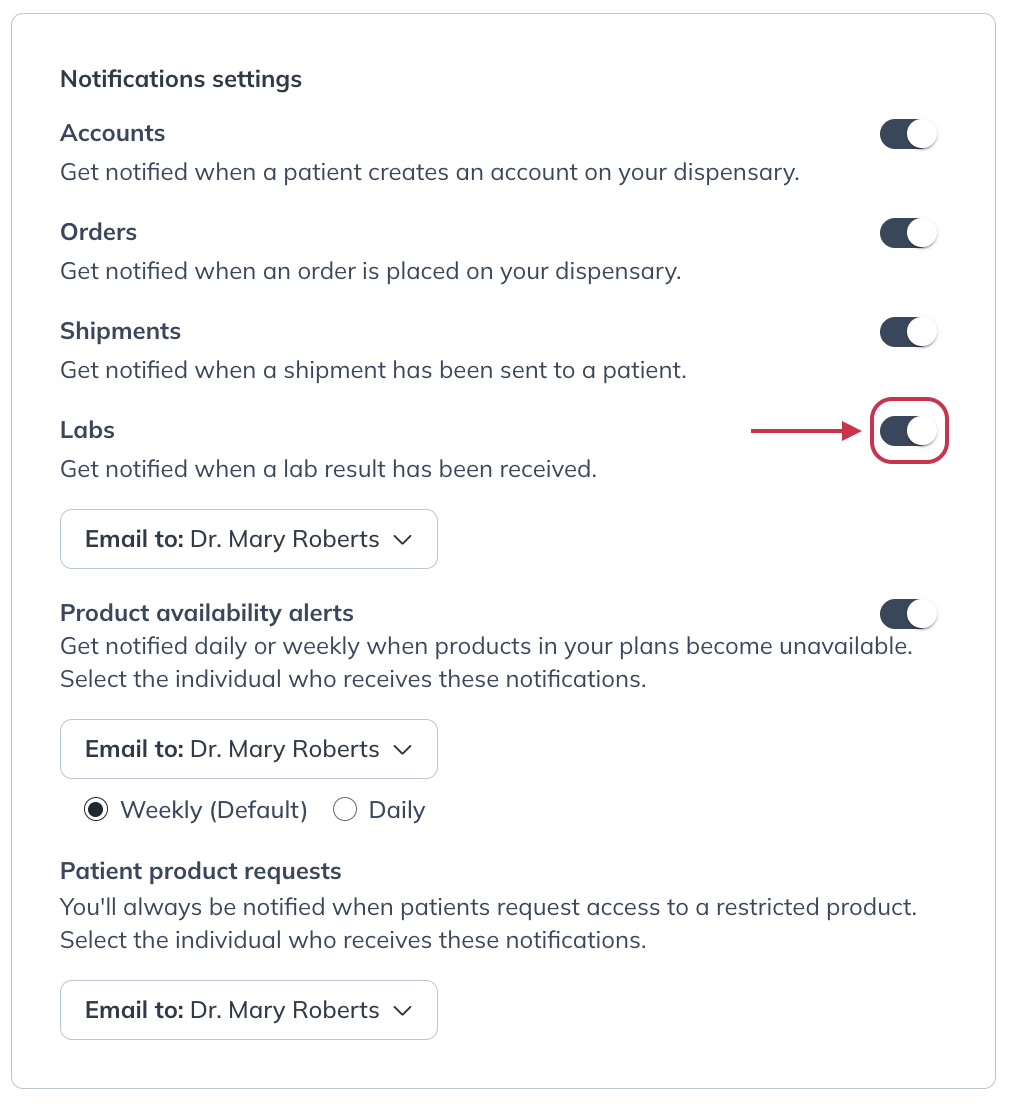
Lab results email notifications are turned on by default. To change this:
- Click your profile button in the bottom-left corner of your account.
- Click Account settings.
- Select the Preferences tab.
- Click the Labs toggle to turn off Lab results notifications.
Viewing and downloading lab results
You can access lab results from the notification email or from the Lab orders dashboard in your account.
- Click Labs in the left-hand navigation, then select Orders.
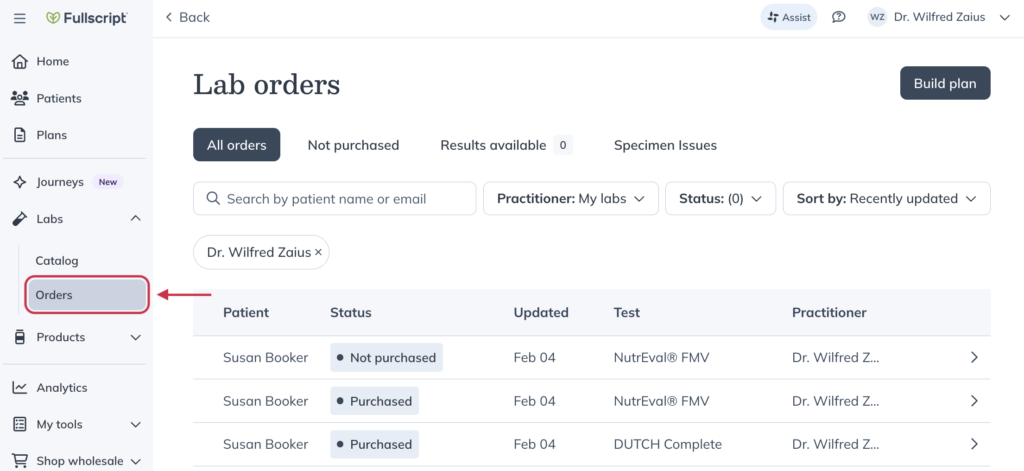
- Search for your patient by name or email, or filter the Status dropdown to Results available.
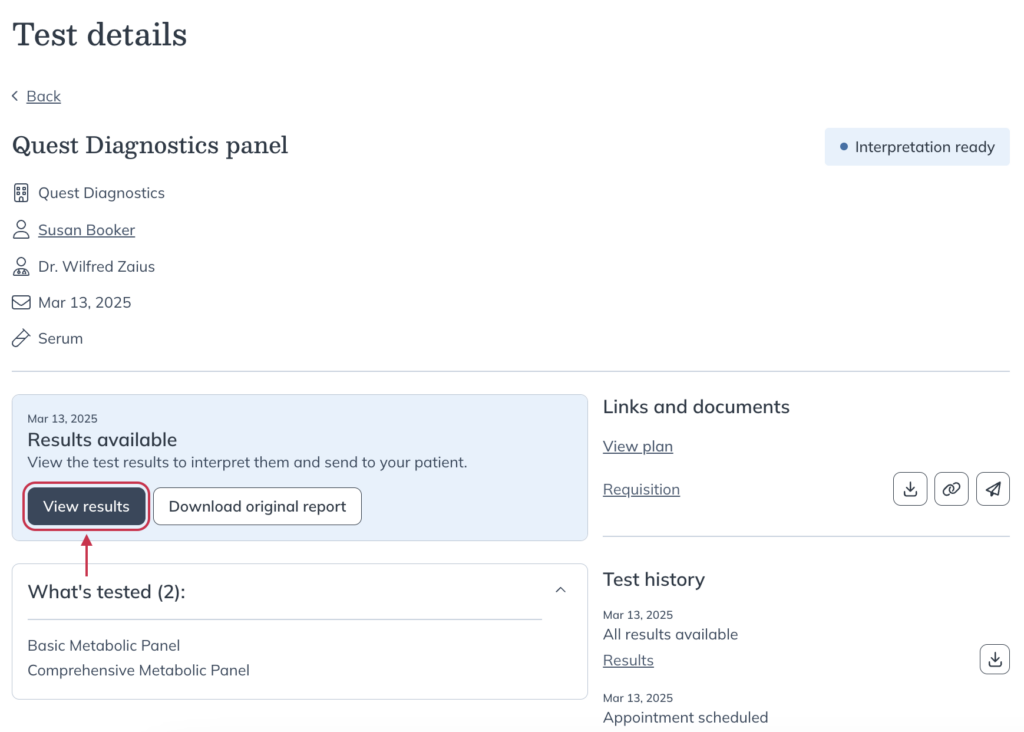
- Select the relevant order to view test results.
- On the Test details page, click View results or Download results.
Viewing blood lab interpretations
Many of the most popular blood labs in your Fullscript labs catalog now include interpretations. Backed by advanced intelligence, these lab insights provide clear, research-supported analysis to support whole person care.
There’s no change to your workflow—just add a test to a patient’s plan to enable interpretations and track results over time.
Sharing results with patients
To share results with your patient, choose Share results with patient on the Test details page. To customize your patient’s results experience, add a personalized message to go over any next steps such as confirming how and when they will review results with you.
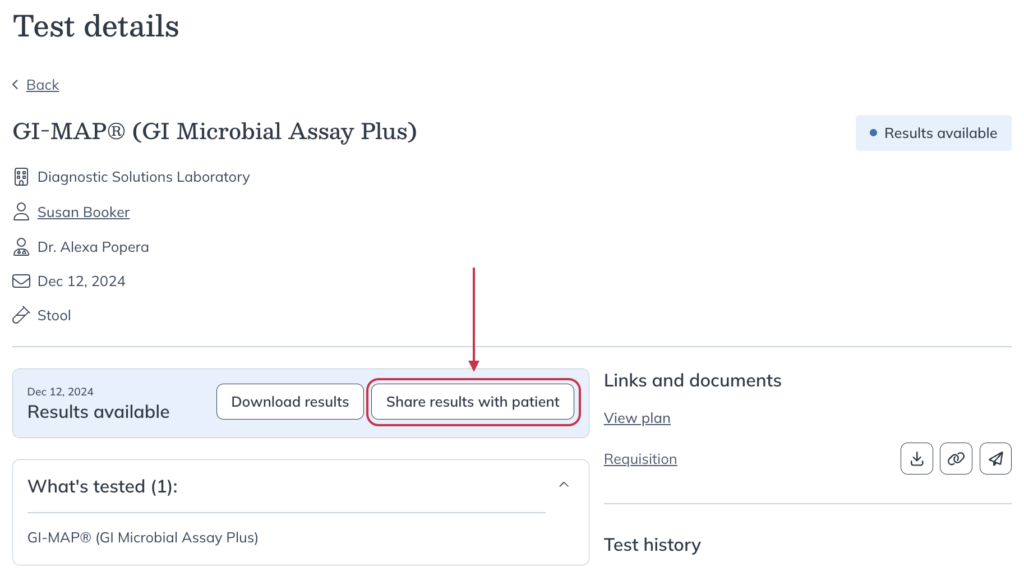
Once you click Share results, your patient will receive a notification email from Fullscript with a link to view their results in their account.
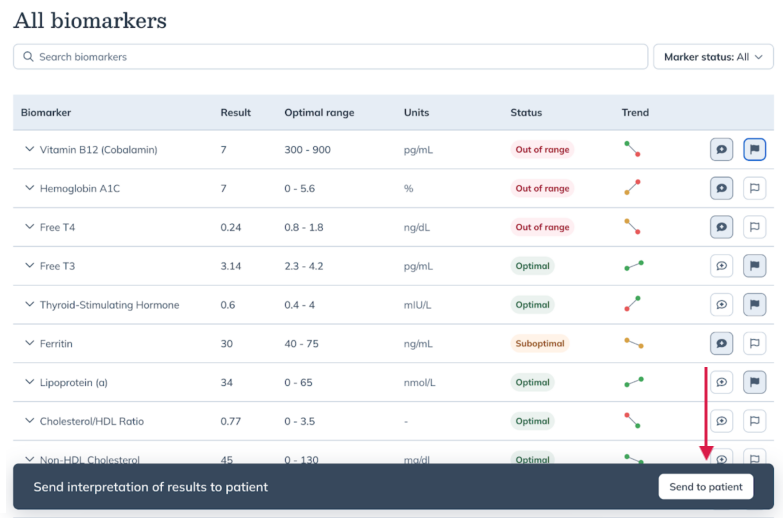
For blood lab testing that includes interpretations and tracking over time, you’ll click Send to patient from the banner at the bottom of the interpretation builder.
Clinical consultations
Our specialty lab partners offer clinical consultations to support providers in interpreting their patients’ lab results. These one-on-one consultations are designed to provide educational support and clinical guidance.
To learn how to schedule a clinical consultation and explore the available scheduling options, see Clinical consultations.