
With Instant Links, you can access your practitioner’s dispensary and your personalized plans without setting and needing to remember a password for your account. Invitations are sent via email or text, are single-use, and expire after 72 hours.
You can also request an Instant Link anytime from the login screen by selecting Continue without password.
If you don’t receive an email after requesting an Instant Link, please check your junk or spam folders.
Accessing your account with an Instant Link
To access a dispensary using an Instant Link from your text or email notification, select Accept invitation and agree to the Fullscript Terms of Service and Privacy Statement. Your access to the catalog will depend on your practitioner’s dispensary settings. Take a look at Placing an order to learn more.
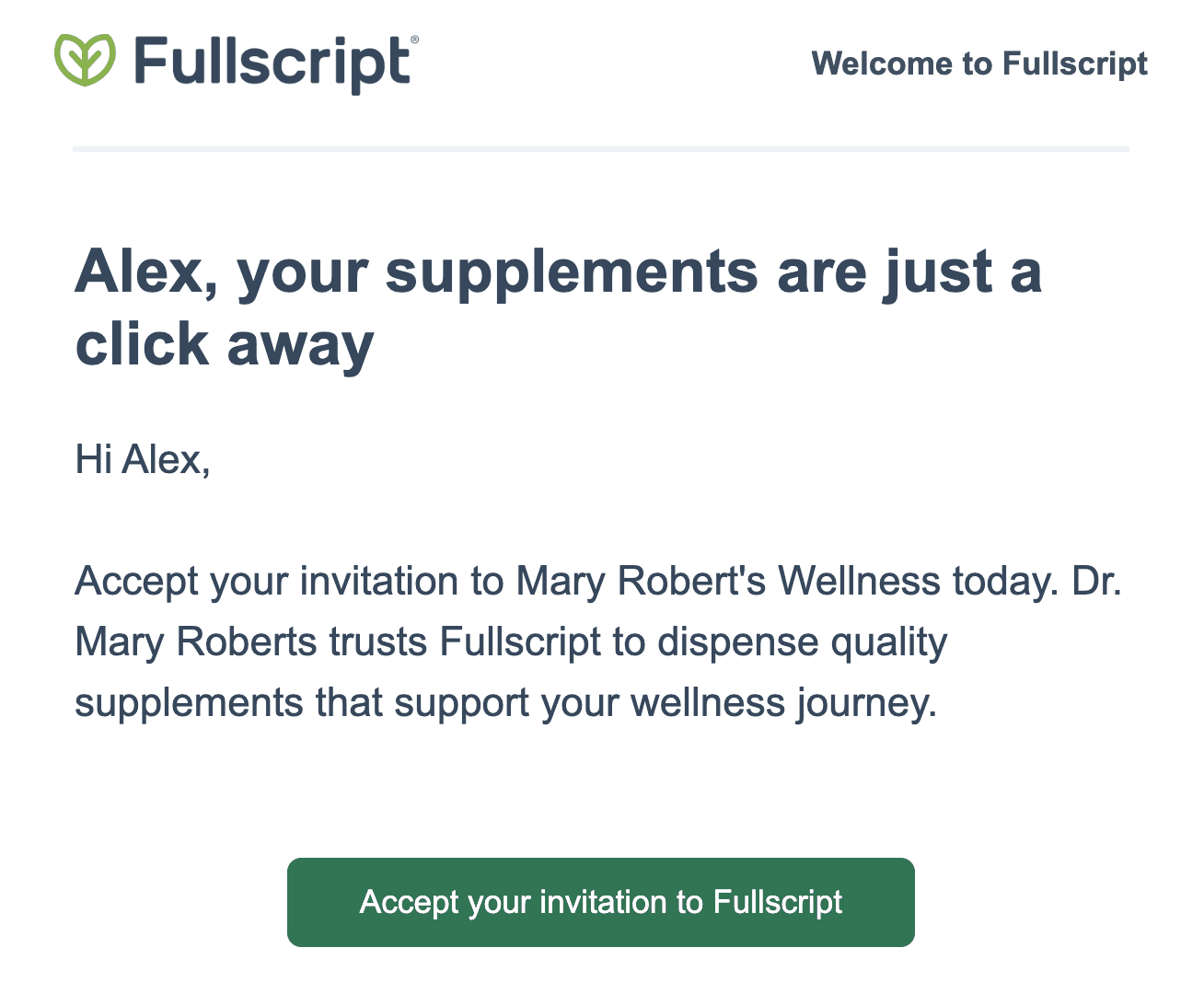
Accessing a dispensary from an emailed Instant Link.
Instant Links expire in 72 hours and can only be used once.
Viewing your plan with an Instant Link
To check out a plan sent by your practitioner via an Instant Link in your text or email notification, select View your plan and agree to the Fullscript Terms of Service and Privacy Statement. You can then review your plan and purchase product(s). Take a look at Placing an order to learn more.
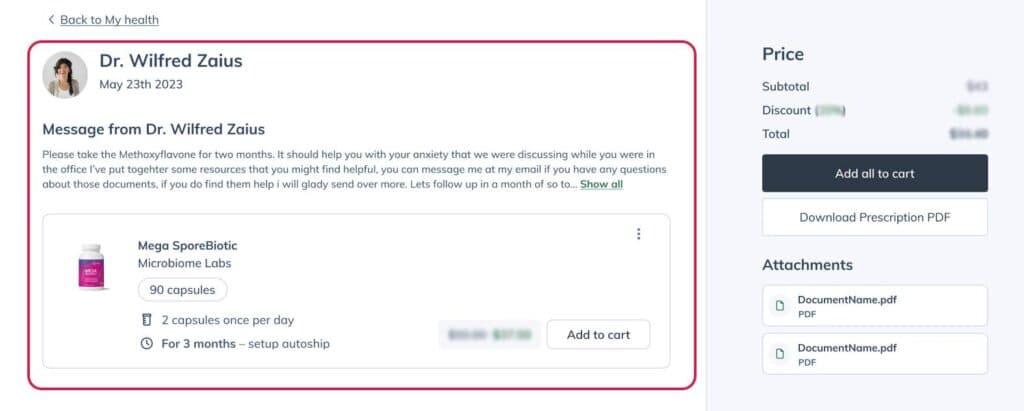
Accessing a plan from an Instant Link.
Instant Links expire in 72 hours and can only be used once. See Expired links to learn more.
Confirming your identity with a passcode
When opening a plan from a New Plan or Plan Reminder email, some patients may see a Confirm it's you screen instead of a plan link.
- Choose Email me or Text me to receive a 6-digit passcode.
- Select Send passcode.
- Enter the passcode on the page you left open.
Keep the following in mind when using a passcode:
- The passcode expires in 10 minutes and can only be used once. If it expires, request a new one.
- The passcode is sent to the email or phone number on file for the plan. If you don't receive a text, choose Email me instead — email is always available.
- If you can't receive the passcode, select Sign in another way to log in as usual.
- Unlike an Instant Link, the plan link on this screen doesn't expire.
If you're having trouble signing in or receiving a passcode, contact our customer support team for assistance.
Requesting an Instant Link
Want to log into your practitioner’s dispensary without a password? No problem! When you land on the Fullscript login screen, select Continue without password, enter the email address associated with your Fullscript account, and select Continue with email. We’ll send an Instant Link to your email inbox that you can click through to access to your account.
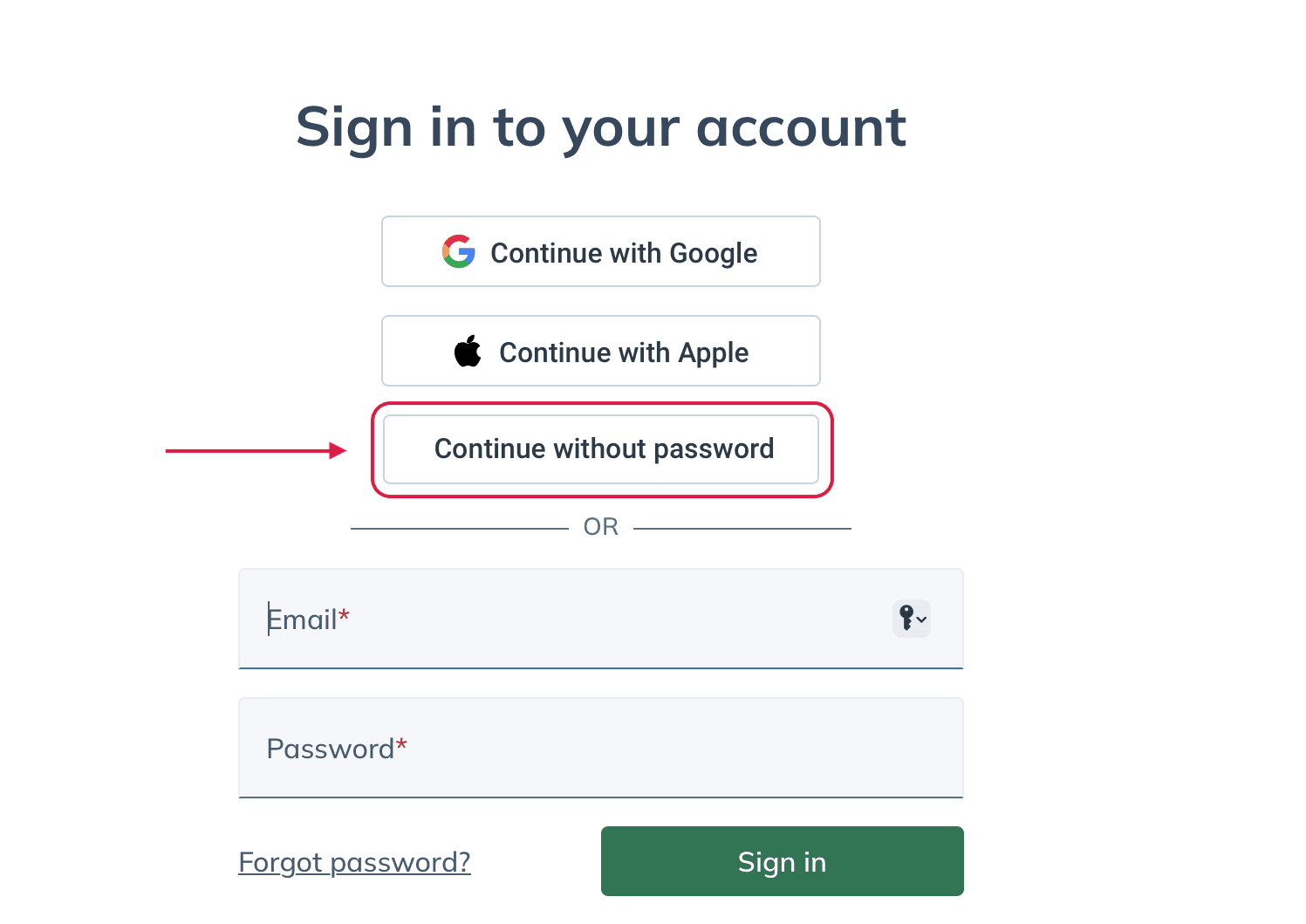
Selecting Continue without password to request an instant link.
Expired links
Instant Links stay active for 72 hours or until they’re used. If you open an expired link, enter your email and select Send new link. Afterward, go to your email inbox and select Sign in to Fullscript from the email notification.
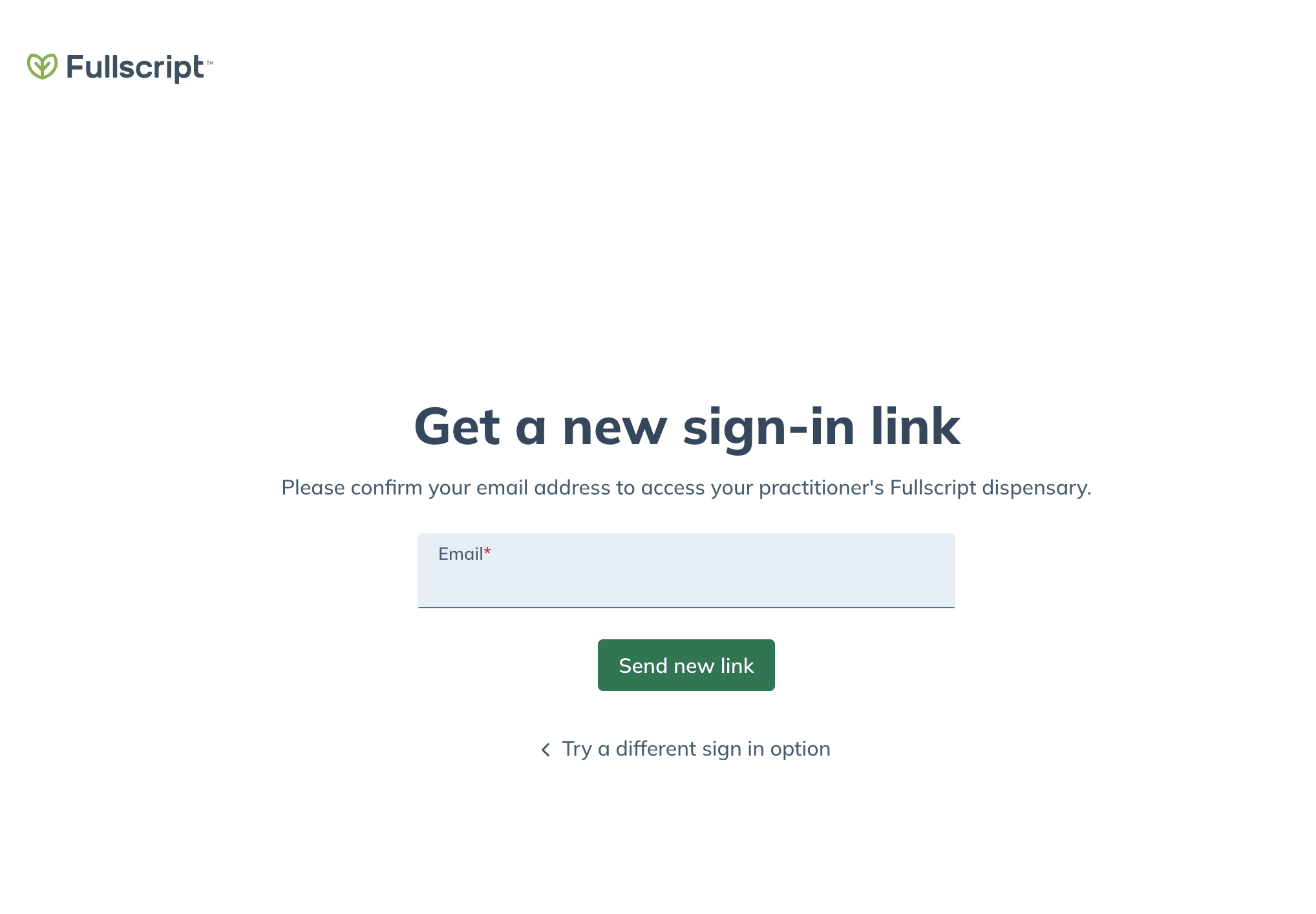
An expired Instant Link with an option to request a new link.