
Last modified: December 8, 2025
Scheduling your Getlabs blood draw
Patients
With Getlabs, you can access a mobile phlebotomist who will collect your blood sample from the comfort of your home or office. Getlabs is available for any lab test on Fullscript that requires a blood draw.
If you need assistance finding an alternative to Getlabs for your blood draw, please contact our support team for help.
Scheduling your Getlabs blood draw
Before purchasing your test, select Getlabs as your sample collection method during checkout.
Once your purchase is complete and your test appears in your Fullscript account, you can schedule your Getlabs blood draw. If your test includes a requisition form or kit, have it available for your appointment.
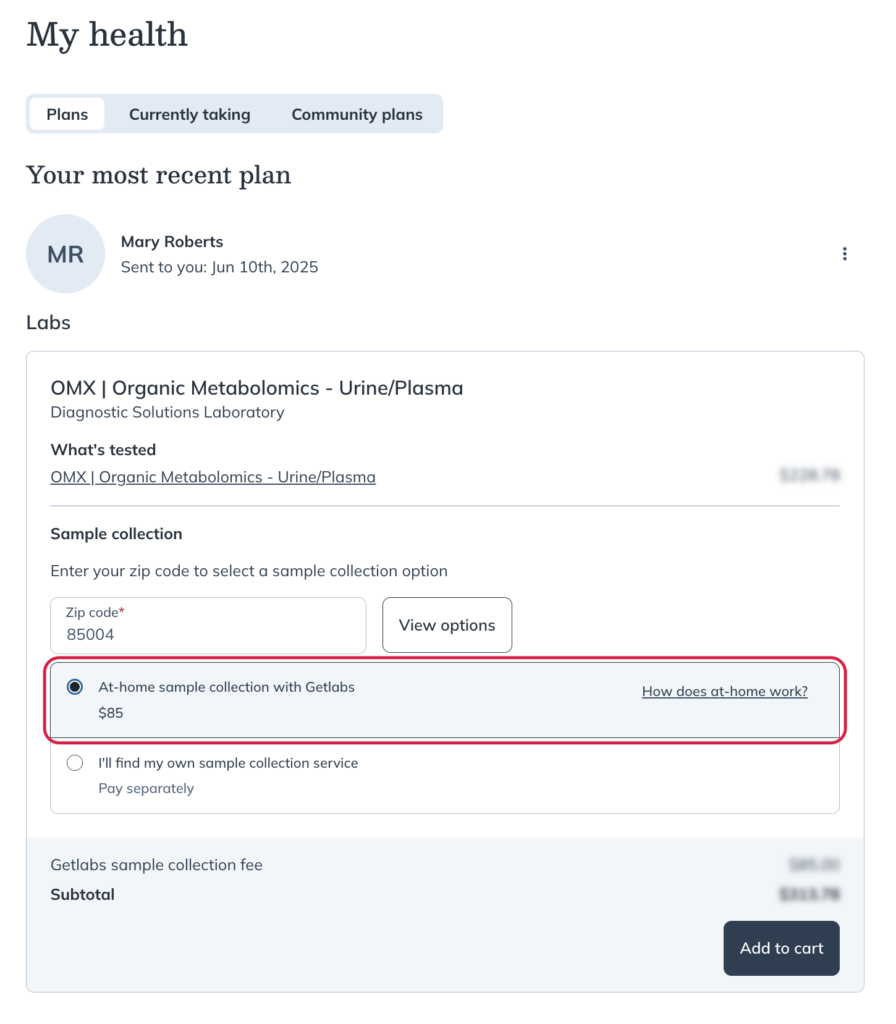
To schedule your appointment:
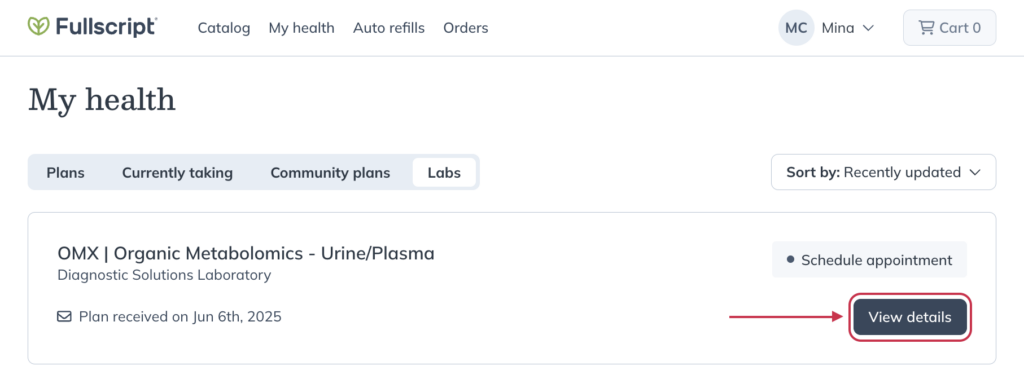
- Go to the My health page and click the Labs tab.
- Click View details next to your test.
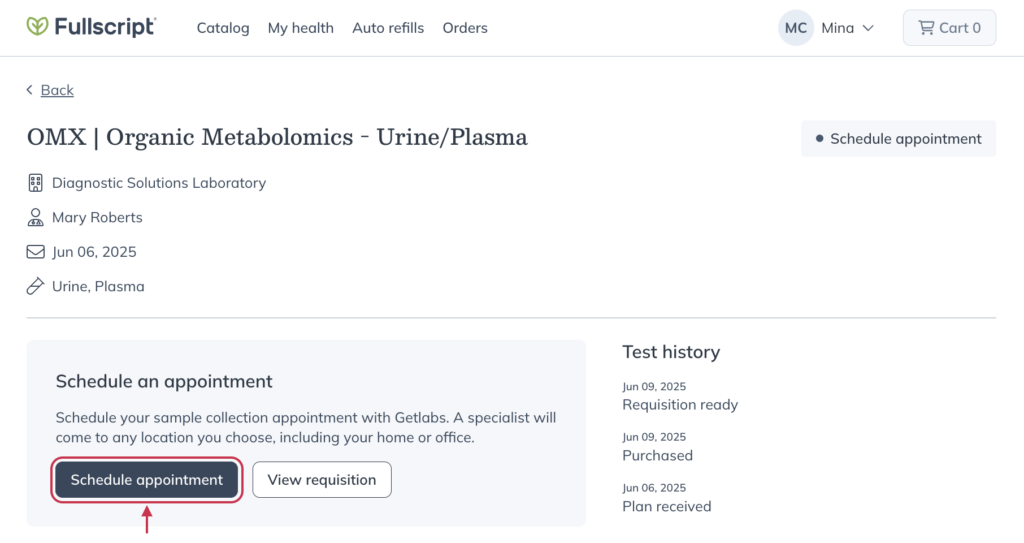
- On the test details page, click Schedule appointment.
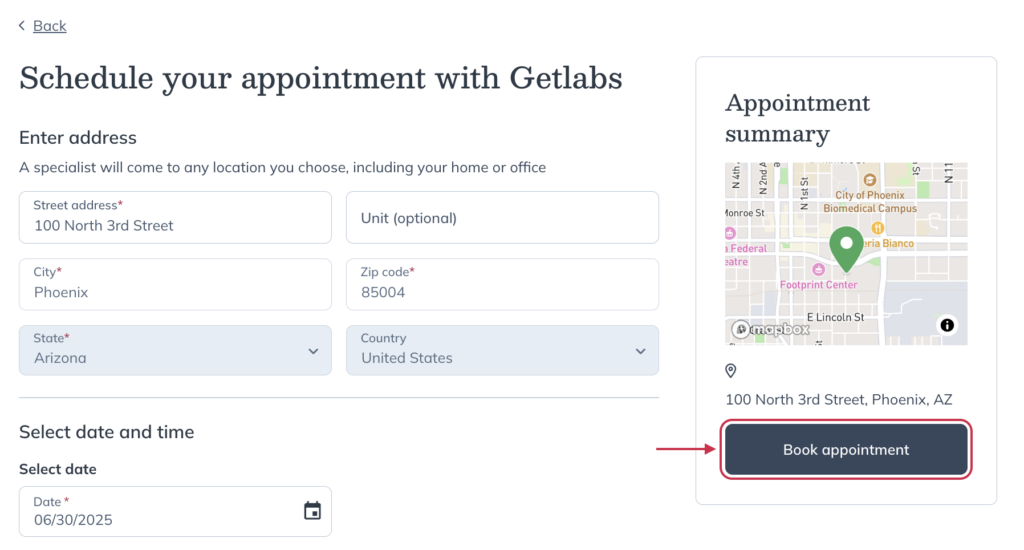
- Complete the scheduling form and select a date and arrival window for your blood draw.
- Click Book appointment.
- A modal will appear saying your appointment is confirmed! You’ll have the option to add the appointment to your calendar.
Rescheduling or canceling your Getlabs appointment
You’ll receive a full refund if you reschedule or cancel at least 24 hours in advance. Changes within 24 hours are non-refundable.
To manage your Getlabs appointment:
- Go to your My health page and click the Labs tab.
- Click View details next to your test.
- On the test details page, click Manage appointment.
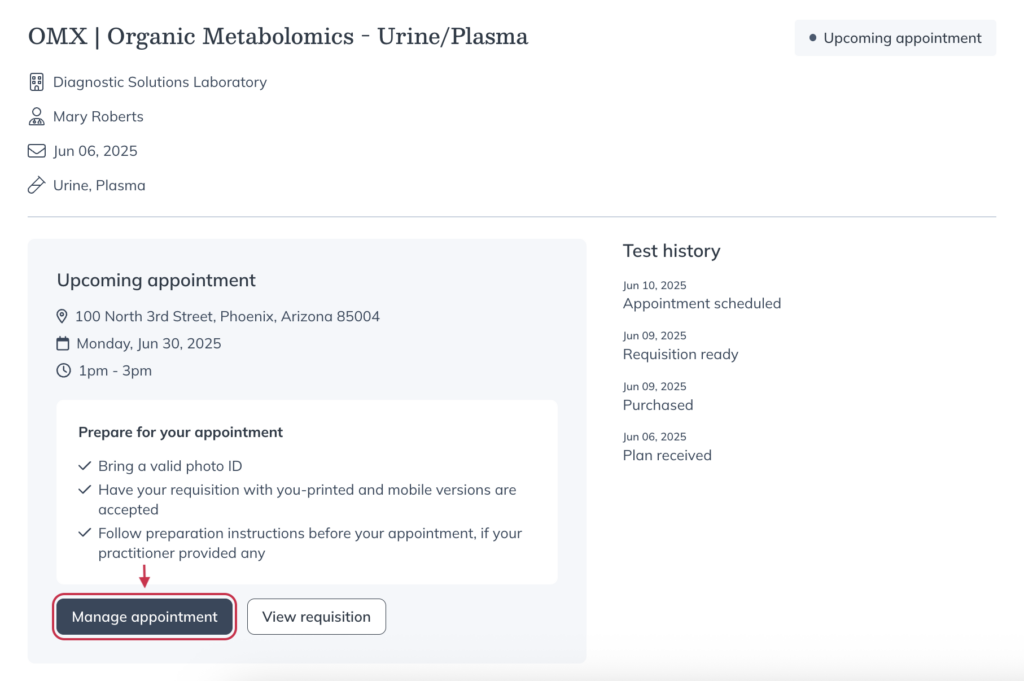
- Choose Reschedule appointment or Cancel appointment.
- Follow the prompts to confirm your changes.
Troubleshooting
Our Labs Support Team can help with:
- Locating or uploading your lab requisition
- How to schedule your Getlabs appointment
- Finding other local options for a blood draw
Please contact Getlabs directly if you need help:
- Rescheduling or canceling a scheduled blood draw.
- Contacting your phlebotomist.