
Last modified: May 26, 2026
Lifestyle recommendations
Providers
Lifestyle recommendations let you add personalized nutrition, movement, sleep, and stress management guidance alongside supplements and labs in the same plan.
Add a Lifestyle recommendation to a plan
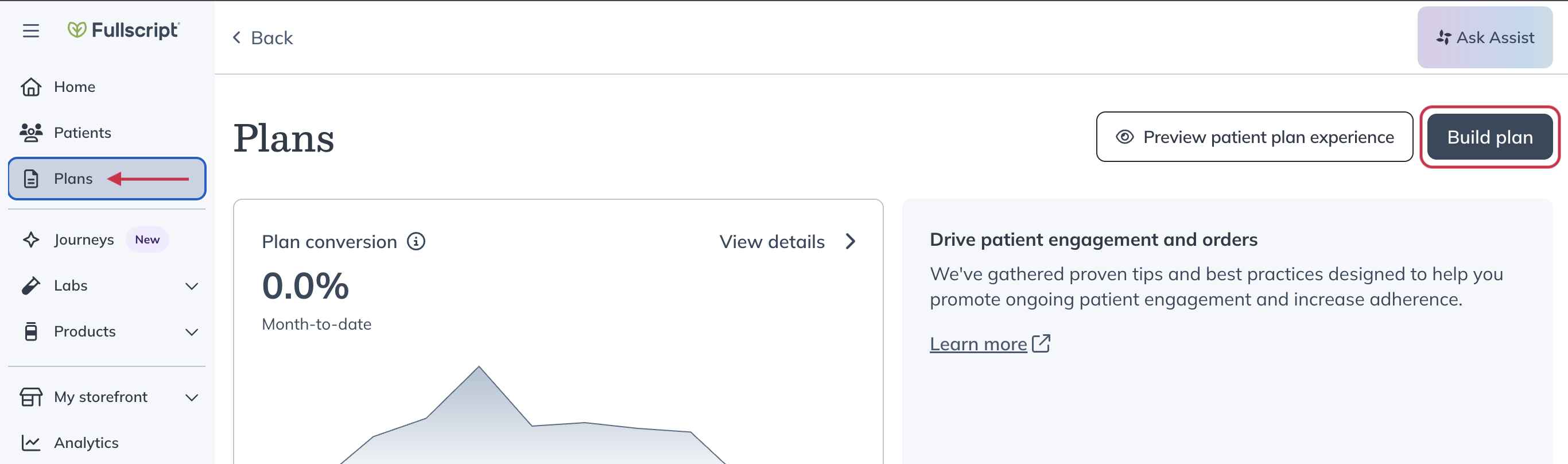
- From the Plans page, click Build a plan in the top-right corner.
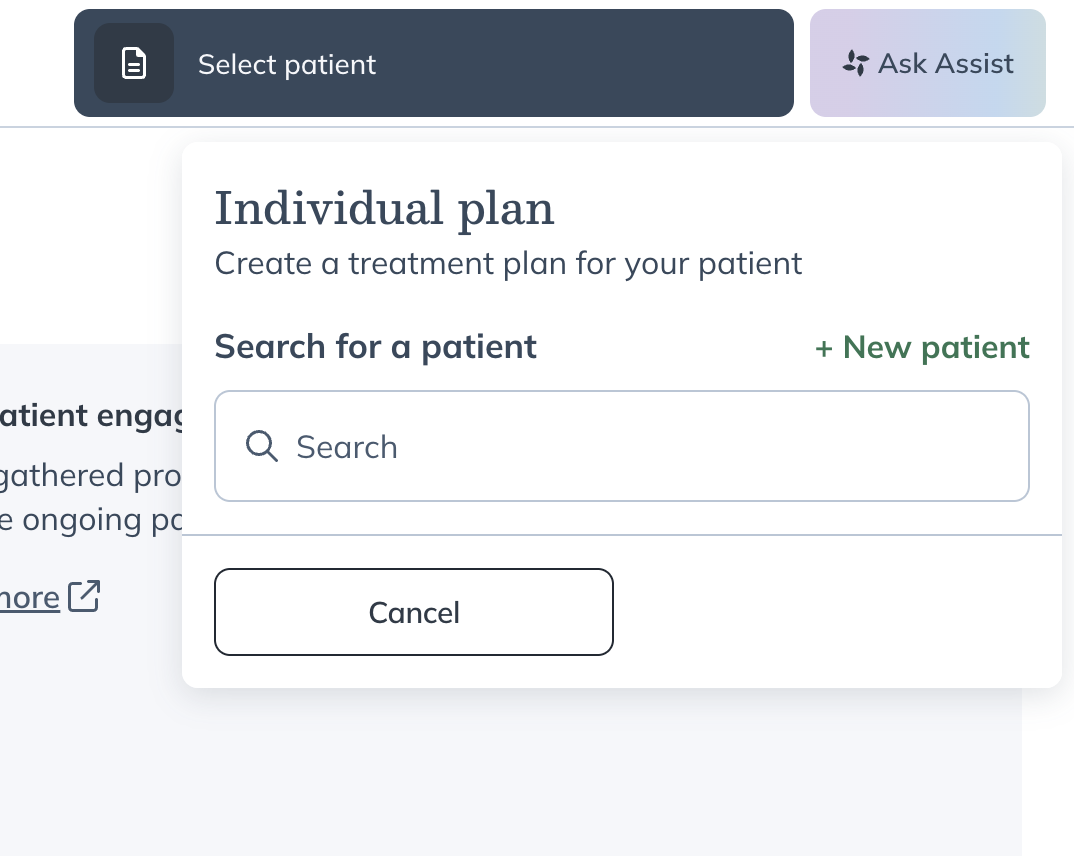
- Search for and select the patient you’d like to create a plan for.
- Add products, labs, and resources to the plan as needed.
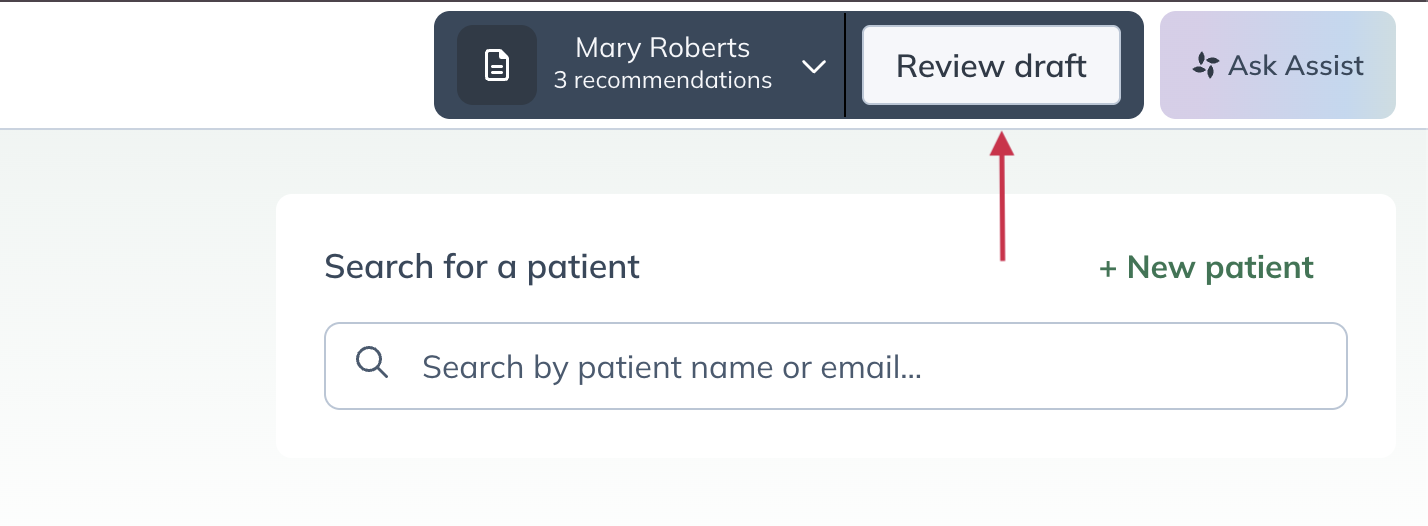
- Click Review draft.
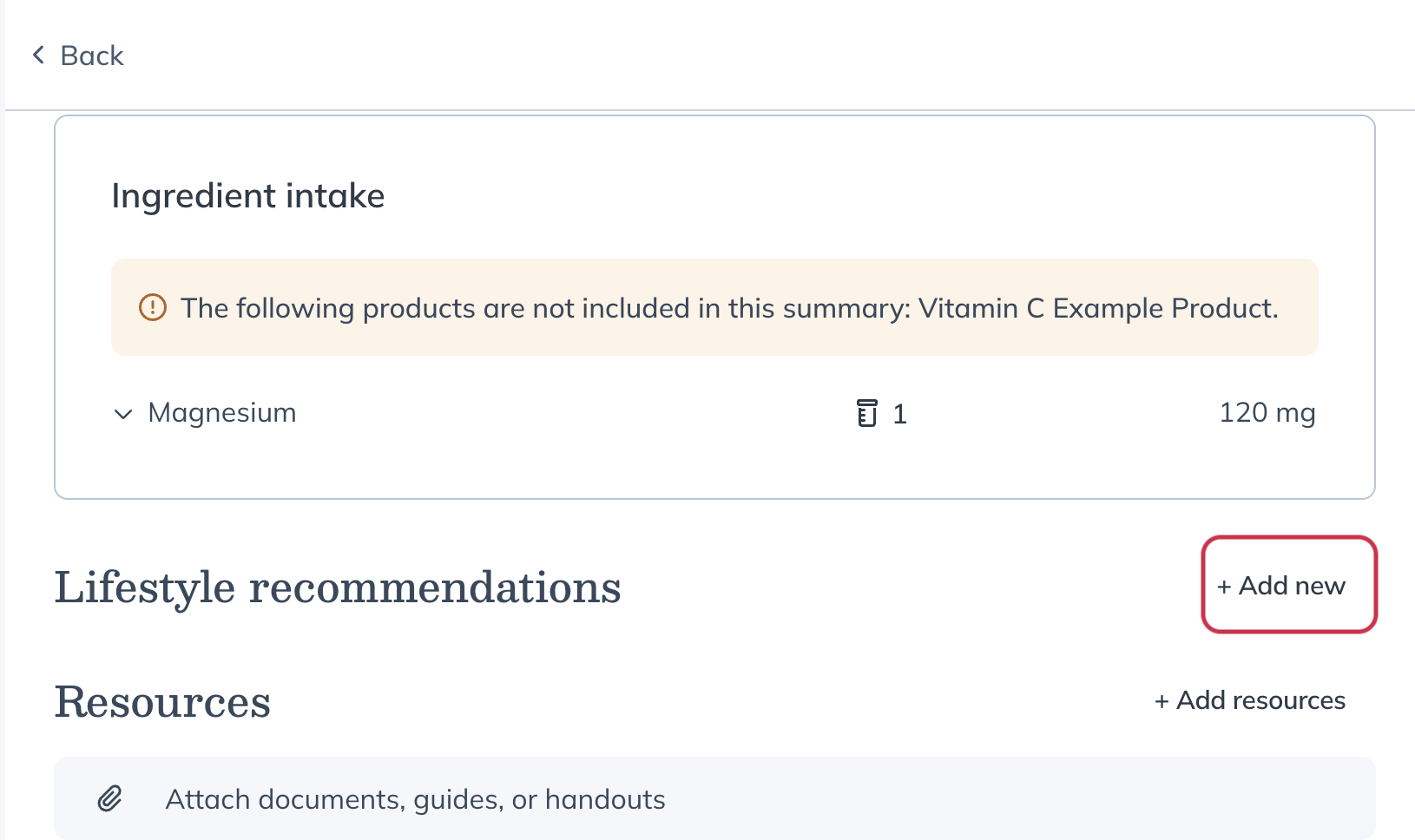
- From the review page, click Add new to add a Lifestyle recommendation.
- Select a category for the recommendation:
- Movement
- Nutrition
- Sleep
- Stress Management
- Enter personalized notes or guidance for the patient.
- Click Add to save the Lifestyle recommendation.
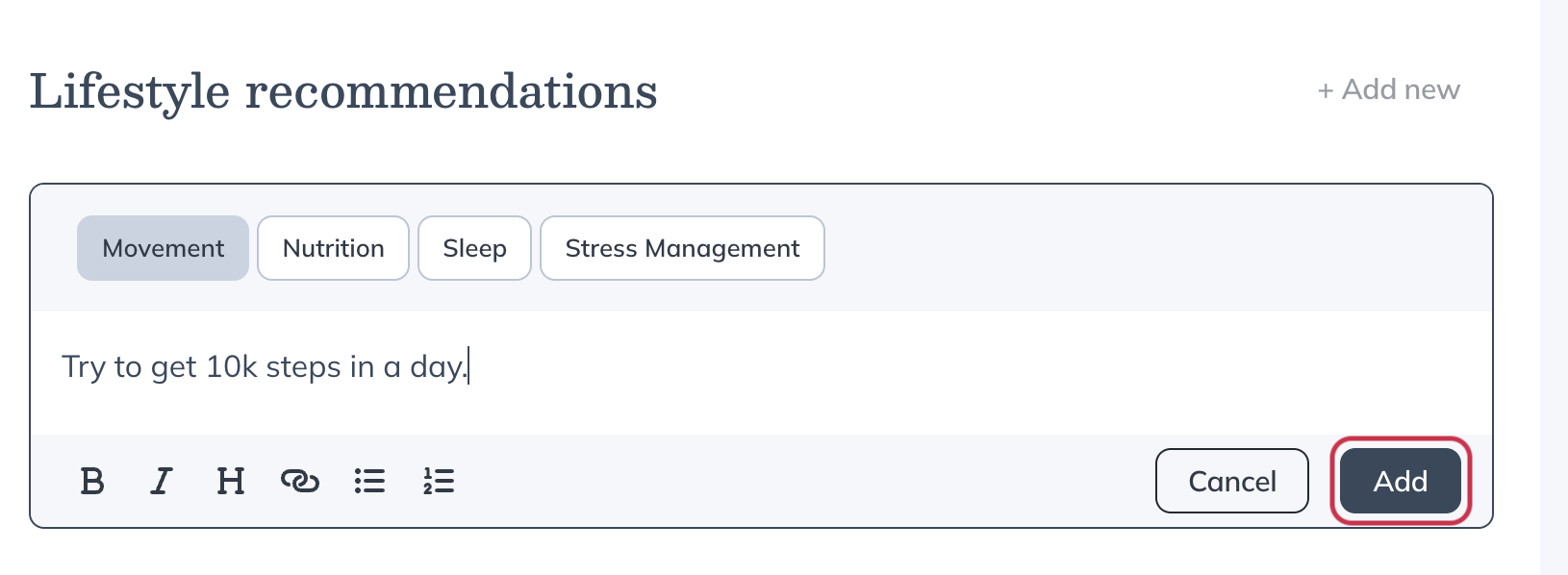
- You can add multiple Lifestyle recommendations within the same category.
- When you’re ready, send the plan to the patient.
Edit or remove Lifestyle recommendations
You can edit or remove Lifestyle recommendations at any time while creating a plan or after the plan has been sent to a patient.
- When a Lifestyle recommendation is removed, it’s automatically archived after plan activation.
- Archived recommendations are no longer shown to the patient.
Viewing Lifestyle recommendations from the patient profile
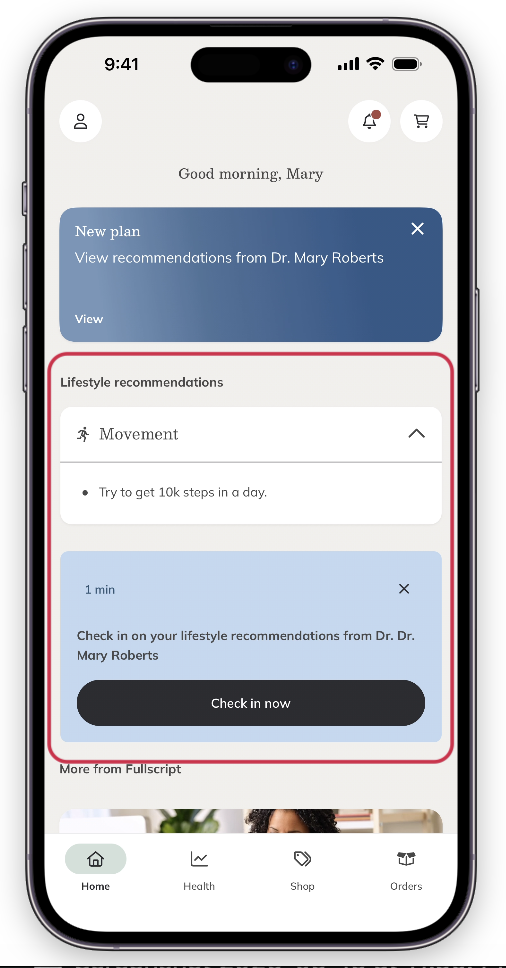
Patients can view Lifestyle recommendations on both desktop and the mobile app.
In the iOS/Android app, patients can:
- View their Lifestyle recommendations from the home page.
- Complete a check-in survey related to the recommendation.
On desktop, patients can view their Lifestyle recommendations under My health.
