Last modified: April 2, 2026
Setting up your preferred phlebotomists
Providers
What are preferred phlebotomists?
Practitioners can now set preferred phlebotomists in Fullscript, so they can continue sending patients to services they know and trust, all within one seamless workflow. Store owners can add trusted phlebotomy locations or clinics in their dispensary settings. Once added, these appear as the default blood draw option for patients ordering specialty lab kits.
Only store owners can add or update preferred phlebotomists. Clerks and secondary practitioners don’t have access to these settings.
Setting up a preferred phlebotomist
To set up a preferred phlebotomist, first make sure you’ve registered for labs on Fullscript. Then follow these steps to add preferred phlebotomists from Labs settings.
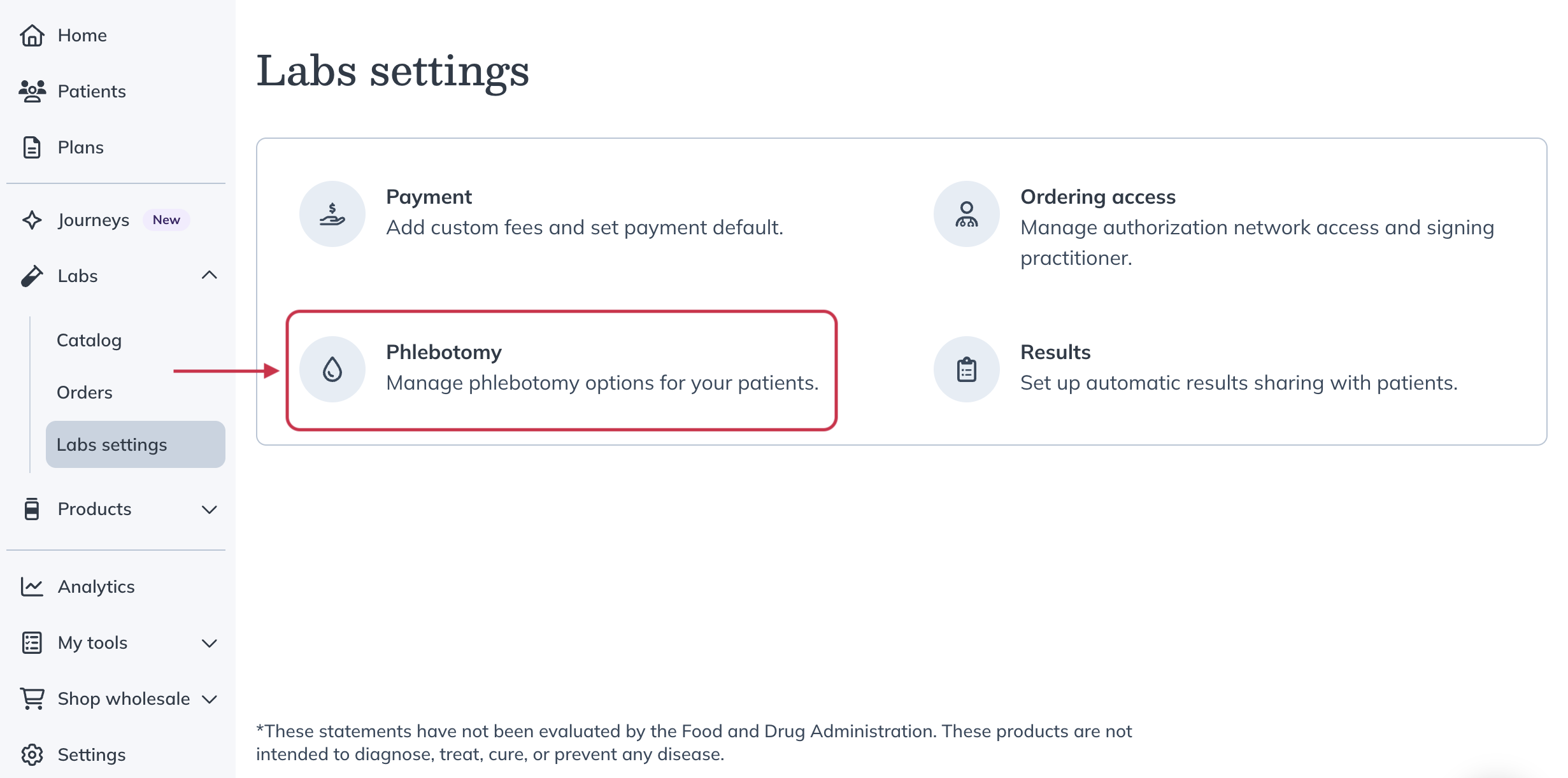
- Click Labs in the left-hand navigation.
- Click Labs settings.
- Select Phlebotomy.
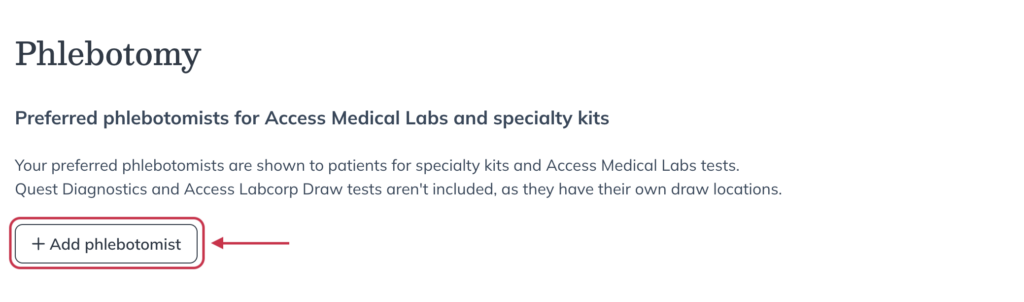
- Click Add phlebotomist.
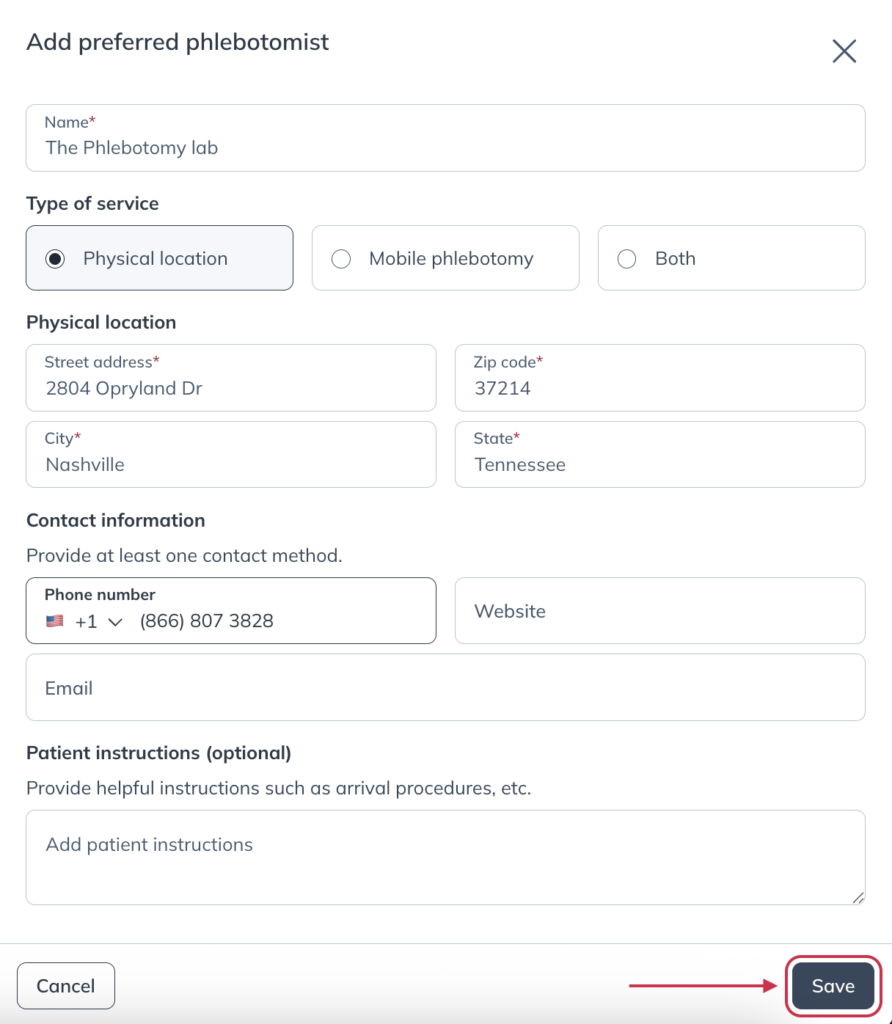
- Fill out the form, including the phlebotomist’s name, type of service, location, and contact information. You can also add optional patient instructions.
- Click Save.
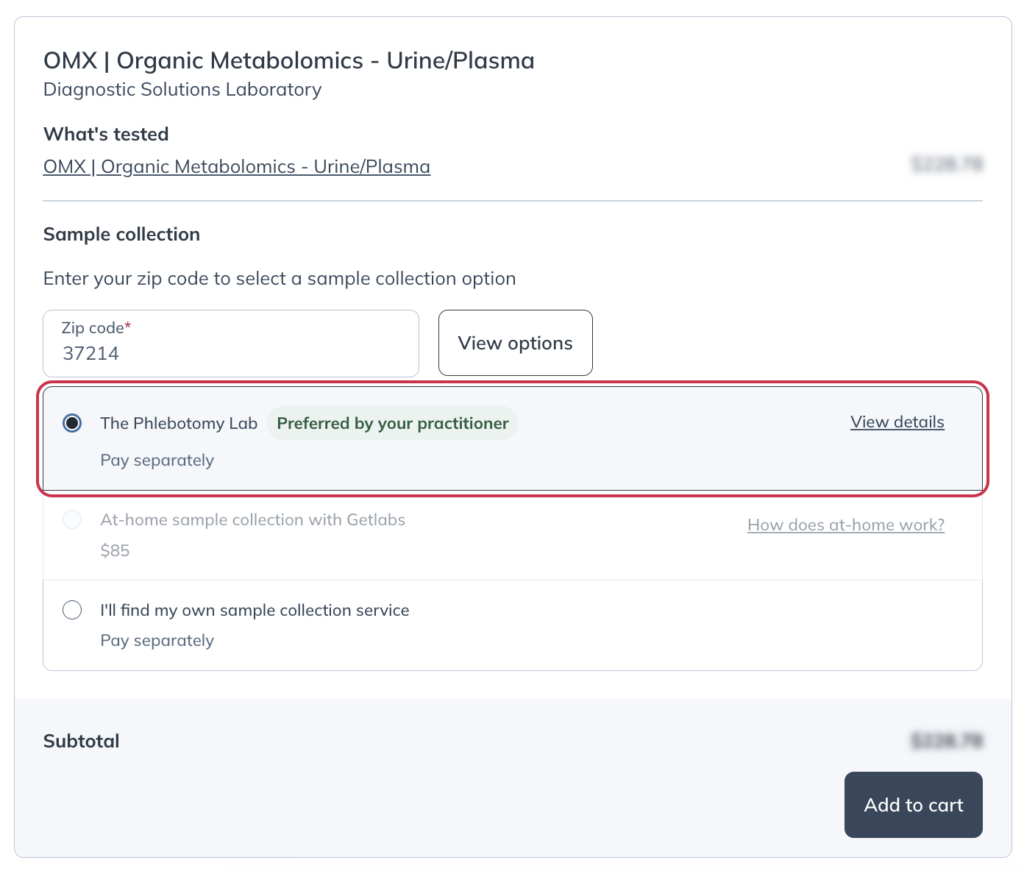
Your preferred phlebotomist will now be available as the default blood draw option when patients schedule their blood draw for their test.
Editing or deleting a preferred phlebotomist
You can review, update, or remove a saved preferred phlebotomist at any time from the Phlebotomy section in Labs settings.
To manage a preferred phlebotomist:
- Click Labs in the left-hand navigation.
- Click Labs settings.
- Select Phlebotomy.
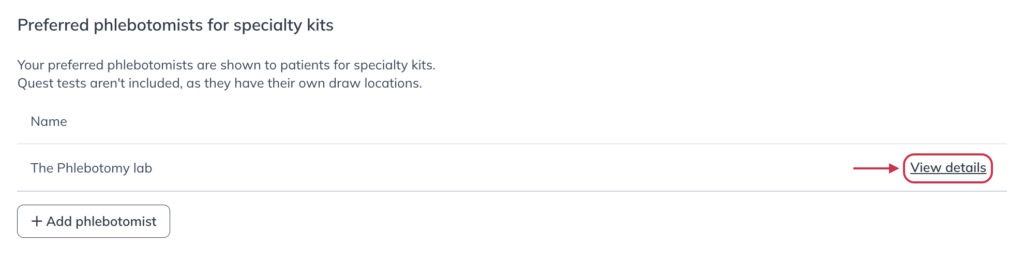
- Find the phlebotomist you want to manage and click View details.
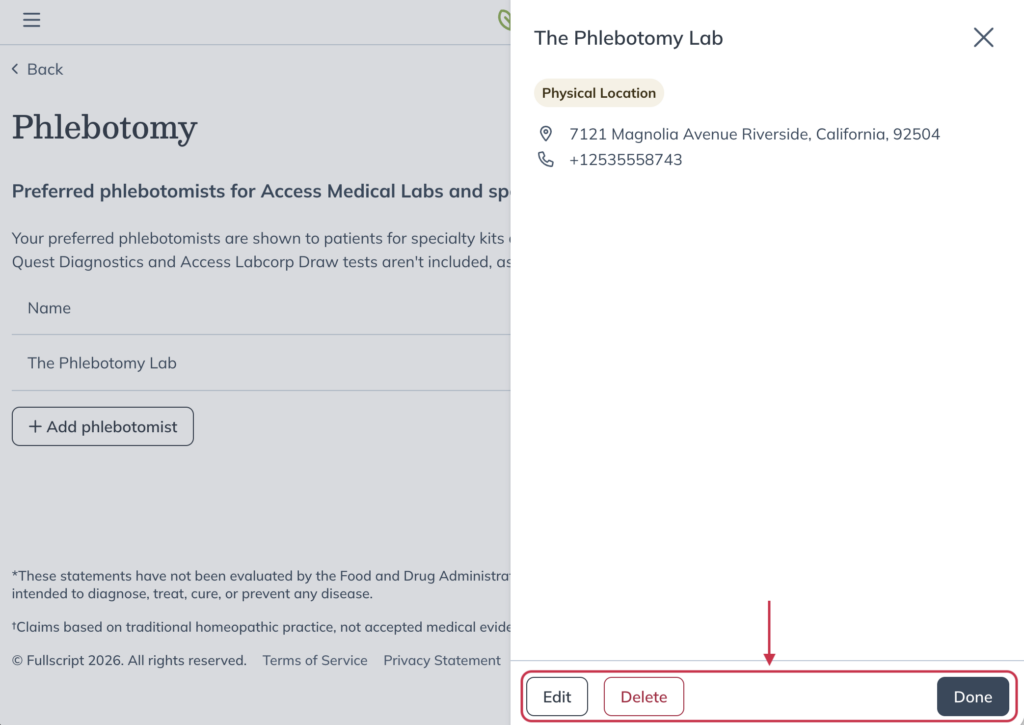
- Choose an action from the drawer:
- Click Edit to update the phlebotomist’s information, then click Save.
- Click Delete, then click Delete phlebotomist to confirm removal.
- Click Done to close the drawer without making changes.
The patient experience
The preferred phlebotomist is shown as the default option before the patient adds their specialty lab kit to their cart. Patients more than 50 miles from the preferred option will see a distance warning. Patients can select from other preferred phlebotomists (if you’ve provided multiple options) or Getlabs if available. They can also choose from our list of local independent phlebotomy options that draw for specialty test kits.
If you send a patient a plan that includes both a specialty lab and a Quest lab, they’ll need to select a sample collection method for each test. Sample collection for Quest labs must be performed at a Quest Diagnostics location, or by Getlabs if available.