
Last modified: March 26, 2026
Navigating patient profiles, plans, and order history
Providers
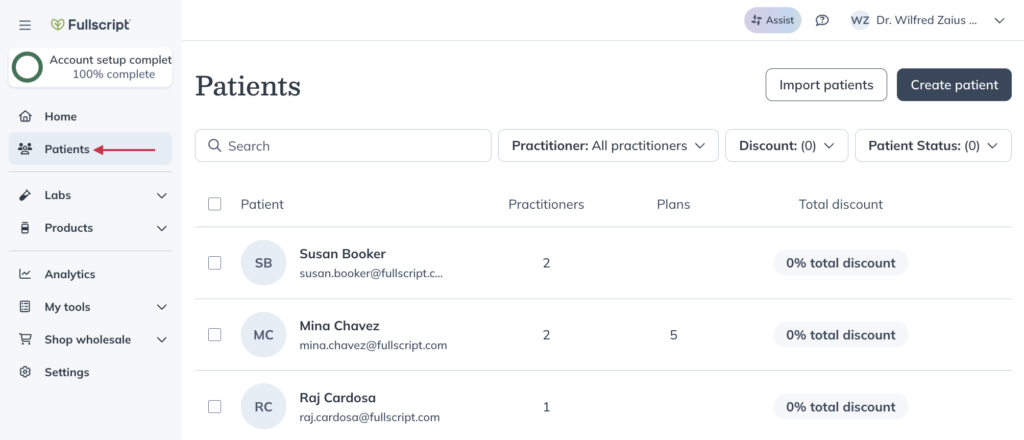
Patient profiles are created for each patient in your store. From a patient profile, you can manage details, review plans, and view order history.
From a patient profile, you can:
- View and update patient details
- Review plans
- View and manage orders
Navigating to patient profiles
To access a patient profile:
- Go to Patients.
- Search for or select a patient.
Once you open a patient profile, you can view their details, plans, and orders.
Patient profile
You can view and update a patient’s details from their profile.
Practitioners and staff can update:
- Name
- Email address (before the patient signs in for the first time)
- Individual discount (profit stores only)
- Additional details (date of birth, biological sex)
Viewing patient plans
You can review a patient’s past and current plans from their profile.
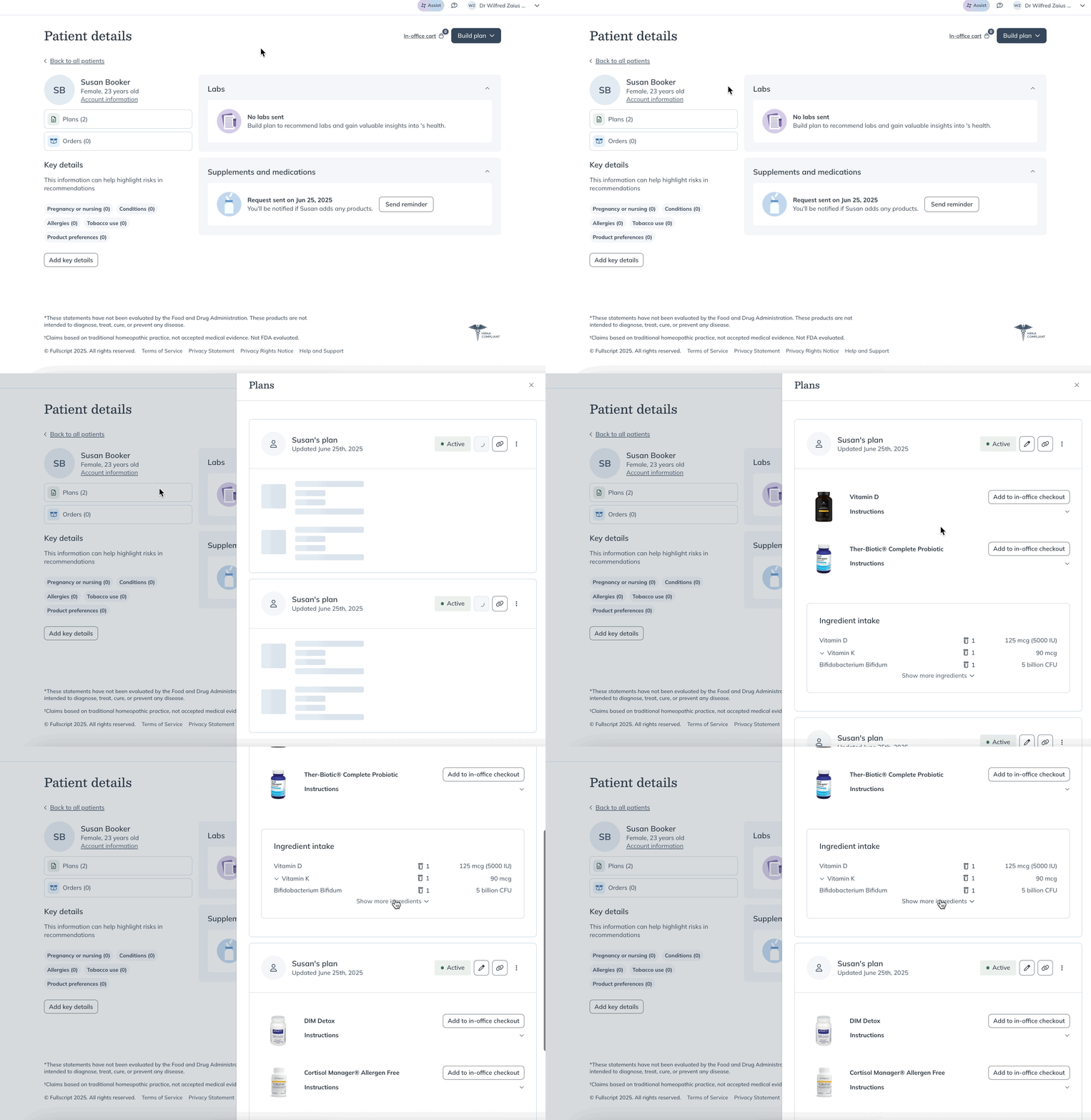
You can also view plan history while creating a new plan.
Patient’s currently taking
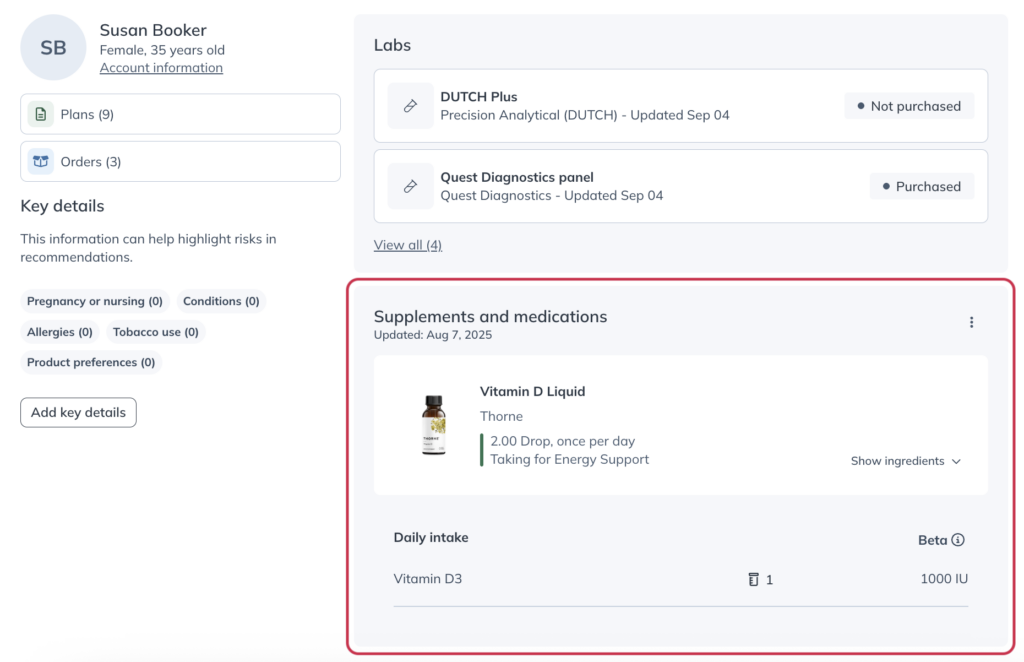
If a patient shares what they’re currently taking, you can view it in the Supplements and medications section of their profile.
This includes reasons for taking each product.
Viewing patient order history
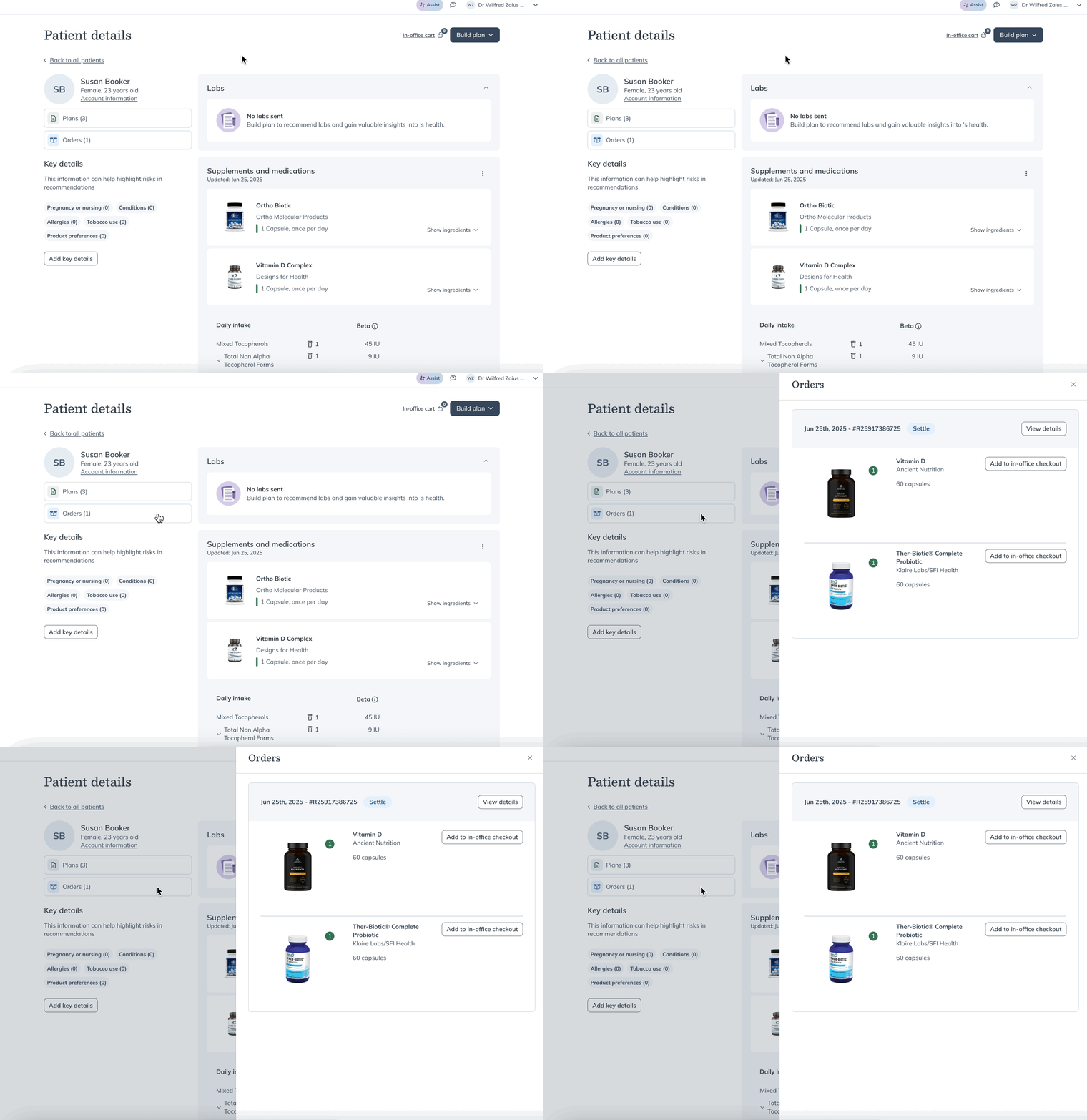
Viewing your patients’ order history can be useful in understanding plan adherence, so you can take action and help patients stay on track with their goals.
To view a patient’s order history:
- Open a patient profile.
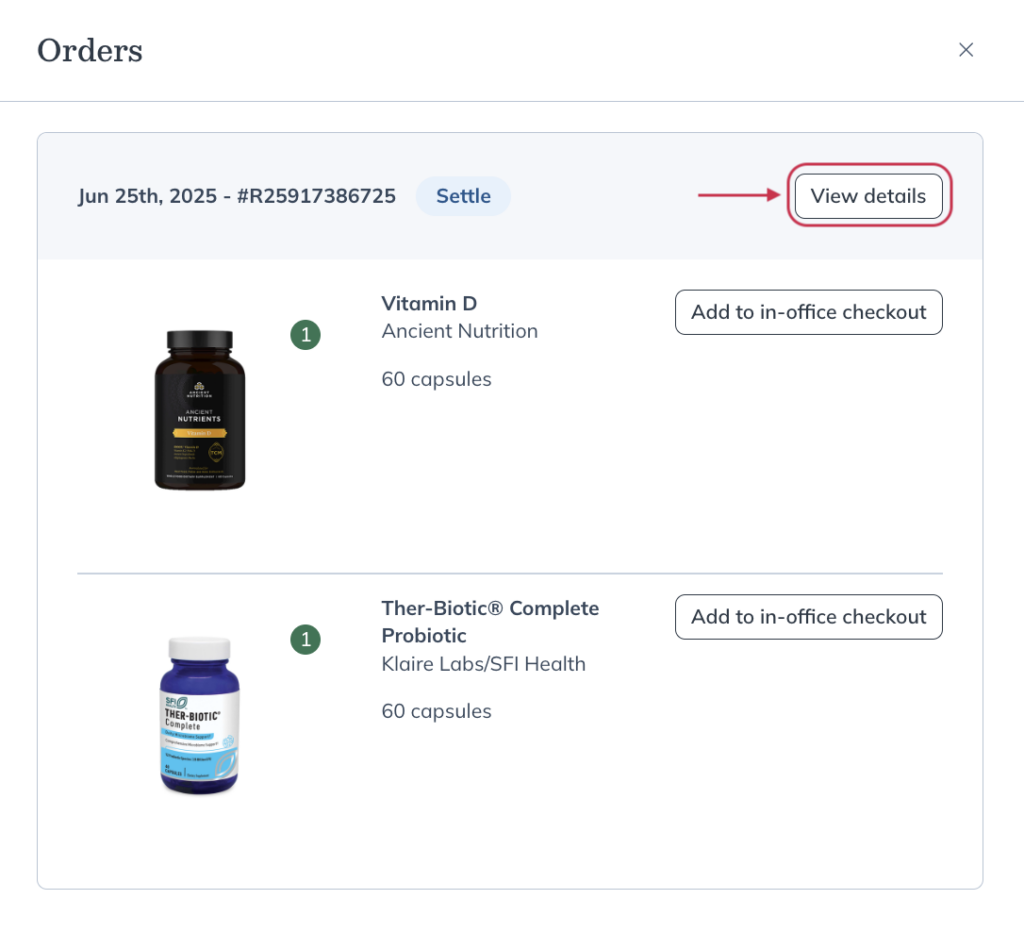
- Select Orders.
Tracking patient orders
You can track orders from the patient profile or from order emails.
To track an order:
- Open a patient profile.
- Select Orders.
- Select View details.
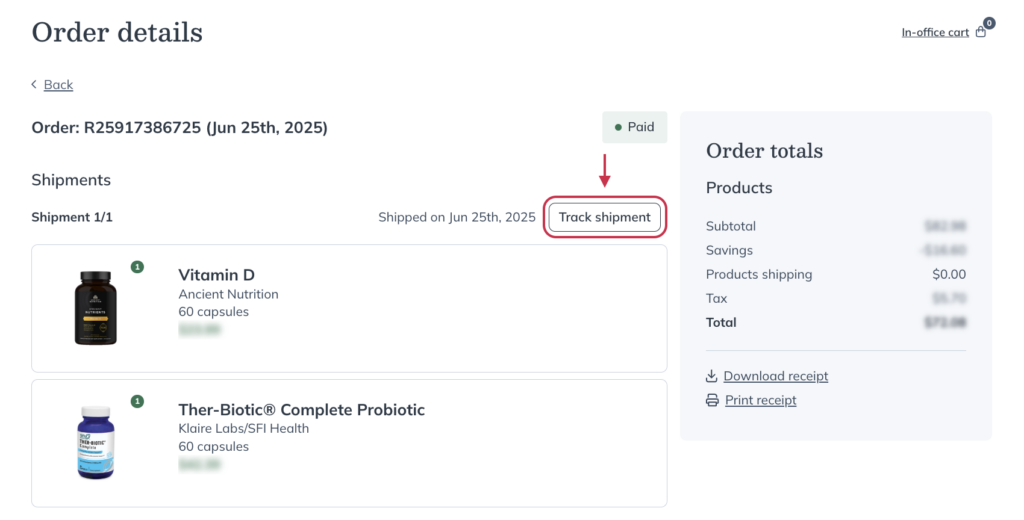
- Select Track shipment to view tracking history on the courier’s website.
Downloading patient receipts (invoices)
To view, download or print a receipt from a patient profile page:
- Open Orders from a patient profile.
- Select View details.
- Select Download receipt or Print receipt.

Repeat or place an order
You can place or repeat orders using in-office checkout:
- Open a patient profile.
- Select Orders.
- Select View details.
- Select Add all to in-office checkout or add individual items.
Video: Managing your patient’s profile