
Last modified: June 17, 2026
In-office phlebotomy
Providers
In-office phlebotomy allows you to collect patient blood samples directly in your clinic for eligible lab tests, eliminating the need for external draw sites. This helps reduce delays in care, keeps patients engaged, and gives you more control over your lab workflow—all managed through your Fullscript account.
Depending on the test, you may need in-office supplies (like tubes, needles, or equipment) or specialty kits that include all required collection materials.
Enabling in-office phlebotomy
After registering for labs, in-office phlebotomy must be enabled in your Labs settings.
- Click Labs in the left-hand navigation.
- Click Labs settings.
- Select Phlebotomy.
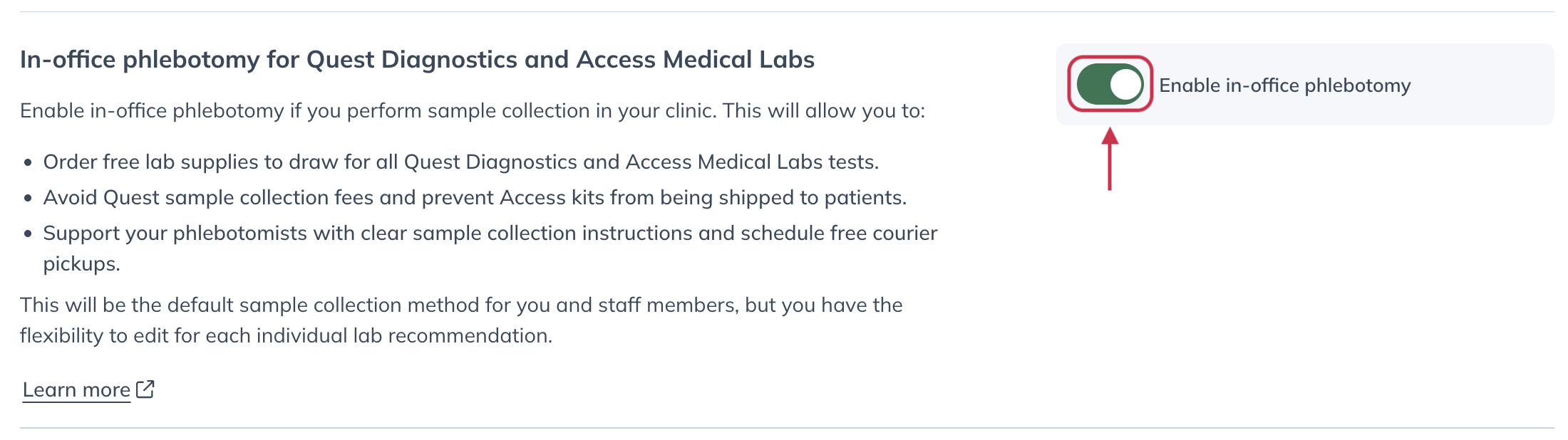
- Turn on the Enable in-office phlebotomy toggle.
- Review and confirm your clinic information.
- Click Enable in-office phlebotomy to save your changes.
Once enabled, you’ll be able to select in-office phlebotomy when building lab plans.
Scheduling pickups
During in-office phlebotomy setup, you’ll have the option to schedule specimen pickups.
To schedule pickups after enabling in-office phlebotomy:
- On step two, add time slots and special pickup instructions, if needed, then click Continue.

- On step three, review the clinical details and pickup schedule information, then click Enable in-office phlebotomy.

Ordering in-office supplies
Before performing in-office phlebotomy, make sure your clinic has the necessary supplies available.
To place an order:
- Go to Shop wholesale.
- Select Lab supplies.
- Use the toggle above the searchbar to choose In-office supplies.
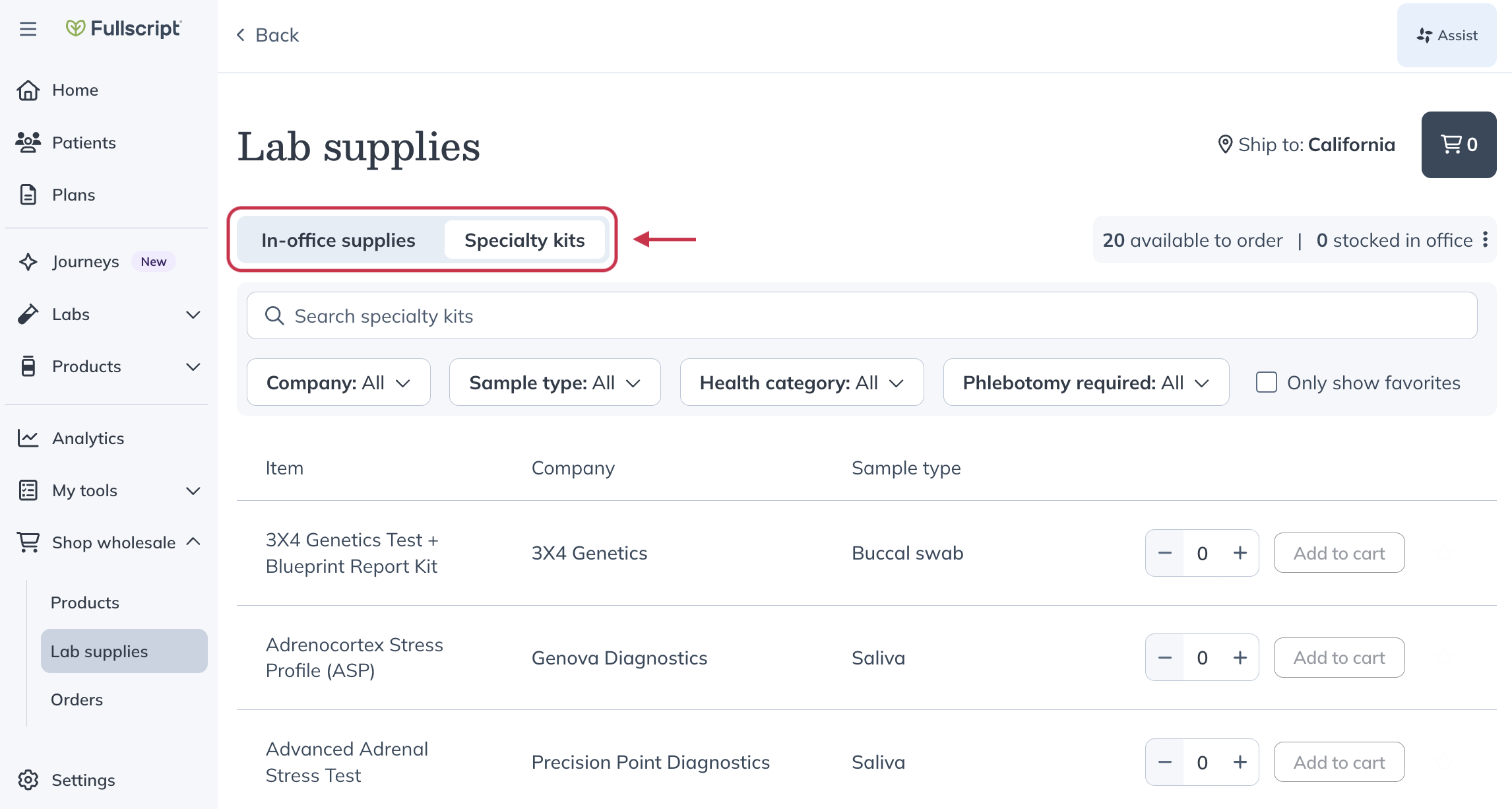
- Search for an item or use filters to narrow results.
- Click Add to cart and complete checkout.
For guidance on activating and managing specialty kits, see In-office lab kits.
Video: How to activate an in-office lab kit
Shipping and order details
You can order in-office supplies, specialty kits, and supplements together in a single wholesale order.
Paid supplies count toward the $250 free shipping threshold for products. Ordering five or more specialty kits qualifies for free shipping.
Supplies and kits may ship separately. If minimum thresholds aren’t met for each category, separate shipping charges may apply.
To track your orders, go to Shop wholesale → Orders.
Building a plan with in-office phlebotomy
Once you have the required materials, you can build and send a plan to your patient:
- Open or create a patient plan.
- Add a lab from the Lab catalog.
- On the Review plan page, select In-office phlebotomy under Sample collection.
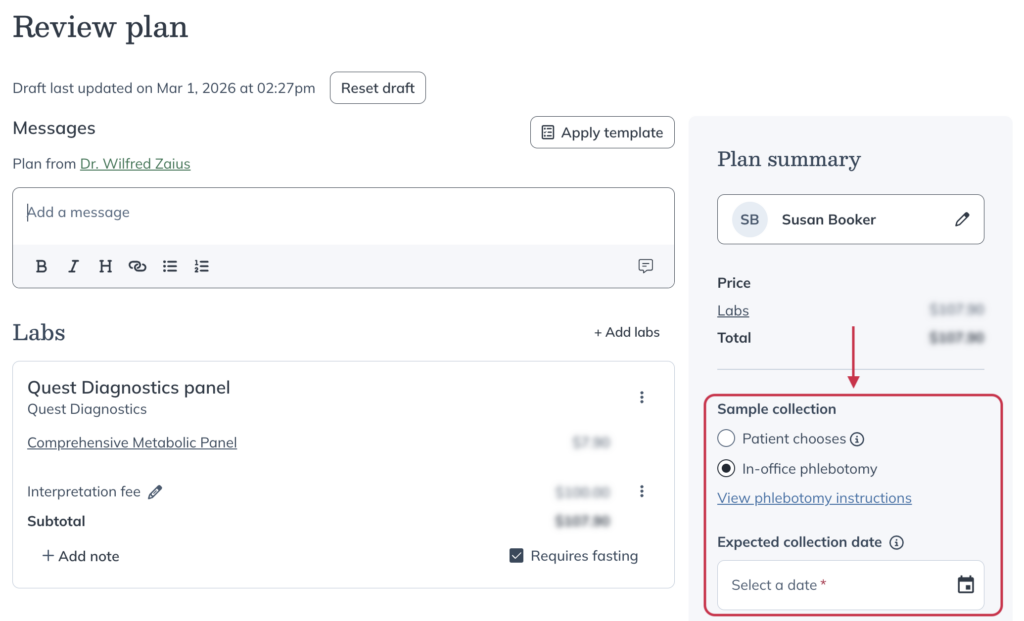
- Enter the Expected collection date.
- Choose who is paying for the order.
- Click Send to patient.
Viewing phlebotomy instructions
Phlebotomy instructions provide guidance to help you prepare, collect, and handle samples correctly, and include:
- Patient preparation requirements
- Required supplies
- Tube labeling instructions
- Order of draw and inversion guidance
- Information on scheduling specimen pickups
You can view these instructions in two places, depending on where you are in your workflow:
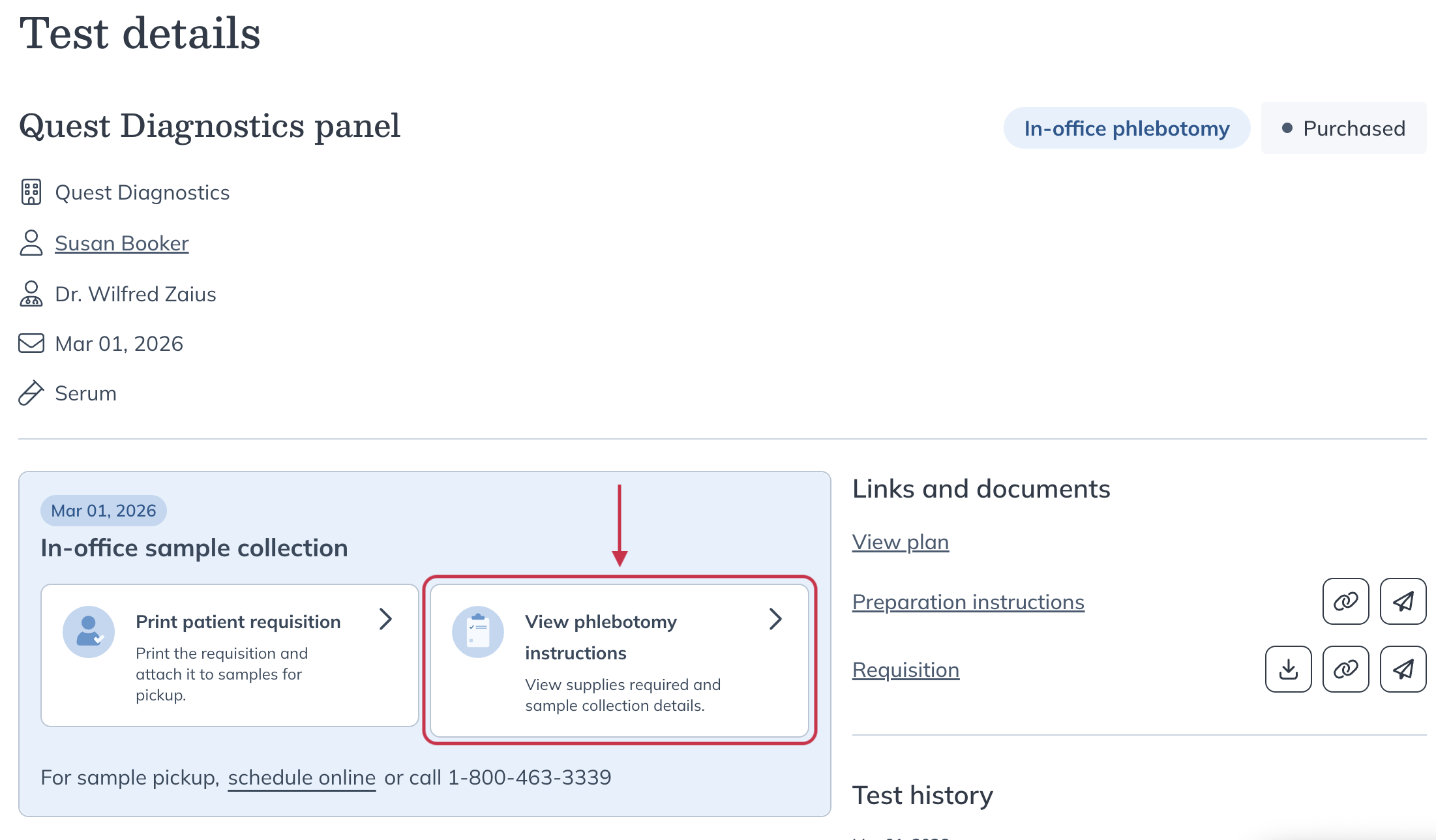
- Before checkout: select View phlebotomy instructions on the Review plan page.
- After checkout: navigate to Lab orders, select the order, and click View phlebotomy instructions.
Patient experience
If the patient is paying for the lab order, they’ll complete checkout through their Fullscript account as usual. If you’re collecting payment in-office, checkout is completed during the visit.
Patients can view their lab order details and any available preparation instructions from their Fullscript account once the order has been placed.
For an overview of the patient lab-testing experience, refer to Lab testing with Fullscript explained.