
Last modified: March 17, 2026
Staff: Moving from Rupa to Fullscript
Staff
If your practice has moved from Rupa Health to Fullscript, you’ll see a prompt in Rupa to continue your work in Fullscript the next time you log in.
This guide walks staff through what to expect and how to complete setup.
Moving from Rupa to Fullscript
Once your practice has moved, you’ll complete a short setup in Fullscript the next time you log in. This includes a brief introduction to the labs experience and a guided tour of key areas.
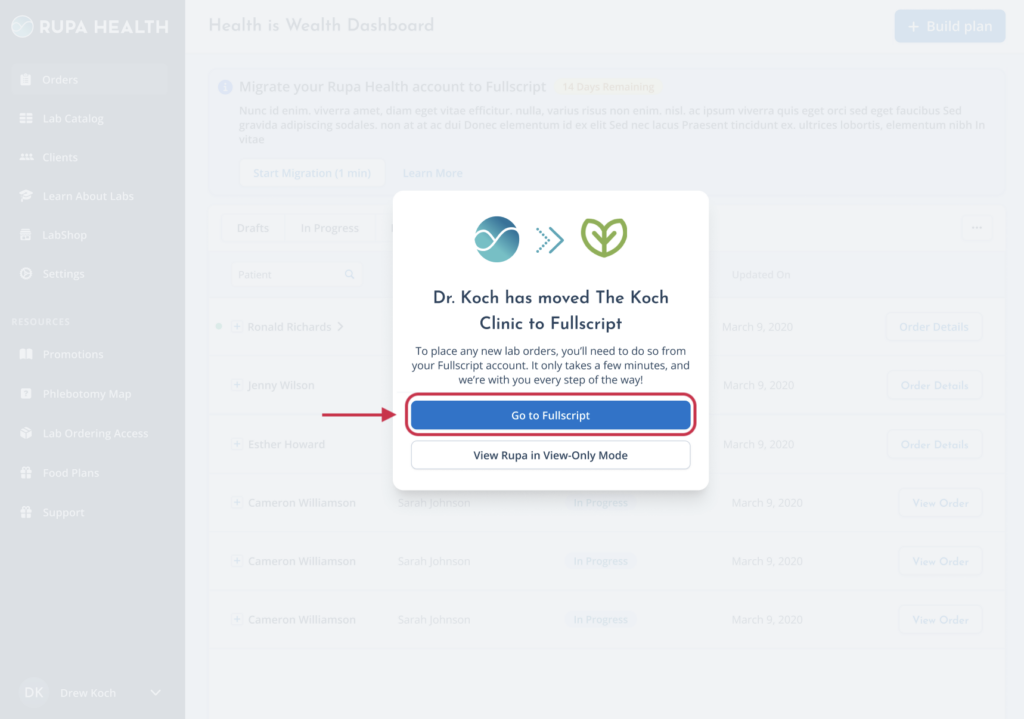
- Log in to your Rupa account and select Go to Fullscript when prompted.
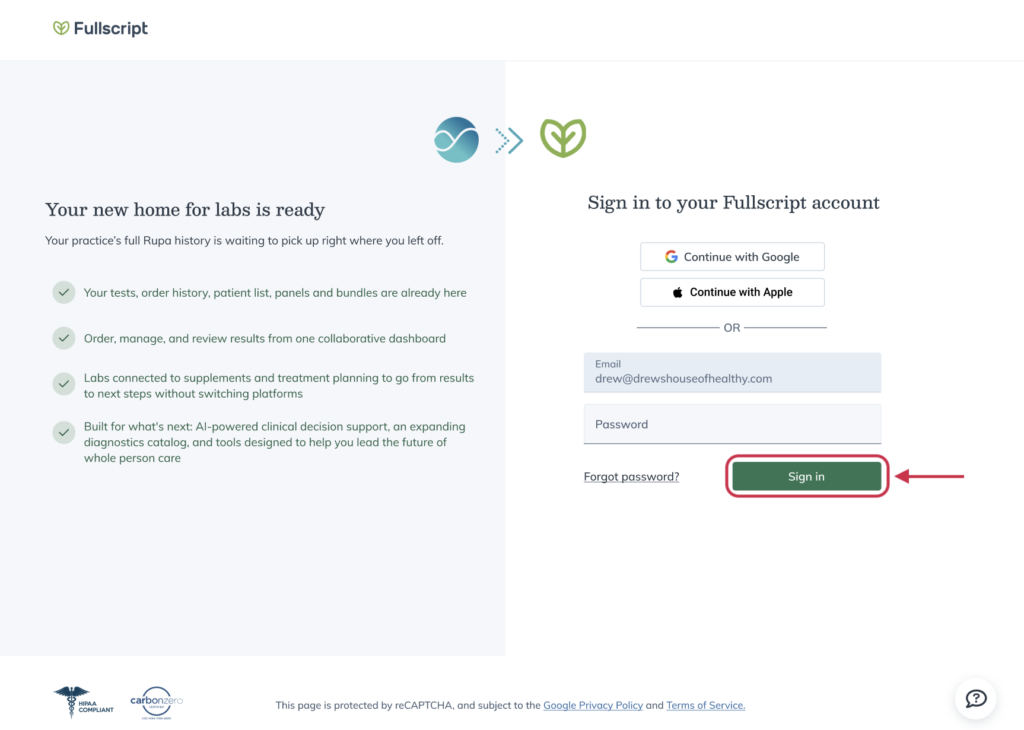
- Sign in to your Fullscript account.
- Review the Welcome to Labs on Fullscript screen and select Next to continue.
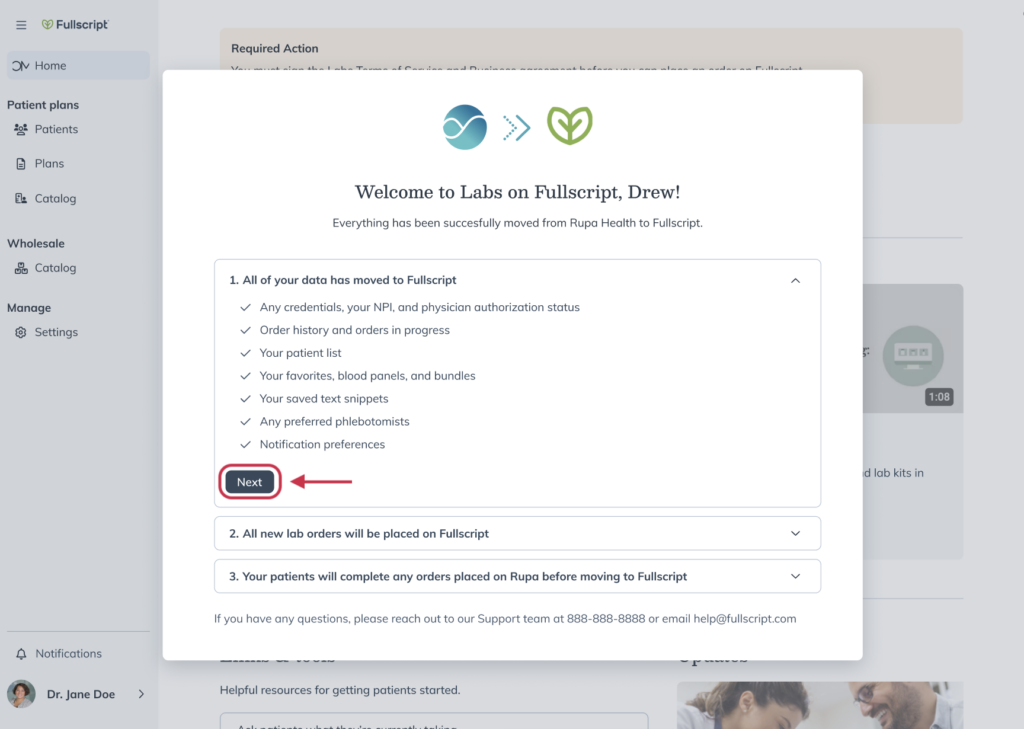
- Continue through the setup flow by selecting Next, then select Start tour.
- Select Next to move through the guided tour and learn where to find lab orders, the lab catalog, and other key areas.
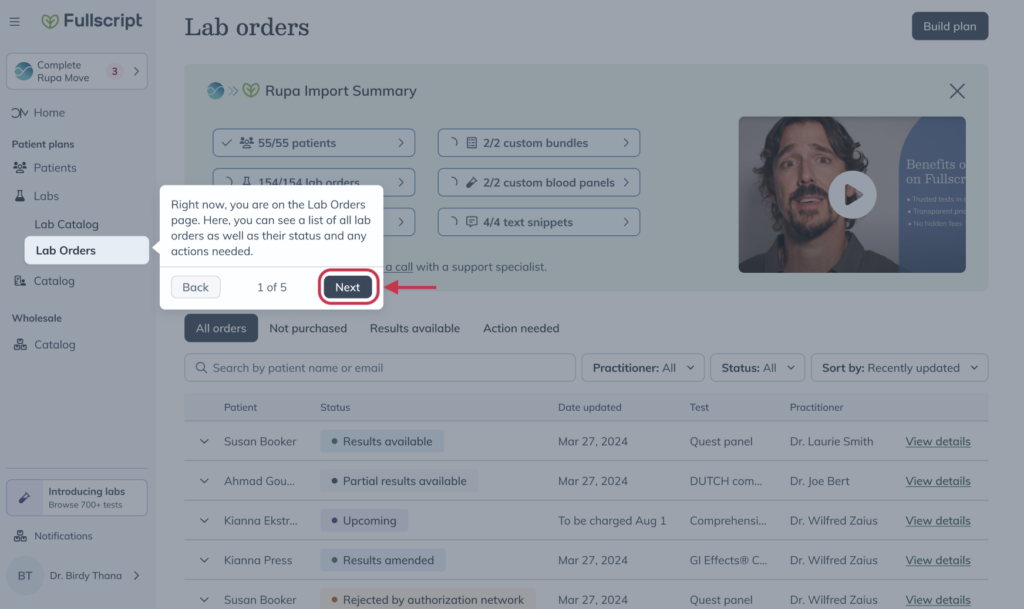
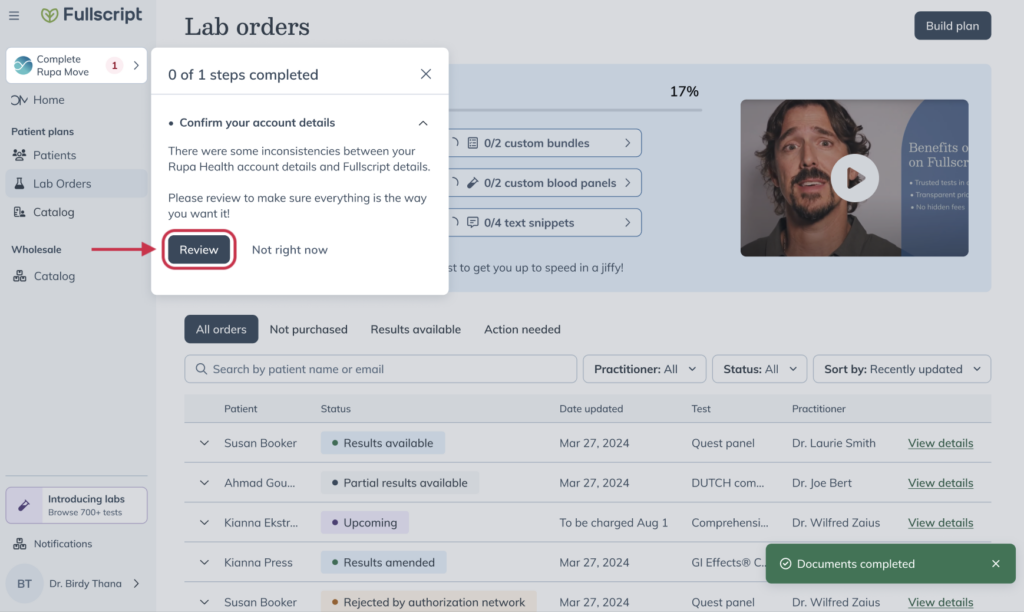
- When the tour is complete, select Review to confirm your account details.
What to expect
After you finish setup, you’ll be able to continue your work in Fullscript.
All of your existing lab data from Rupa will be available in Fullscript, and any new lab orders will now be placed in Fullscript. Your Rupa account will remain accessible in view-only mode if you need to reference past activity.
Supporting your move to Fullscript
If you have questions or run into any issues, our team has experience with both Rupa and Fullscript and can support you through each step of the transition.
| Email support | welcomerupa@fullscript.com |
| Phone support | 1-888-488-8153 |
| Live chat support | Chat bubble ( ) on any Fullscript page. |