If your plan includes only lab tests, you can schedule it to be sent to your patient on a future date. Scheduled lab plans are automatically sent on the selected date, making it easier to coordinate testing with appointments, treatment timelines, or follow-up care.
Note
Scheduled lab plans are available with Patient pay and Practitioner pay. Plans that include supplements can’t be scheduled.
Schedule a lab plan
To schedule a lab plan:
- Create a lab plan as you normally would. For more information, see Sending a lab test recommendation.
- On the Review plan page, select the send date.

- Choose a future date and click Save schedule.

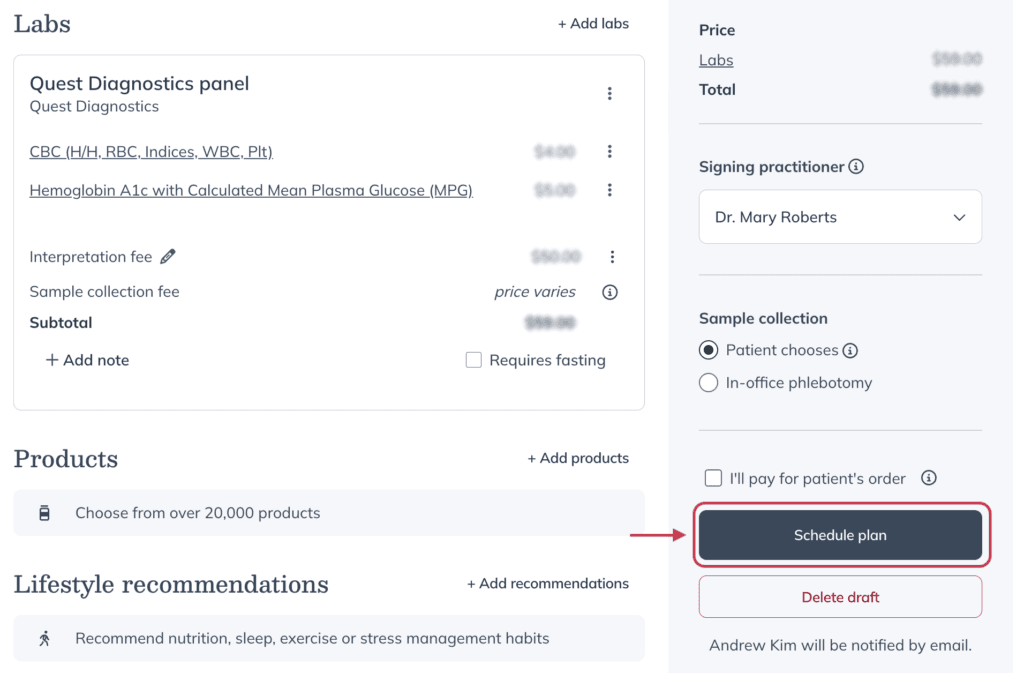
- Review the scheduled date, then click Schedule plan.
After you schedule a lab plan
After you schedule a lab plan:
- The plan is held until the scheduled date and won’t be sent to your patient until then.
- On the scheduled date, the plan is automatically sent to your patient via email.
Tip!
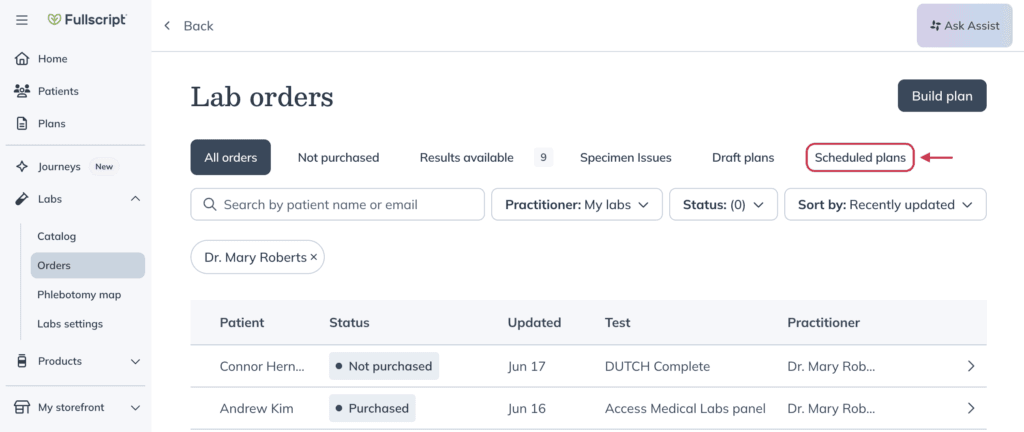
You can view scheduled lab plans on the Scheduled plans tab of the Lab orders dashboard. They also appear in the patient’s profile with a Plan scheduled status. For more information, see Lab orders dashboard.