
Fullscript provides clear lab testing instructions to help you prepare and complete your test. Have questions about preparing or collecting your sample? Our support team is here to help.
After reviewing your preparation instructions, set a reminder — whether it’s on your phone or a sticky note — to help you remember any changes to your routine, like stopping a supplement or fasting.
How to find your testing instructions
You can find your testing instructions in your account by following these steps:
- On the My health page, click the Labs tab.
- Find the test you’d like the instructions for and click View details.
- Scroll to the Preparation instructions drawer and click to open it.
The instructions from the lab company will be in this drawer.

Accessing the instructions for your lab test in your Fullscript patient account.
In your treatment plan, your provider may have also added their own personalized message for you based on your medical history.
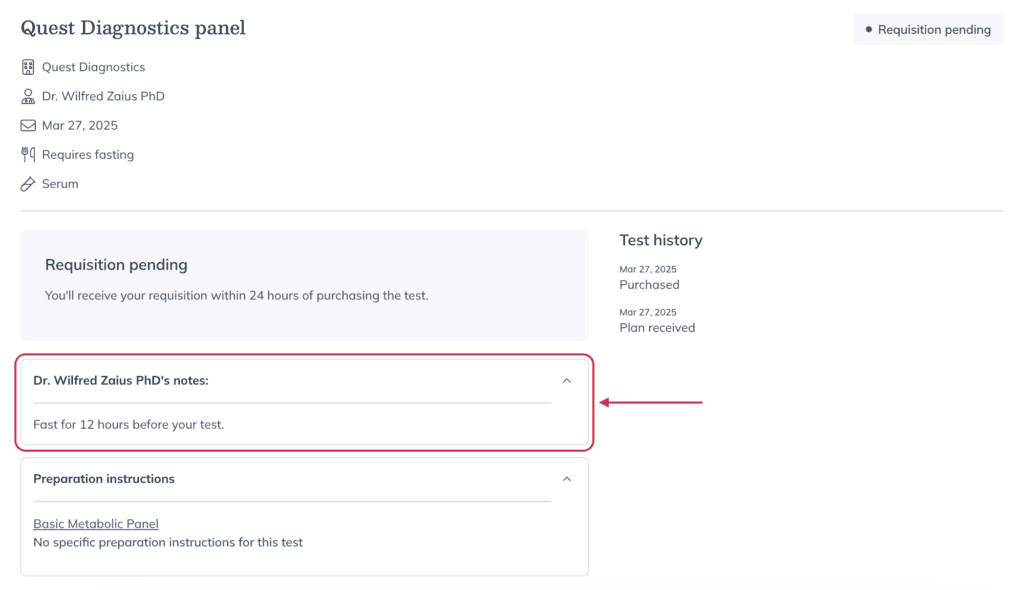
Your practitioner’s personalized message in in your Test details page.
Specialty lab instructions
For specialty labs, kits are shipped by mail. Instructions are included in the kit, available in your Fullscript account, and sent by email after checkout with next steps.
Instructions cover test preparation, sample collection, and return shipping, including:
- How and when to collect your sample
- Fasting requirements
- Foods to avoid
- Fluid intake
- Supplements and medications to pause
If your specialty test requires phlebotomy, wait until your kit arrives before scheduling a blood draw. You’ll need the included materials for your appointment.
Quest & Access Labcorp instructions
If you’ve ordered blood testing through Quest Diagnostics or Access Labcorp Draw, you’ll receive a digital requisition form, not a physical test kit. All your instructions will be available in your Fullscript account.
Fasting requirements
Some tests require fasting for up to eight hours before your blood draw. If fasting is required, it will be clearly noted in your test instructions.
Fasting means you should not eat or drink anything except plain water during that time. If fasting is a challenge, book your blood draw appointment for early in the morning and bring a drink and snack to enjoy afterward.
Avoid waiting until the day of your blood draw appointment to determine if you need to fast. This could lead to rescheduling your appointment or receiving inaccurate results. If you’re unsure if fasting is required, contact your practitioner or Fullscript support.
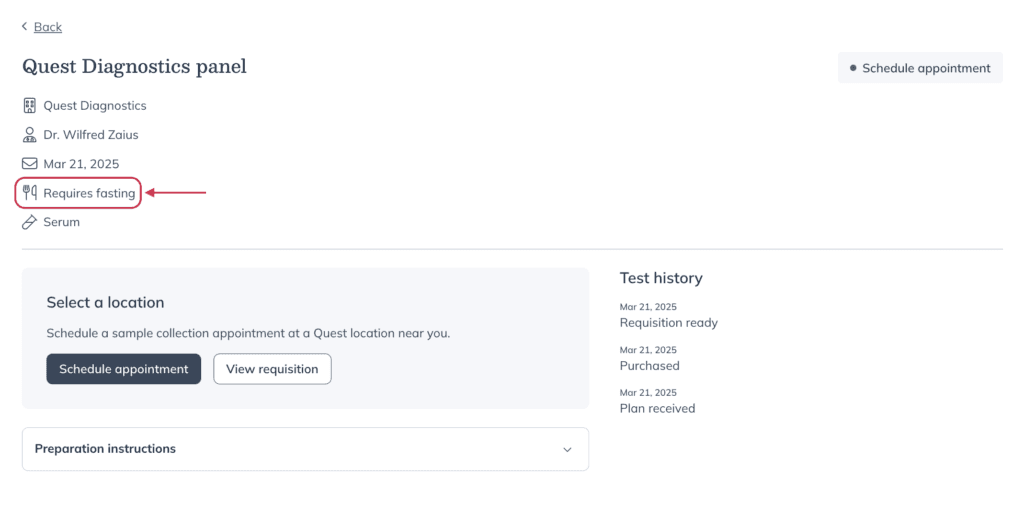
A test that requires fasting.