
Fullscript Journeys is a provider-guided lab testing experience designed to help you understand your health over time.
This article is for patients whose provider uses Fullscript Journeys. If you're buying an individual lab test (not a journey) from your provider's storefront, see Buying a lab test from a provider's storefront.
Each journey includes a curated lab panel selected by your provider, along with a personalized interpretation and clear next steps based on your unique health picture. Unlike direct-to-consumer lab platforms, Fullscript Journeys keeps your provider involved at every step—reviewing your results and approving your plan before it’s shared—so the entire process feels organized and fully guided from start to finish.
Fullscript Journeys supports Quest Diagnostics blood testing.
Starting your journey
There are two ways you may begin a journey: your provider may recommend one to you directly, or you can start one yourself from the Journeys section of your provider's storefront. In either case, you’ll review the journey details, complete checkout, and then follow the guided steps to schedule your lab collection.
If you don’t already have a Fullscript account, one will be created automatically during checkout.
If you’re starting from your provider’s storefront
Your provider may share a link to their storefront with you, or you may find it on their website or in other communications. The Journeys section lists the lab panels your provider offers. Choose the one that aligns with your provider's recommendation or your health goals.
To get started:
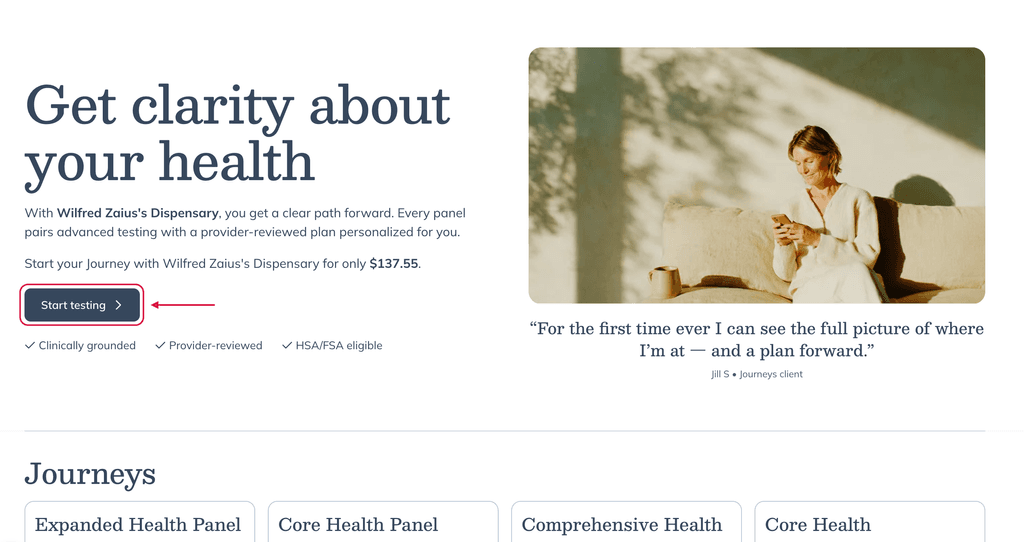
- Open your provider's storefront link and select Start testing.
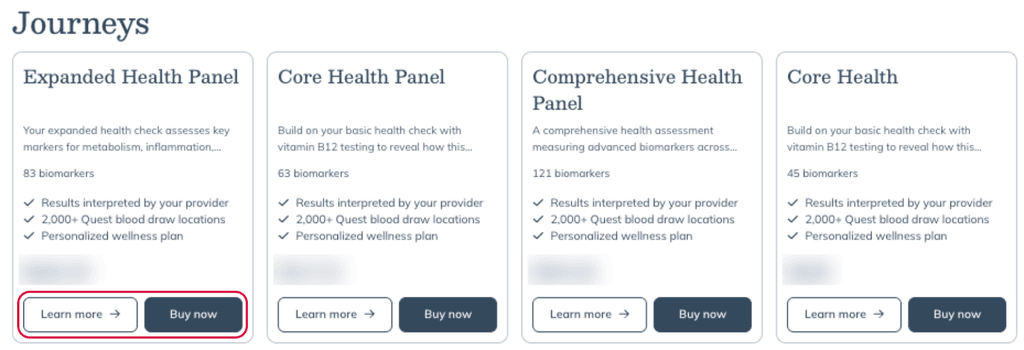
- In the Journeys section, find a journey and select Buy now. To see its details first, select Learn more.
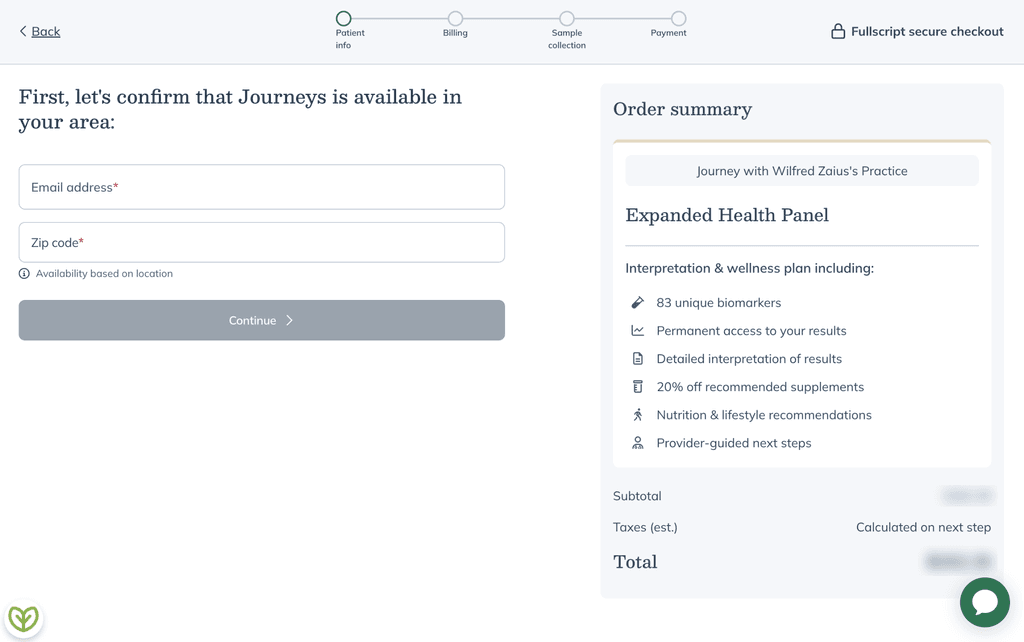
- Complete checkout.
If your provider recommended a journey
You may receive an email letting you know your provider has sent you a new plan that includes a journey.
To get started:
- Log in to your Fullscript account.
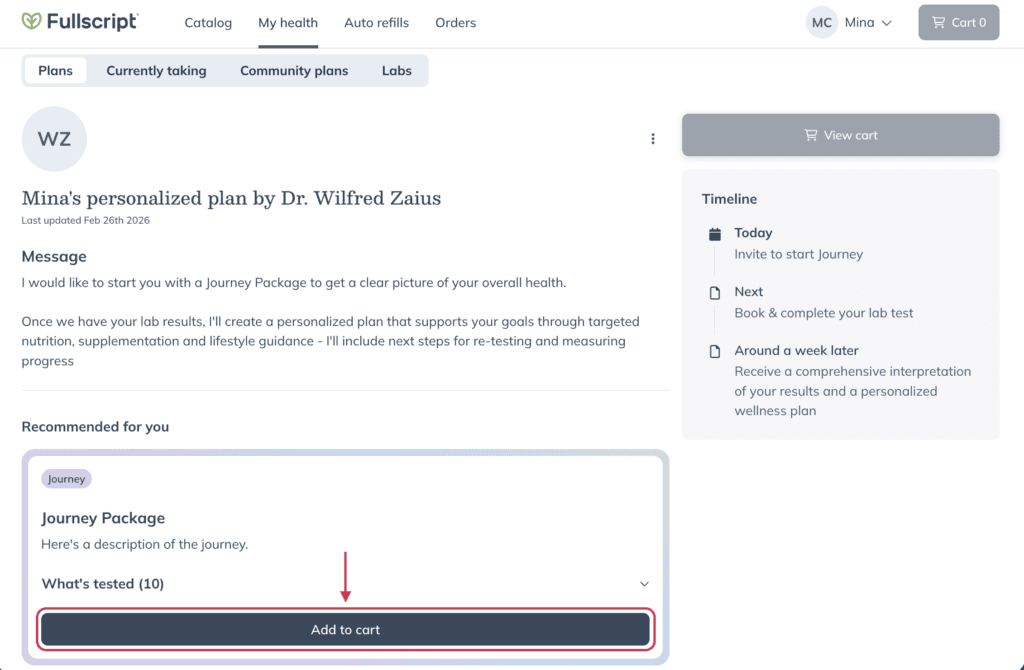
- Go to My health > Plans.
- Find your journey recommendation and click Add to cart.
- Go to your cart and complete checkout.
After you place your order
Once your order is confirmed, you’ll continue through the journey steps:
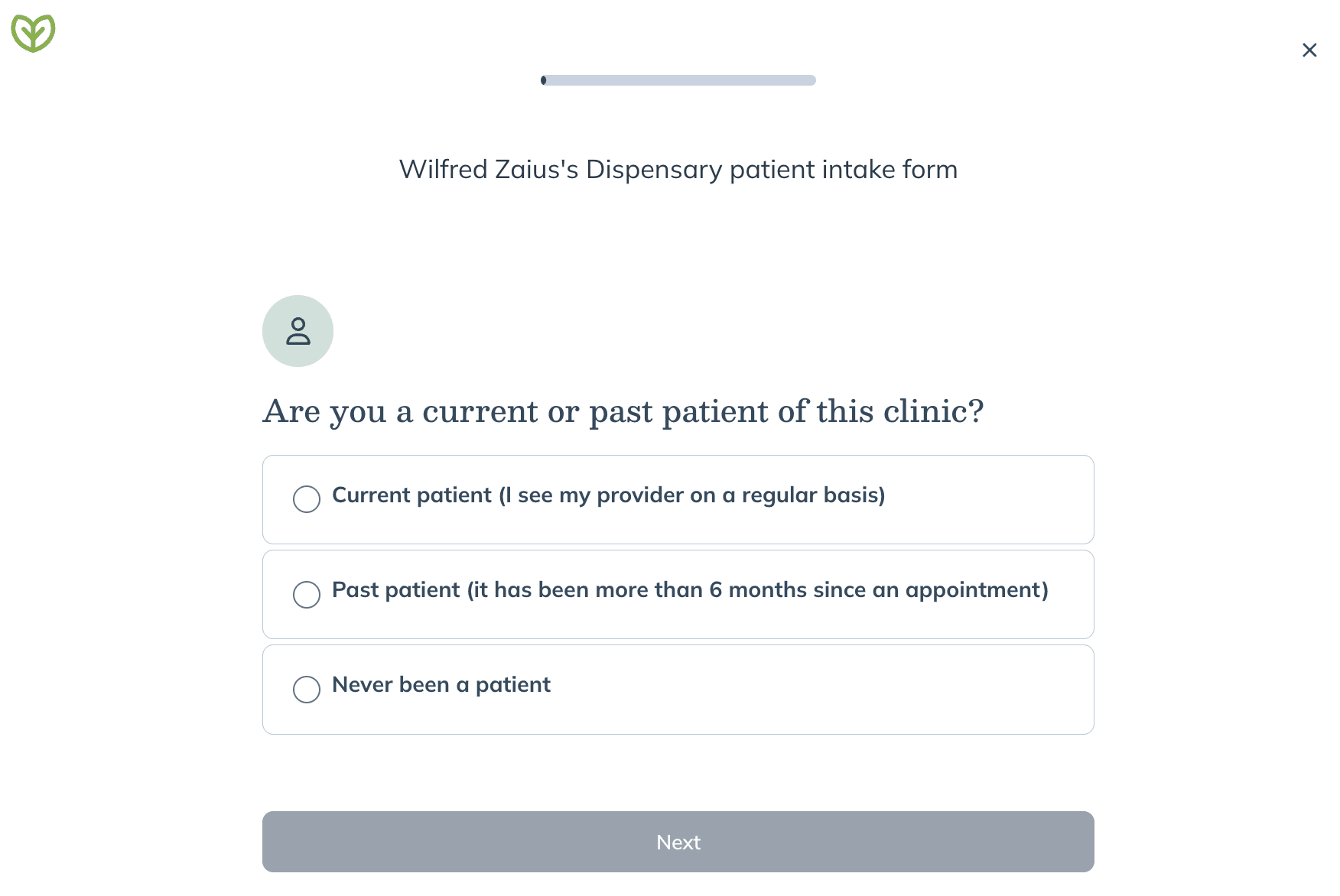
- Complete your health questionnaire.
You’ll answer a short set of questions to provide important health information before testing. This helps ensure your provider has the context they need when reviewing your results. The questions may vary depending on the type of journey you selected.
- Schedule your blood draw at a Quest Patient Service Center (PSC) for $10, or book at-home collection with mobile phlebotomy partner Getlabs for $95.
Depending on your practitioner's setup, you may have the option to book your own sample collection appointment or complete your sample collection with your practitioner.
During scheduling, you may see preparation instructions such as:
- Fasting requirements
- Recommended testing dates
- Time-of-day instructions
Be sure to review and confirm any instructions before booking. After scheduling, you’ll receive confirmation details for your appointment.
Managing your journey
You can track your journey progress at any time from your Fullscript account.
To view your journey details:
- Go to My health > Labs.
- Select View details next to your journey order.
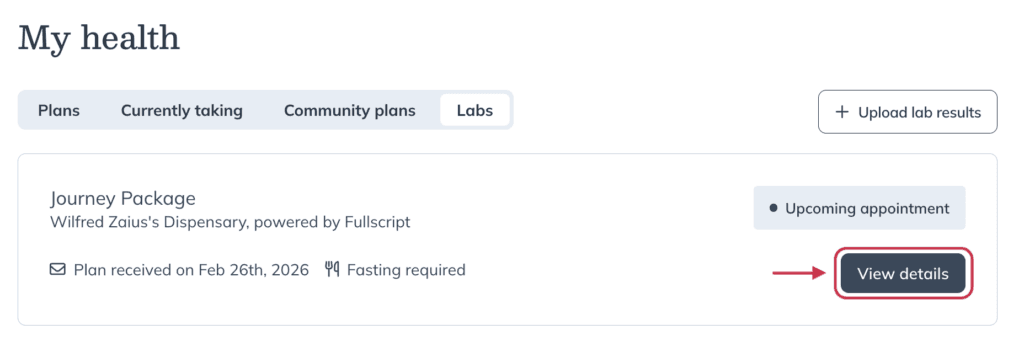
On the journey details page, you can:
- View your lab requisition
- Review your blood draw appointment details
- Access preparation and collection instructions
- Track your testing timeline
- View your results once they’re available
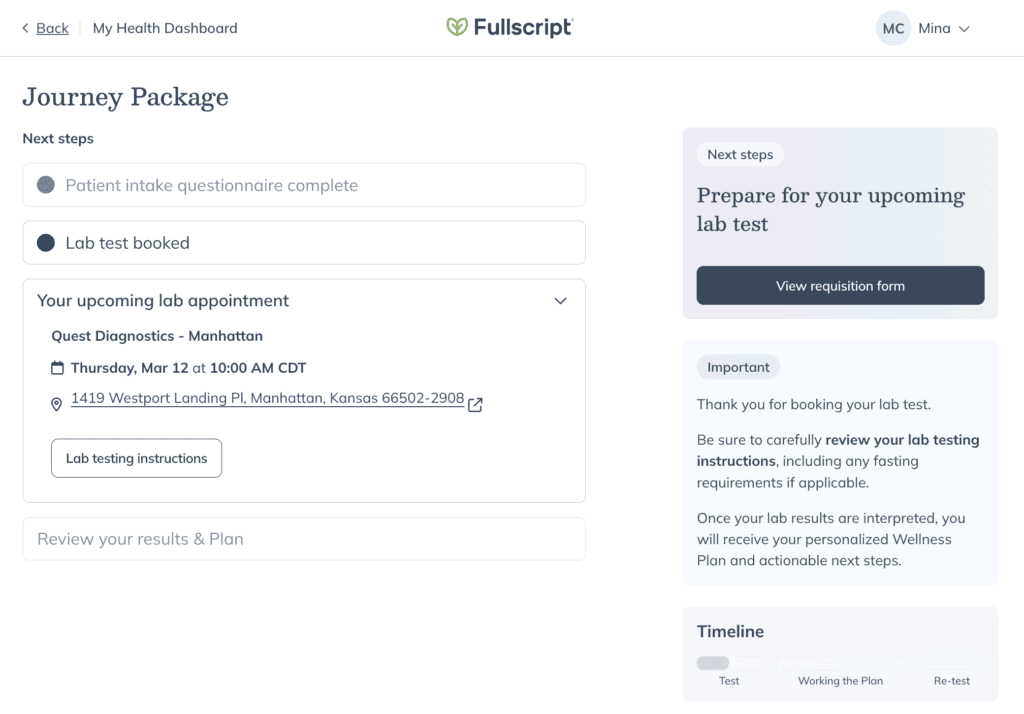
Use the View details page to track your order, view instructions, and access results.
This dashboard keeps everything related to your journey organized in one place.
Getting your results and next steps
Once your lab testing is complete:
- Your provider reviews your results and approves your personalized wellness plan.
- You’re notified when your results and plan are ready.
- Your provider may recommend follow-up testing, lifestyle changes, supplements, or continued tracking based on your results.
Processing times vary depending on the tests ordered.
You can log in to your Fullscript account to view your results and personalized recommendations once they’re available.
If you have questions about your results or recommendations, contact your provider. For technical questions about using Fullscript Journeys or issues with your order, email journeys@fullscript.com.