The Practitioner Earnings Report feature is available to accounts with multiple practitioners. The report provides two compensation models, making it simple to assign profits for each transaction:
The Patient owner compensated report is used to compensate practitioners for all products purchased by their patients.
The Plan author compensated is used to compensate practitioners for products that they’ve recommended that are purchased by a patient.
Generating a patient owner compensated report
This report allows you to assign new patients and their orders to a specific practitioner manually. Assigning a patient is different from assigning an order:
Assigning an order to a practitioner means that the practitioner should be compensated for that order.
Assigning a patient to a practitioner means that the practitioner should be compensated for all orders made by that patient during the reporting period.
New customers who aren’t assigned to a default payee will need to be assigned each time the report is pulled.
To generate this report:
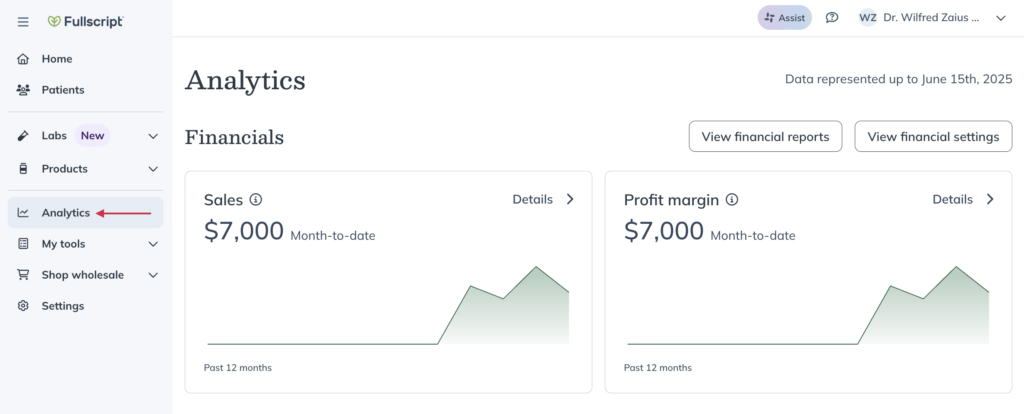
Click the Analytics tab.
Click View financial reports.
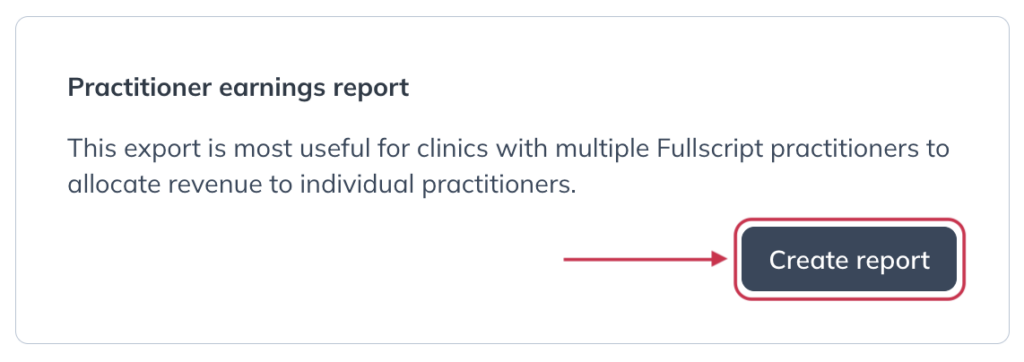
Scroll down to the Practitioner earnings report heading.
Click Create report.
Click Patient owner compensated.
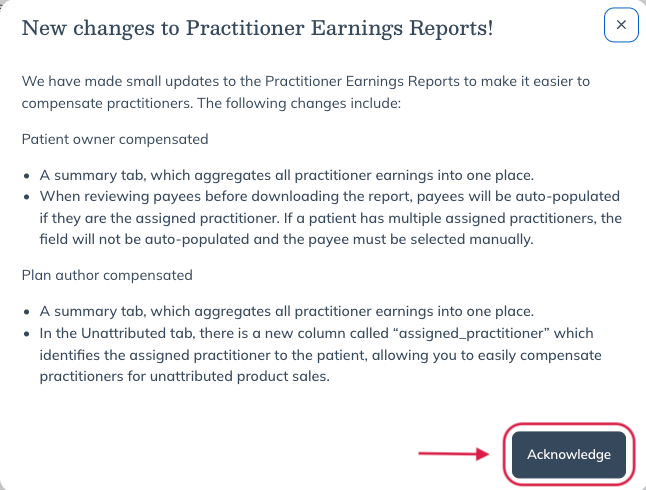
A pop-up will appear outlining what can be found in each report, click Acknowledge.
Click Next: Select earnings periods.
Select payout dates to include in the report.
Click Create earnings report.
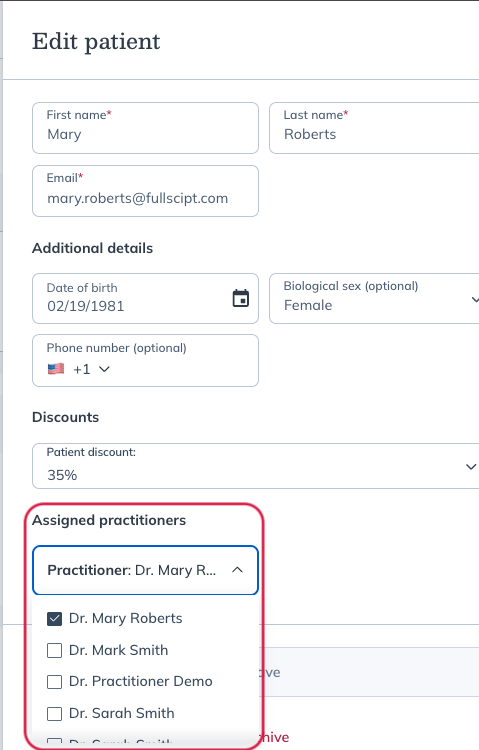
On the next page, orders for the selected payout period(s) will be grouped by patient. Each order will display the practitioner assigned in the patient profile.
To reassign an order, use the dropdown menu to the right of the order to select a different practitioner.
When all orders have been assigned to practitioners, click Download earnings report from the bottom of the page.
An excel file will be downloaded to your device. The export includes separate tabs for each practitioner who had assignments during the selected payout period(s).
Tip!
Descriptions for data and columns in this report are available in this table.
Generating a plan author compensated report
This report will pull add a payee for each order based on the items purchased and the supplement plans on for the patient. This option is helpful when there are multiple practitioners creating plans for a patient, as it allows you to assign the profits from each item purchased.
To generate this report:
Click the Analytics tab.
Click View financial reports.
Scroll down to the Practitioner earnings report heading.
Click Create report.
On the following page, select Plan author compensated.
Click Next: Select earnings periods.
Next, select the payout periods you would like to run the report for. and then select Download earnings report.
Click Download earnings report and the report will be downloaded to your device.
Distributing funds to practitioners
Practitioner earnings are totaled in their respective tab within the exported report. Scroll to the bottom of the Amount column for the net earnings total for the selected practitioner for selected payout periods.
Store owners must distribute the funds manually – Fullscript pays out earnings in a single payout to the bank account on file.
Report headings and transaction data
These reports (patient owner & plan author) have similar columns headings – descriptions have been provided below to help you understand your data.
Summary tab shown in both reports
Column title
Description
Practitioner_name
Tab grouping key: prescribing_practitioner (plan author) or earning_practitioner (patient owner). Blank names shown as Unattributed.
Total_selling_price
Sum of total_selling_price from that practitioner’s detail rows.
Total_msrp_price
Sum of total_msrp_price from that practitioner’s detail rows.
Transaction date
Date earnings became available.
Amount
Sum of amount from that practitioner’s detail rows.
Patient owner reports
Column title
Description
Activity date
Date of return or shipment.
Activity type
Specifies if the item is part of shipment or return.
Order date
Date the order was placed/created.
Transaction date
Date earnings became available.
Payout date
Date payout was created/initiated. Note: May not align with date payouts became available on bank statements or bank account balance.
Order number
Fullscript order ID.
Transaction number
Shipment reference number.
Payout number
Payout ID/reference number.
SKU
Product ID. Note: For lab orders, custom fees appear in this column as custom_fee.
Quantity
Number of units shipped.
Unit selling price
Product cost after discount.
Total selling price
Total product cost after discount – includes all quantities.
Unit MSRP
Retail price per unit. Note: For lab orders, custom fees will display 0.00 in the MSRP columns.
Total MSRP
Retail price per SKU – includes all quantities.
Amount
Net earnings from the order.
Patient name
Ordering patient’s name.
Patient email
Ordering patient’s email.
Prescribing practitioner
The original prescribing practitioner for product ordered.
Earning practitioner
Practitioner assigned to the order’s net earnings. Note: Patient owner compensated report only.
Plan author reports
Column title
Description
Activity date
Date of return or shipment.
Activity type
Specifies if the item is part of shipment or return.
Order date
Date the order was placed/created.
Transaction date
Date earnings became available.
Payout date
Date payout was created/initiated. Note: May not align with date payouts became available on bank statements or bank account balance.
Order number
Fullscript order ID.
Transaction number
Shipment reference number.
Payout number
Payout ID/reference number.
SKU
Product ID. Note: For lab orders, custom fees appear in this column as custom_fee.
Quantity
Number of units shipped.
Unit selling price
Product cost after discount.
Total selling price
Sum of total_selling_price from that practitioner’s detail rows.
Unit MSRP
Retail price per unit. Note: For lab orders, custom fees will display 0.00 in the MSRP columns.
Total MSRP
Sum of total_msrp_price from that practitioner’s detail rows.
Amount
Sum of amount from that practitioner’s detail rows.
Patient name
Ordering patient’s name.
Patient email
Ordering patient’s email.
Prescribing practitioner
The original prescribing practitioner for product ordered.