
Last modified: July 2, 2026
Practice Fusion integration
Providers
An introduction to Practice Fusion
Practice Fusion is a cloud-based electronic health record (EHR) platform that helps providers manage patient records, scheduling, charting, and billing. It supports integrations with third-party tools to improve workflow efficiency and coordination of care.
With the Fullscript integration, providers can access Fullscript within Practice Fusion to build and share supplement plans without switching between platforms.
Integration setup: Practice Fusion+ Fullscript
Practitioners with both a Practice Fusion and Fullscript account can connect the two platforms from within Practice Fusion.
- Log in to Practice Fusion. Ensure you have Admin-level access and that the FHIR API integration is enabled in your Practice Fusion account. Please follow this guide to enable FHIR API so on Practice Fusion.
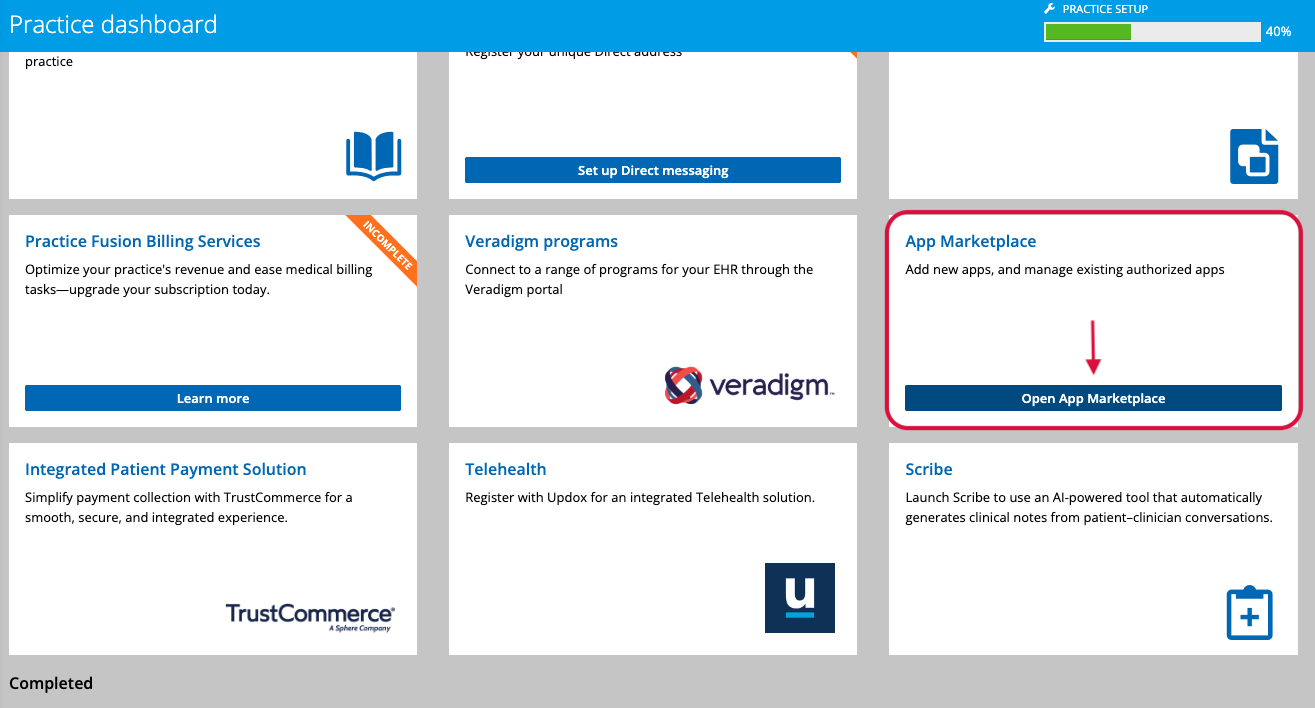
- From the homepage, scroll to App marketplace and select Open App Marketplace.
- Search for Fullscript.
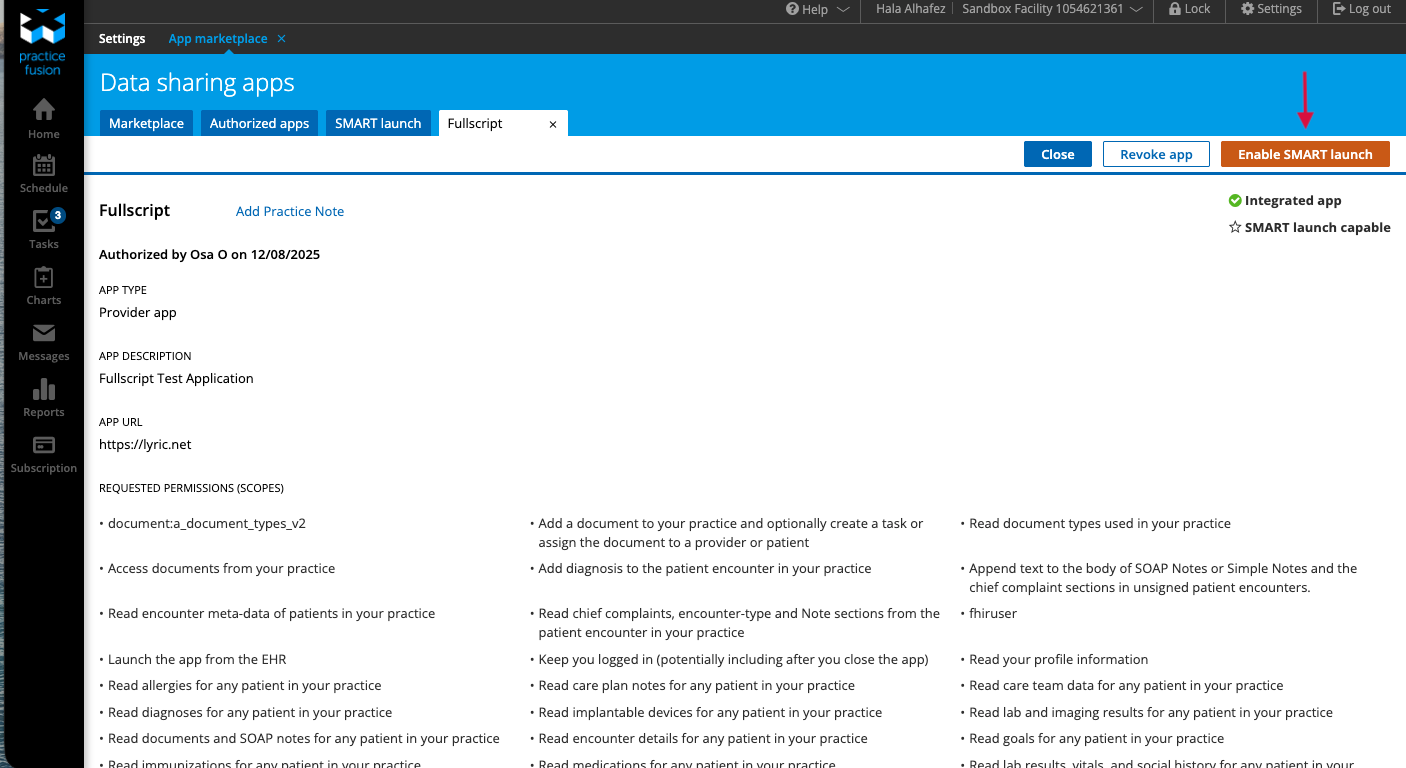
- Select the Fullscript app, then click Enable SMART Launch.
- Open a patient chart.
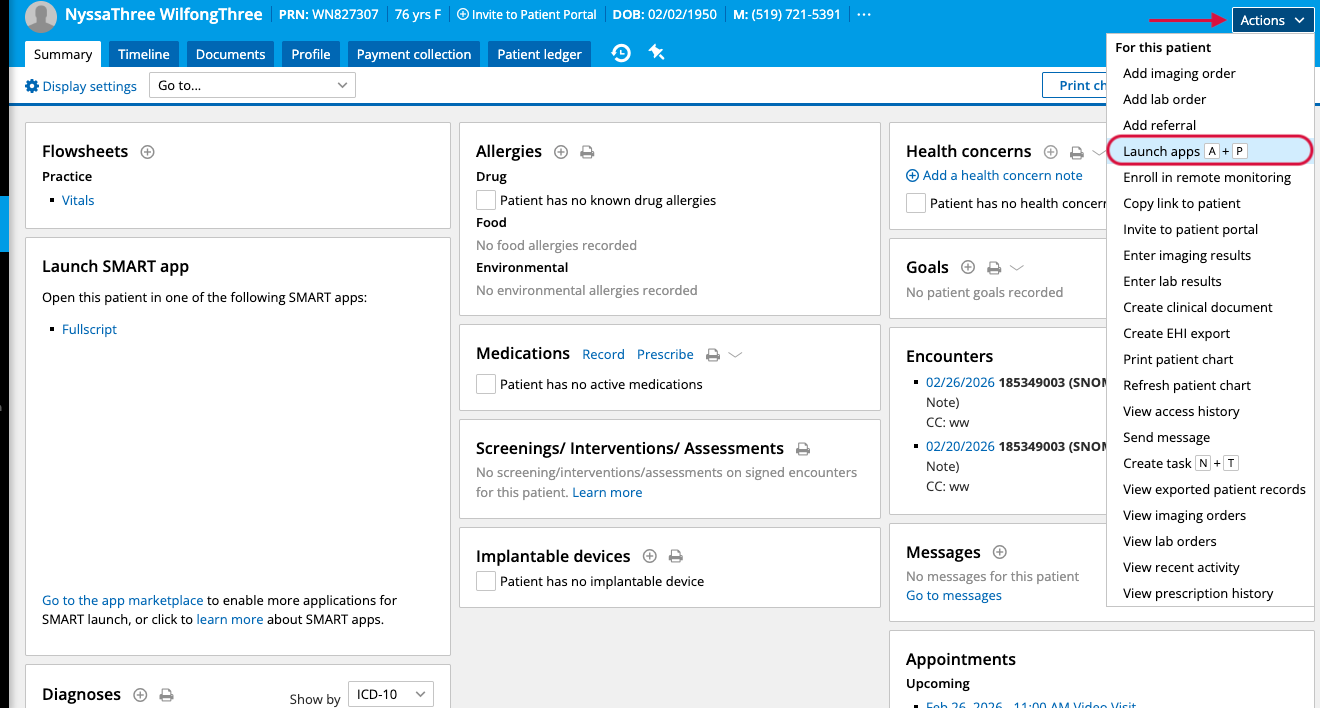
- Select Actions, then Launch A+P, and choose Fullscript.
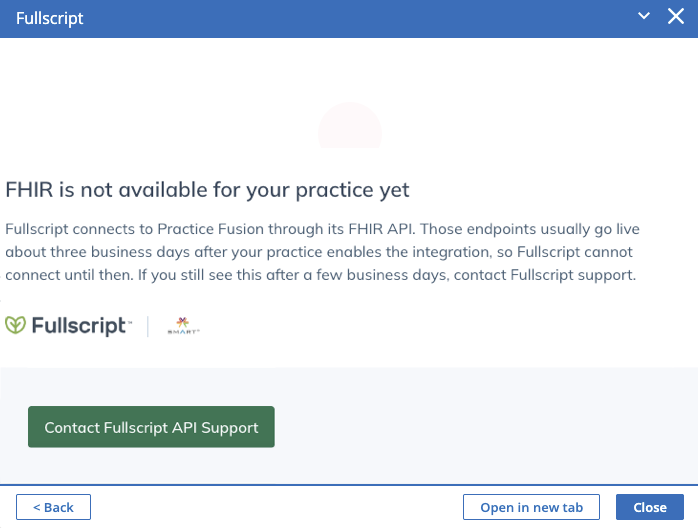
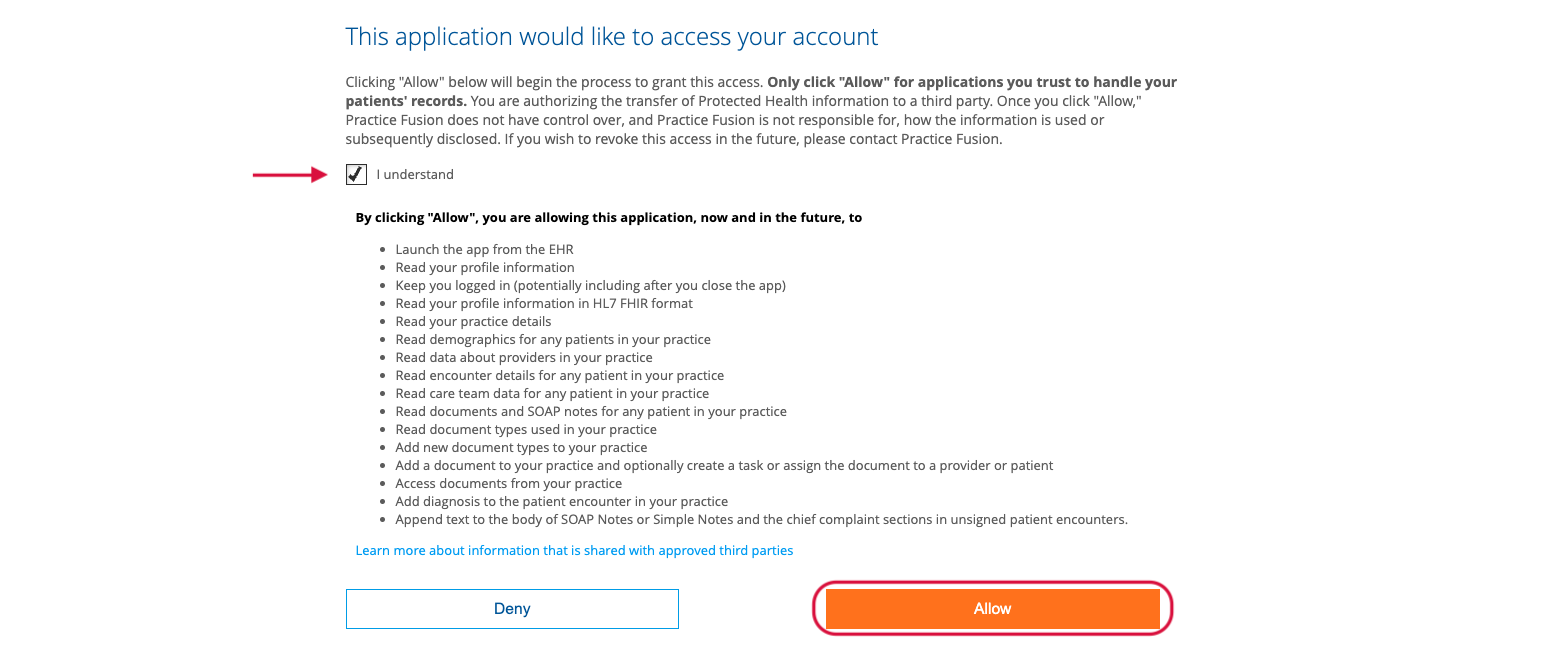
- Review the integration terms, then select I understand and Allow.
- Sign in to your Fullscript account (or create one).
- Select Agree to complete setup, then close the window.

Creating a Fullscript plan in Practice Fusion
You can access Fullscript from multiple places in Practice Fusion. Once opened, you can view the full catalog, favorites, protocols, and patient history.
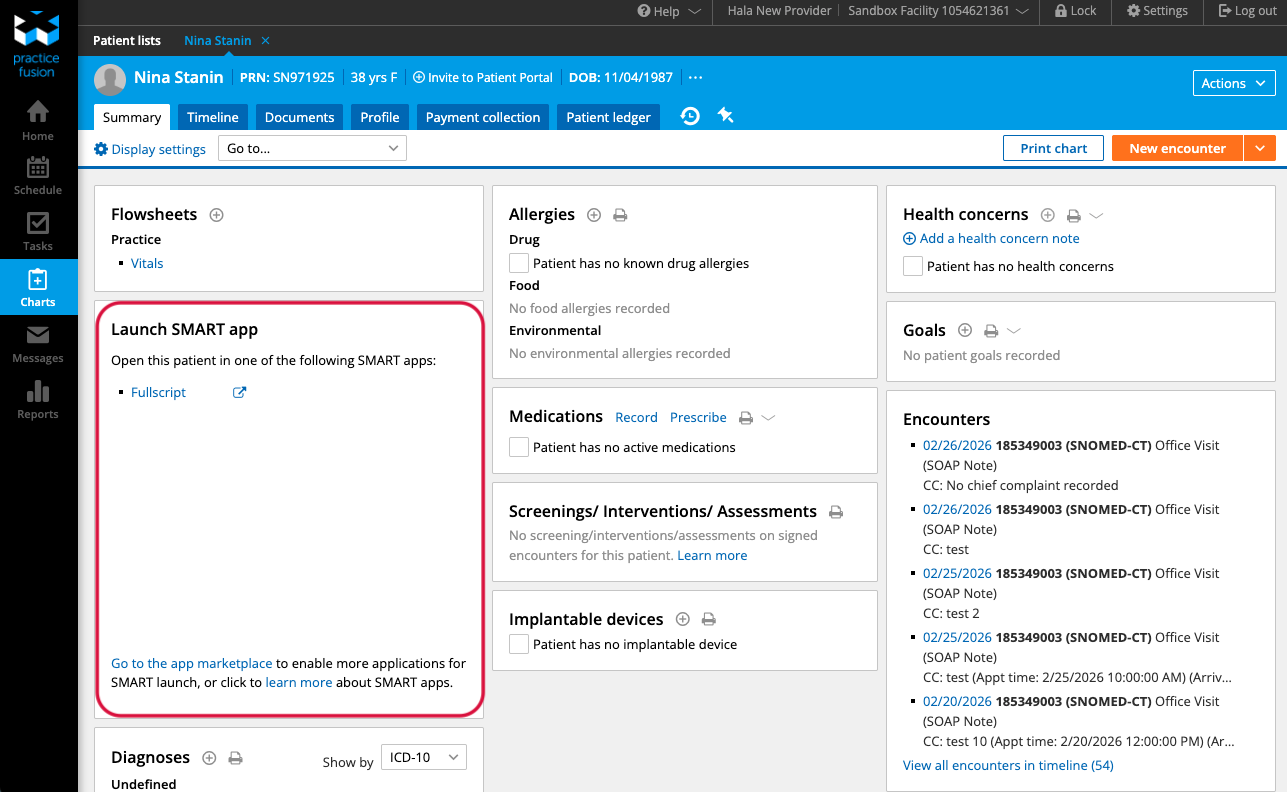
From a patient profile:
- Select Charts from the left-hand side
- Select a patient, and open the patient profile.
- Then launch Fullscript from the SMART apps list.
From Actions:
- in the patient profile, select Actions
- Select Launch A+P and choose Fullscript.
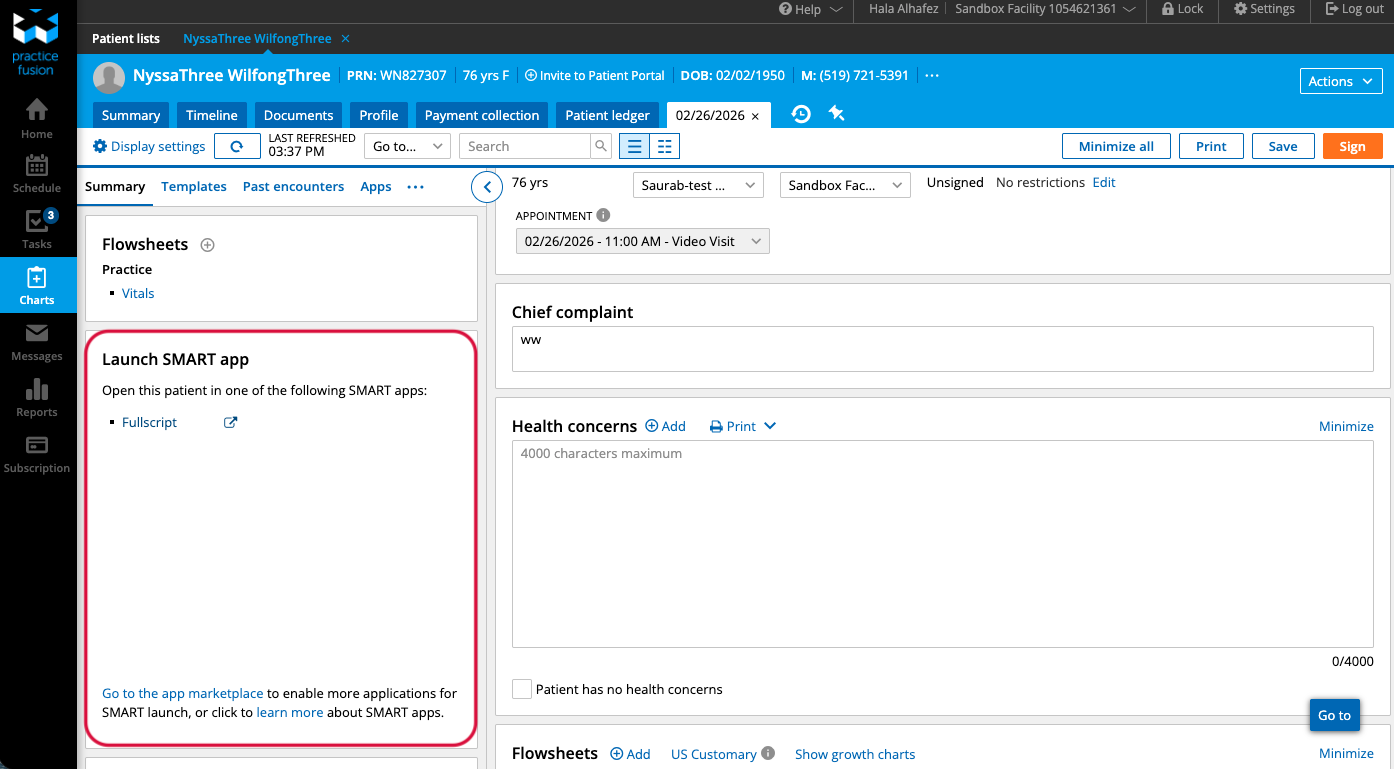
From an encounter:
- Open an encounter.
- Use the left sidebar to access the SMART apps list.
- Select Fullscript.
Patient syncing
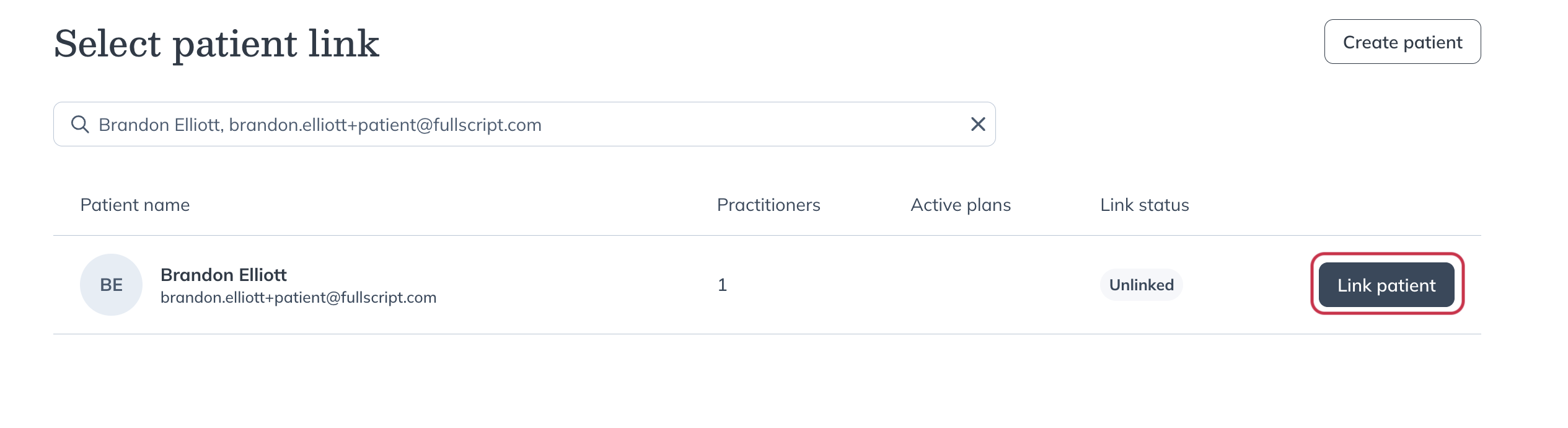
When you launch Fullscript, the integration searches for a matching patient in your Fullscript account. You only need to link a patient once.
Linking a patient:
- If a matching patient is found, select Link patient and confirm.
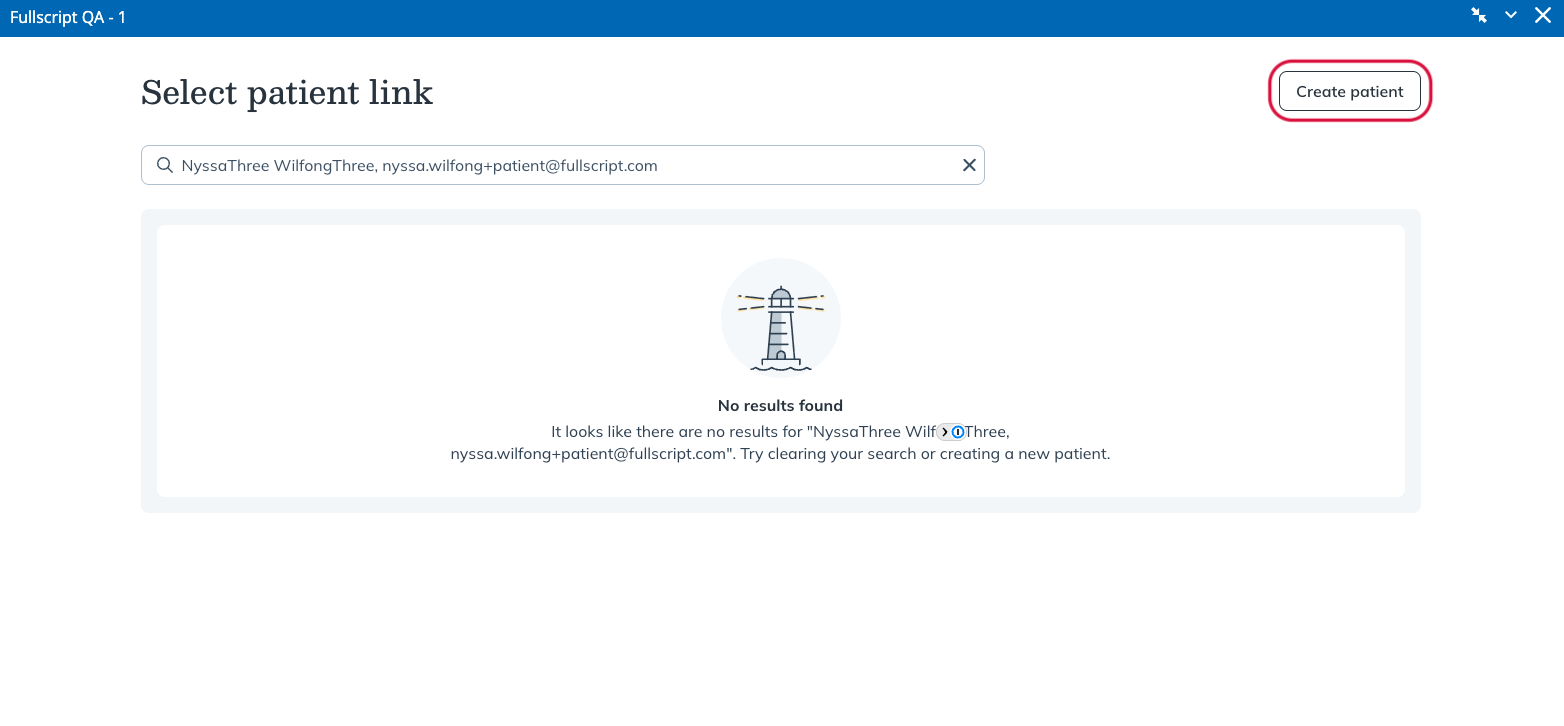
- If no match is found, select Create Patient to create a new patient in Fullscript.
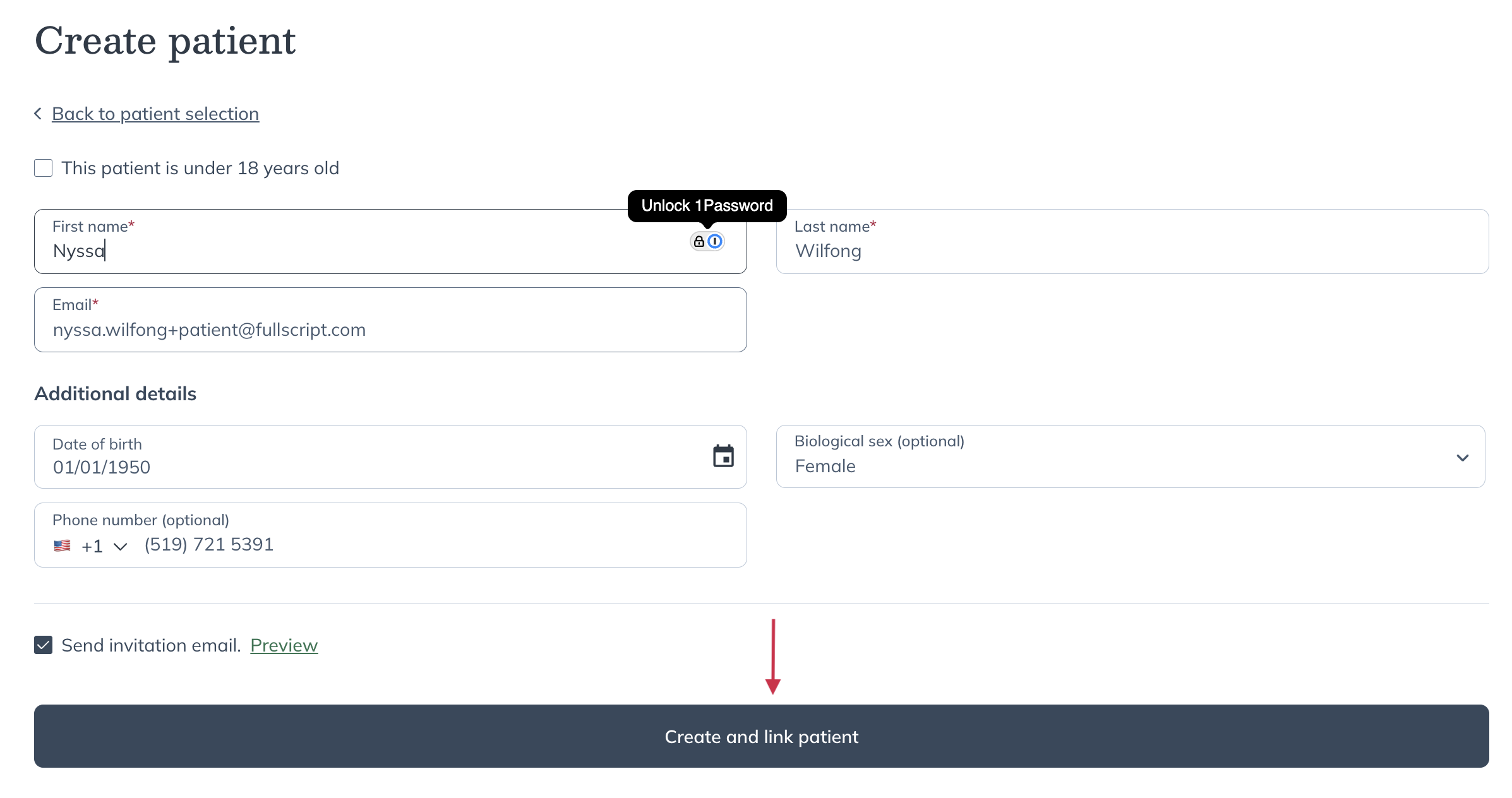
- Review the patient details, which are automatically pulled from Practice Fusion.
- Select Create and link patient.
Where does the plan go in Practice Fusion?
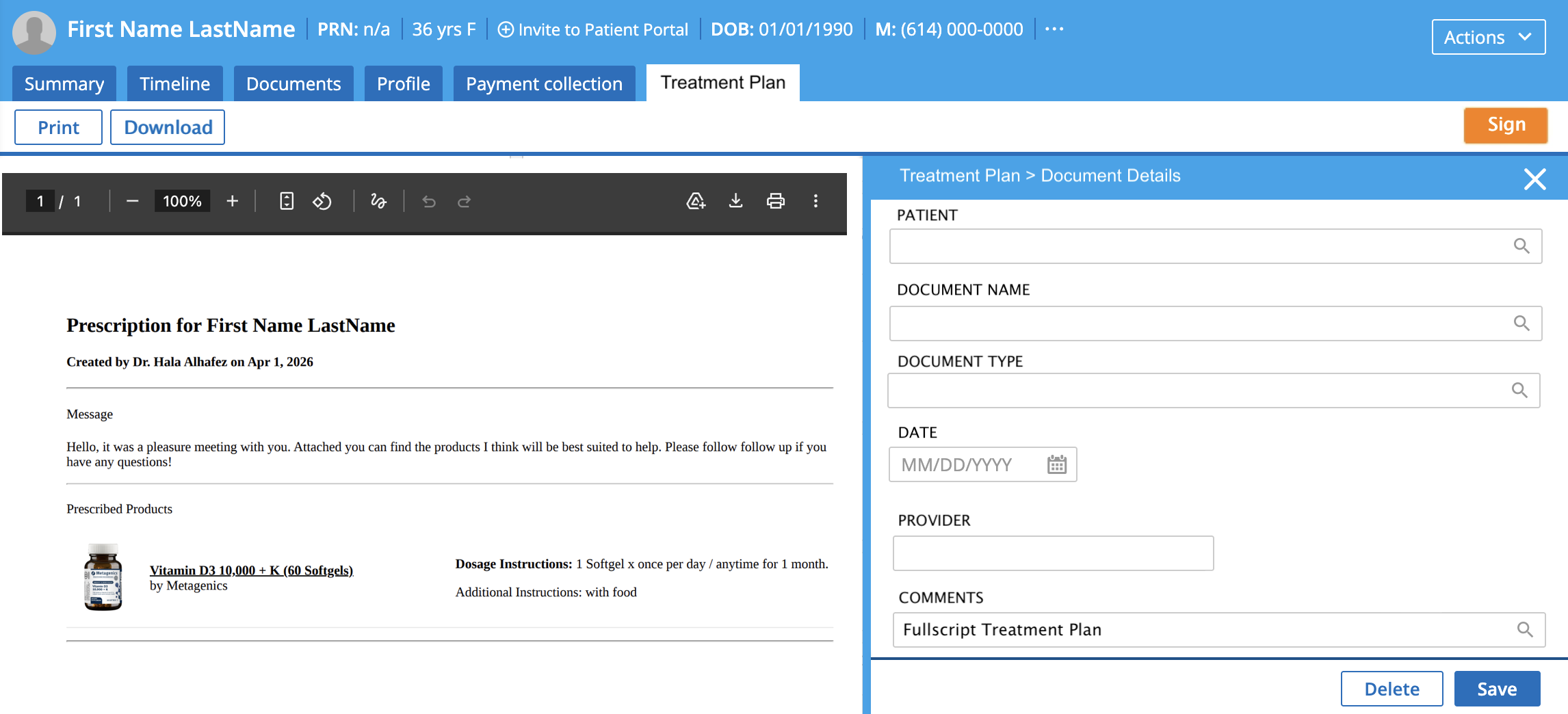
The supplement plan you send in Fullscript syncs to the patient’s profile under the Documents tab.
Select the plan to open a PDF view. You’ll see the document details and related fields on the right-hand side, as shown below.
Viewing lab results in Practice Fusion
Labs and results are not available through the Practice Fusion integration.
Disconnecting Fullscript from Practice Fusion
If you need to disconnect an account—for example, if the wrong Fullscript account was connected—follow these steps.
To disconnect in Practice Fusion
- In Practice Fusion, select Settings.
- Under Data sharing apps, select App marketplace.
- Select the Fullscript app.
- Select Revoke App, then confirm.
- The integration is removed and Fullscript no longer appears in the SMART apps list.
To disconnect in Fullscript
- Go to Settings > Connected Accounts
- Under Connections > Practice Fusion
- Click Disconnect.
Frequently asked questions
What if I cannot access the App marketplace?
This means your account doesn’t have admin level access. You must contact your Practice Fusion administrator to either enable the Fullscript application or give you admin level access.
I’m getting an error saying “The practice has not enabled FHIR API access”, what do I do?
This means your Practice Fusion account has not enabled FHIR API. Follow this guide to enable it before attempting to enable your Fullscript integration.
Is the Fullscript integration to Practice Fusion free of charge?
Practice Fusion currently doesn’t charge for installing marketplace apps such as Fullscript (subject to change. Contact Practice Fusion directly). As always, Fullscript itself is a free platform to sign up for.
When a provider adds a patient into Practice Fusion, does it automatically create an account in Fullscript?
No, only once the Fullscript app is launched and the patient is added through the pop-up (or linked to an existing patient) will the patient record be added into Fullscript.
If a treatment plan is edited in Fullscript, will it update the corresponding chart entry in Practice Fusion?
No, the original chart pdf in Practice Fusion will not change after it’s been created, even if edits are made to the plan in Fullscript. It is best to write a new plan through the pop-up from Practice Fusion to sync back any documents.
Will the integration include labs through Fullscript?
No, the current integration with Practice Fusion only allows for supplement recommendations. If you would like to recommend a lab through Fullscript, you must log into Fullscript directly.
How long does it take to integrate the two platforms?
If you already have the FHIR API enabled then the integration process will only take a few minutes. If you need to enable the FHIR API, it takes 3 business days to activate this add on. Please wait for an email from Practice Fusion confirming that it’s enabled before continuing to the next step. Once activated, you will be able to complete integration process which only takes a few minutes.