Last modified: February 25, 2026
Lab orders dashboard
Providers
Streamline how your practice manages labs with one dashboard for your entire team. In this guide, we’ll show you how to access the lab orders dashboard, track test statuses, and view details for each order.
Video: Accessing test results and managing your lab orders dashboard
Accessing your lab orders dashboard
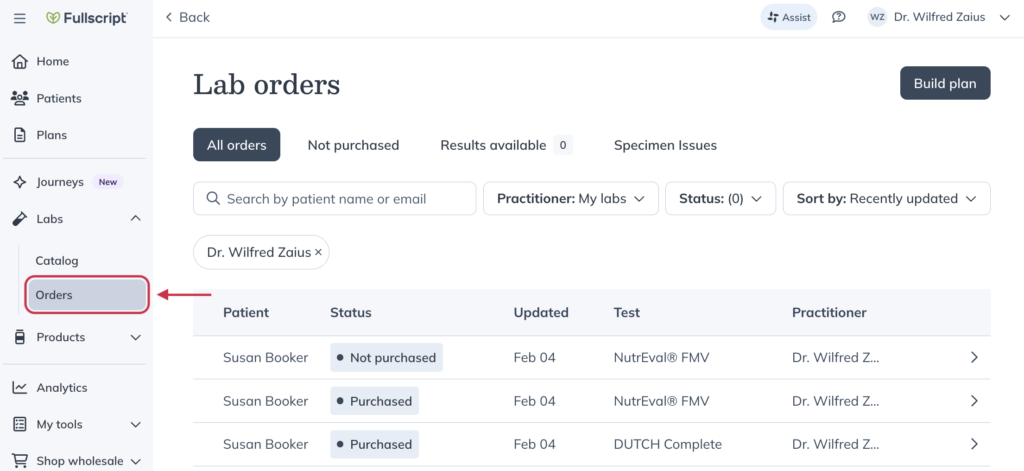
From the left-hand navigation, choose Labs, then click Orders to find your practice’s lab order dashboard.
Using the lab orders dashboard
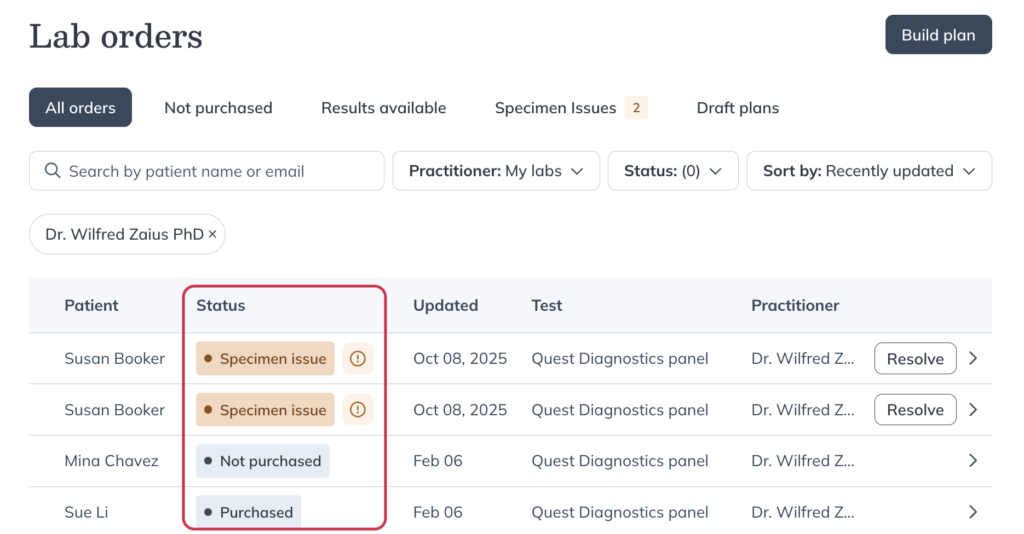
The dashboard highlights the most important details of your patient’s lab orders. Search for patients, apply filters, and track test statuses — all from your Fullscript account. The most recent status appears next to each test name.
Dashboard organization
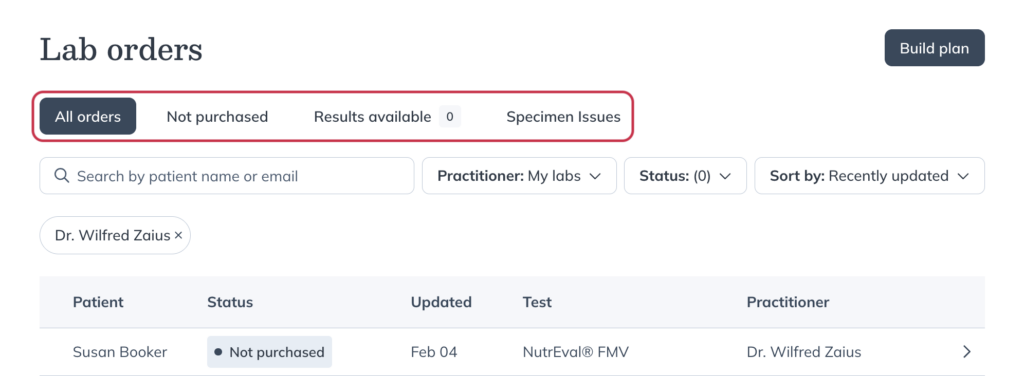
At the top of the dashboard, you’ll find four tabs to group orders by status:
- All orders: Shows all lab orders regardless of current test status.
- Not purchased: Shows lab orders that haven’t been purchased yet.
- Results available: Shows labs that have received partial or full results.
- Specimen issues: Shows orders with unresolved specimen issues that need follow-up.
Dashboard filters
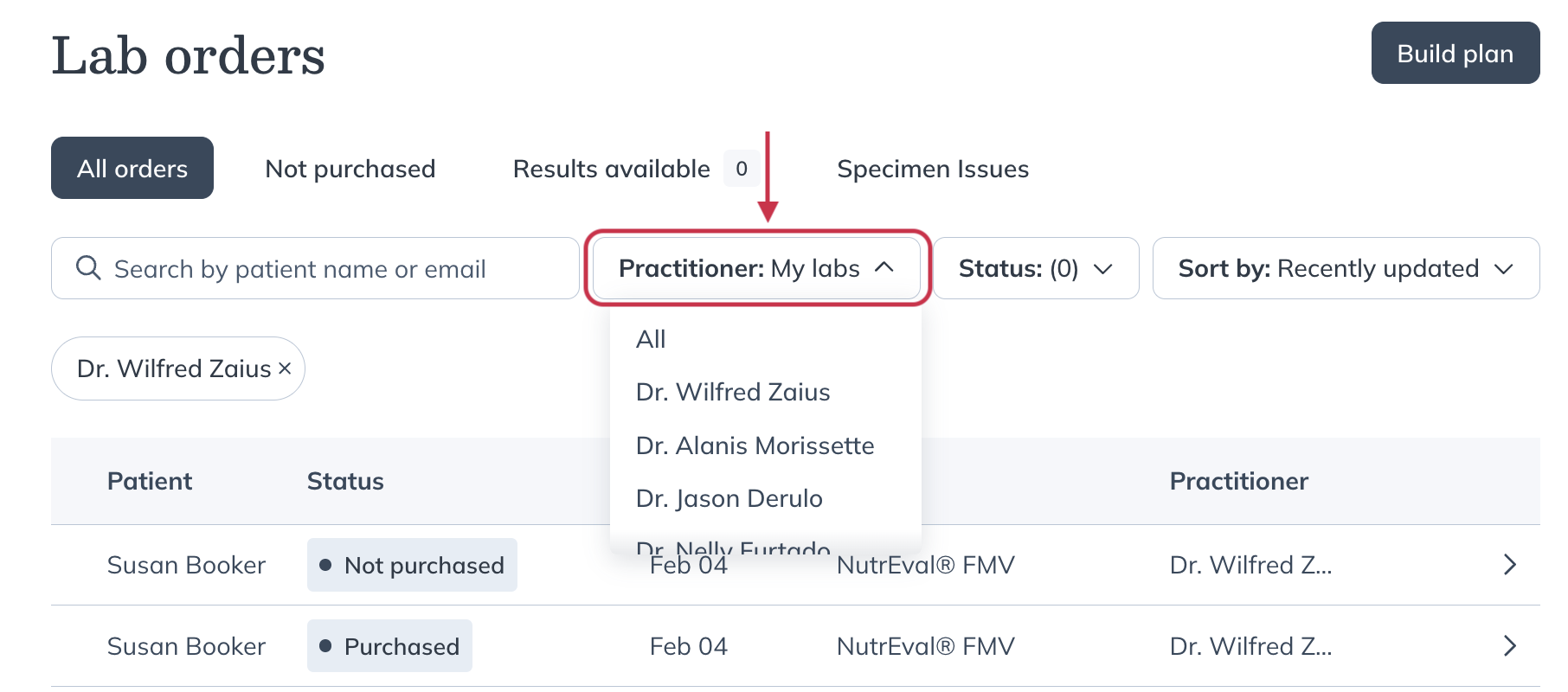
You can filter the list further using the Practitioner, Status, and Sort by dropdown menus.
- Practitioner: To filter the list of lab orders to select a specific provider or choose All to view all labs.
- Status: To filter lab orders based on specific processing stages (Purchased, Delivered, Processing at lab, etc).
- Sort by: To organize the list according to your preferences.
Searching for a patient
Use the search box to enter your patient’s name or email to immediately access any lab orders associated with them on Fullscript.
Viewing details about a patient’s order
Click anywhere on a test’s row to open the Test details page.
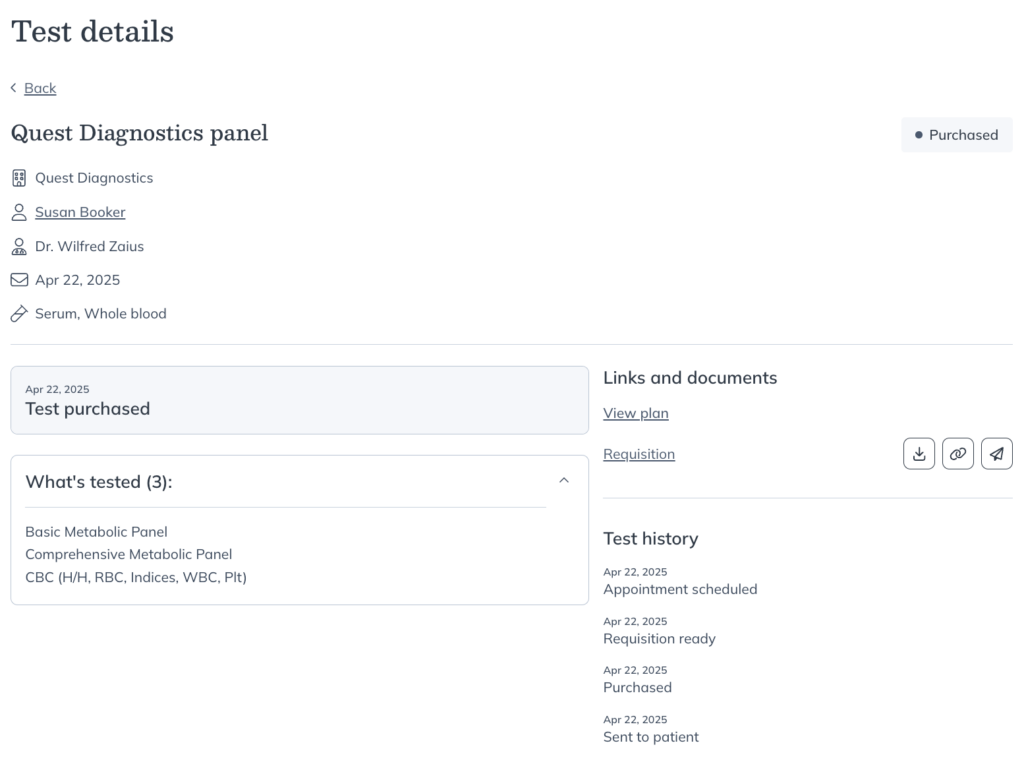
From this page, you can:
- Review the test status history and full timeline
- Access requisition forms and testing instructions
- View partial or complete results
- Resend testing instructions and documents before purchase
Patients automatically receive their testing instructions and requisition form after purchase.