
Last modified: July 13, 2026
Invite friends to Fullscript
Patients
If your practitioner has an open-catalog supplement store, you can invite friends to create their own Fullscript account using your personal invite link. Once they join, they’ll be able to shop from the same supplement store while keeping their own private account.
Find your invite link
Find your invite link by following these steps:
- Sign in to your Fullscript account.
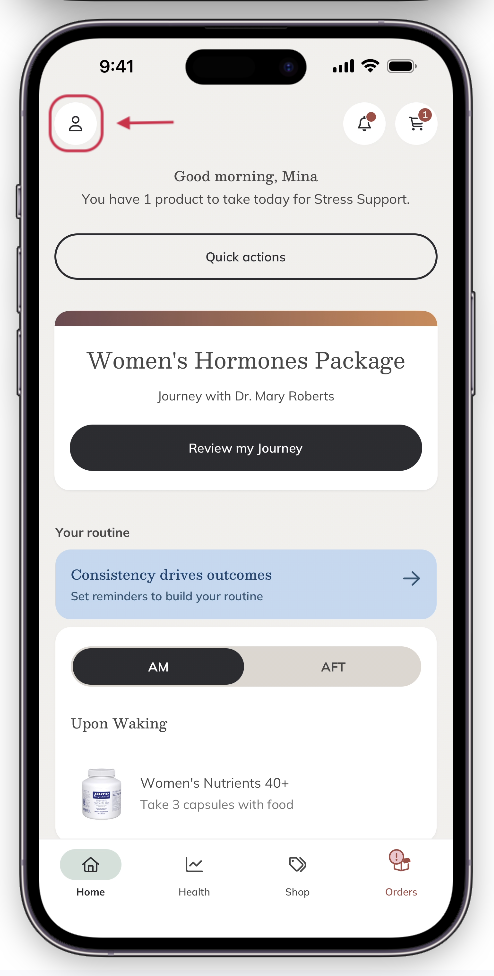
- Select your profile icon in the upper-left corner, then choose My account.
3. Select Invite friend. 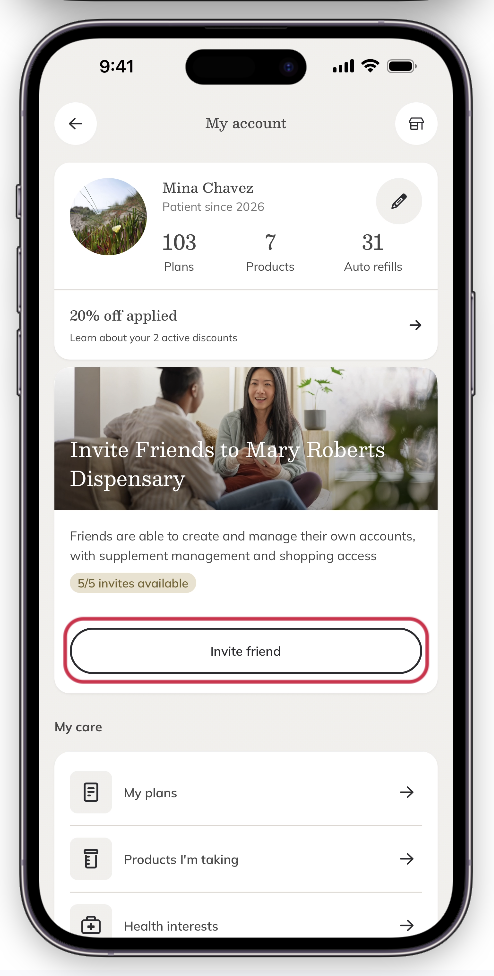
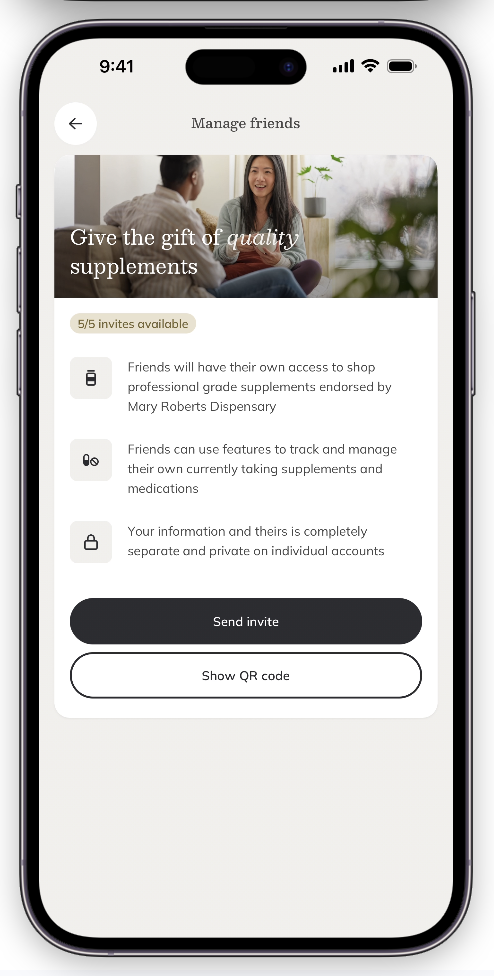
4. Select Send invite or Show QR code to share your invite.
Find your invite link by following these steps:
-
- Sign in to your Fullscript account.
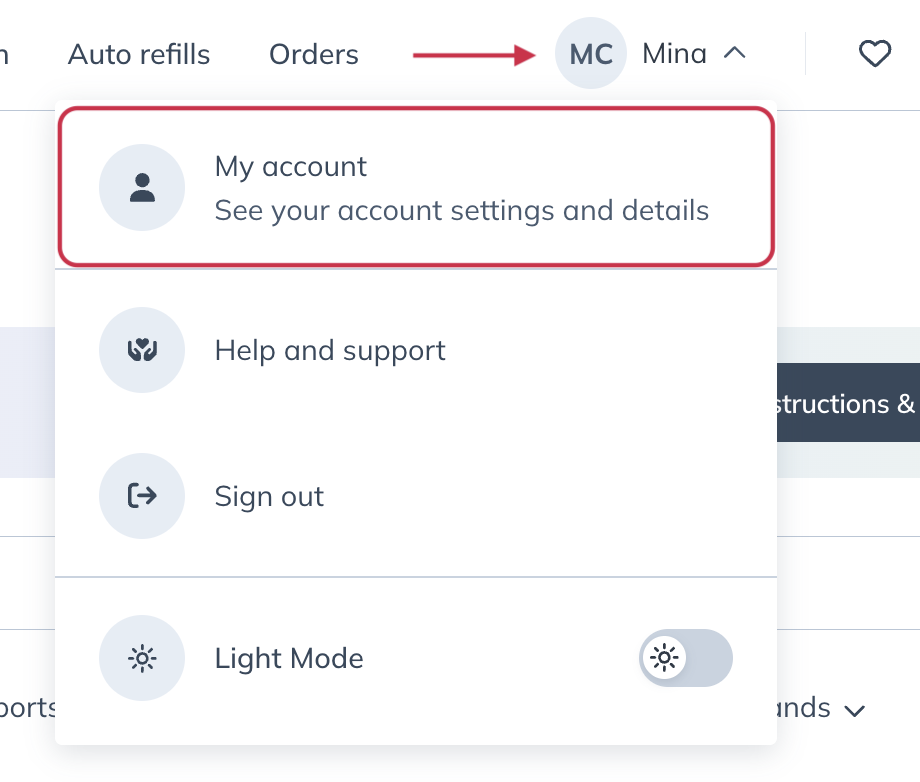
- Select your profile icon in the upper-right corner, then choose My account.
3. On the My account page, select Invite friend. 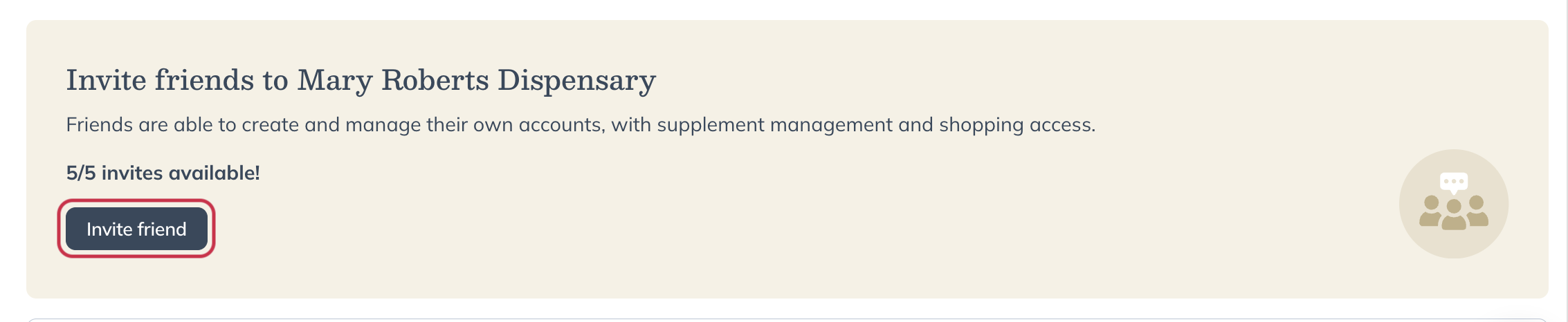
4. On the Manage Friends page, you’ll find your personal invite link and your current invite activity.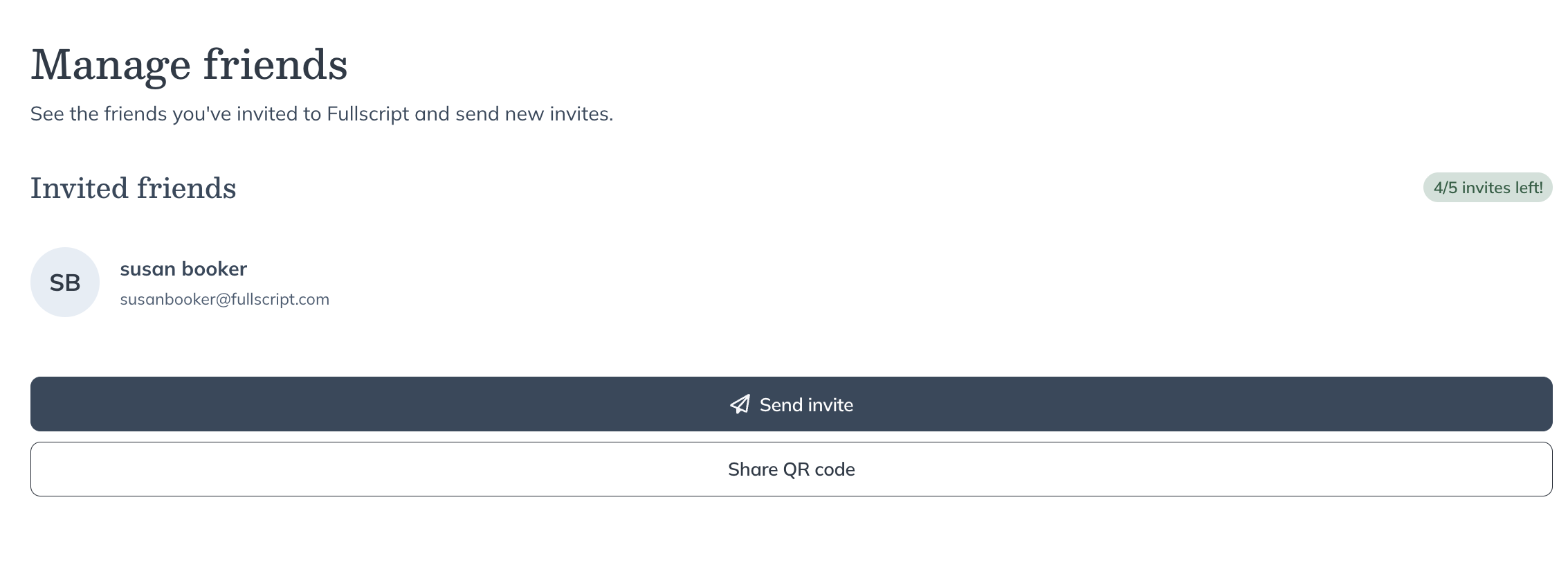
Share your invite link
Choose how you’d like to share your invitation.
- QR code – Displays a QR code that someone can scan with their mobile device.
- Send invite – Copies your invite link so you can paste it into a message or email.
When someone opens your invite link, they’re taken to a public Fullscript page where they can create an account.
What happens after someone uses your invite link
After selecting your invite link, your friend will:
- Open a public Fullscript landing page.
- See an Invited by {Your name} banner.
- Review a notice explaining that their account will be connected to your invitation.
- Create a new Fullscript account or continue through the sign-up flow.
After they create their account, they’ll have access to the same open-catalog supplement store that you use.
Track your invites
The Manage Friends page shows the status of everyone you’ve invited.
Each invitation includes a status that shows whether your friend has accepted your invite.
| Status | What it means |
|---|---|
| Invite sent | Your friend has received or can use the invitation but hasn’t completed account creation yet. |
| Active | Your friend has created a Fullscript account using your invite link. |
Remove a friend connection
At this time, you can’t remove a friend connection from your account.
If you need help with an existing friend connection, contact Fullscript Support.