
Last modified: March 18, 2026
Catalog permissions and access settings
Providers
Use catalog permissions to manage what patients can view and purchase in your dispensary. These settings apply to all patients and can be changed at any time.
Catalog Permissions
| Setting | Description | What patients can see | Notes |
|---|---|---|---|
| Open catalog | All products in the catalog are visible to the patient and available for purchase. | Full product catalog, categories and favorites, and plans | — |
| Closed catalog | Patients can only see and purchase products that are in a plan or in favorite categories. | Categories, favorites and plans | This also applies to providers during in-office checkout. |
Updating catalog permissions settings
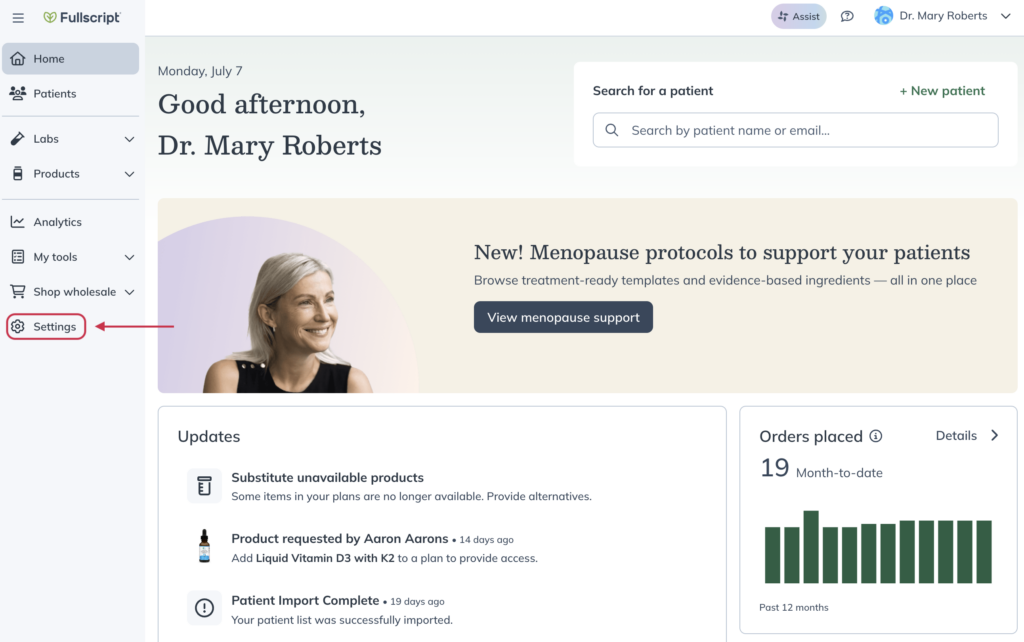
Permissions can be set from your Dispensary settings. To update catalog access permissions:
- Click Settings in the left-hand navigation.
- Click Permissions and disclosures.
- Select the Patient tab, then select a permission setting.
- Click Save settings at the bottom of the page.

Setting favorites category visibility
You can choose whether a favorites category is shown or hidden from patients at any time.
To show or hide a favorites category:
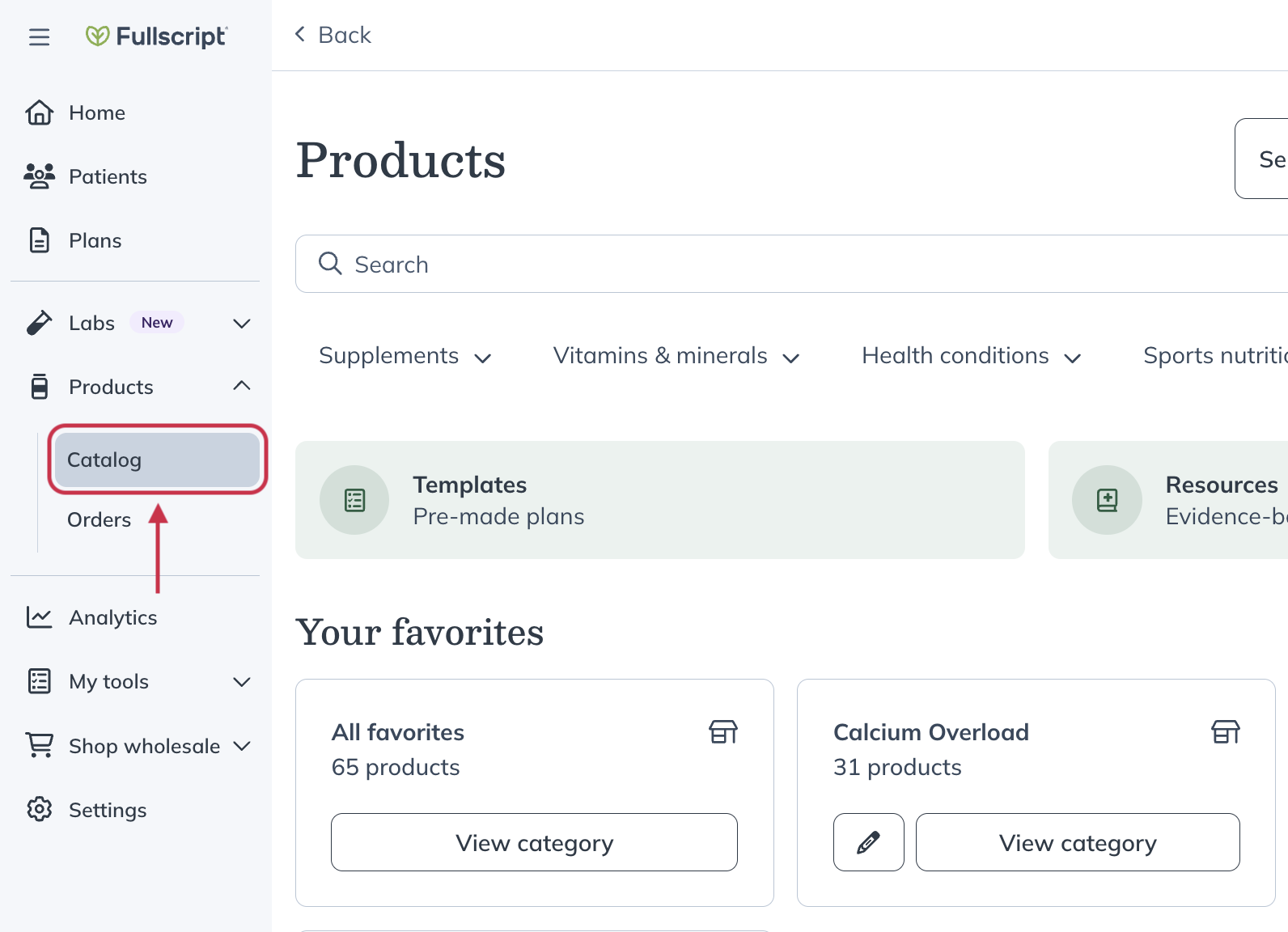
- Click Products in the navigation bar.
- Click Catalog.
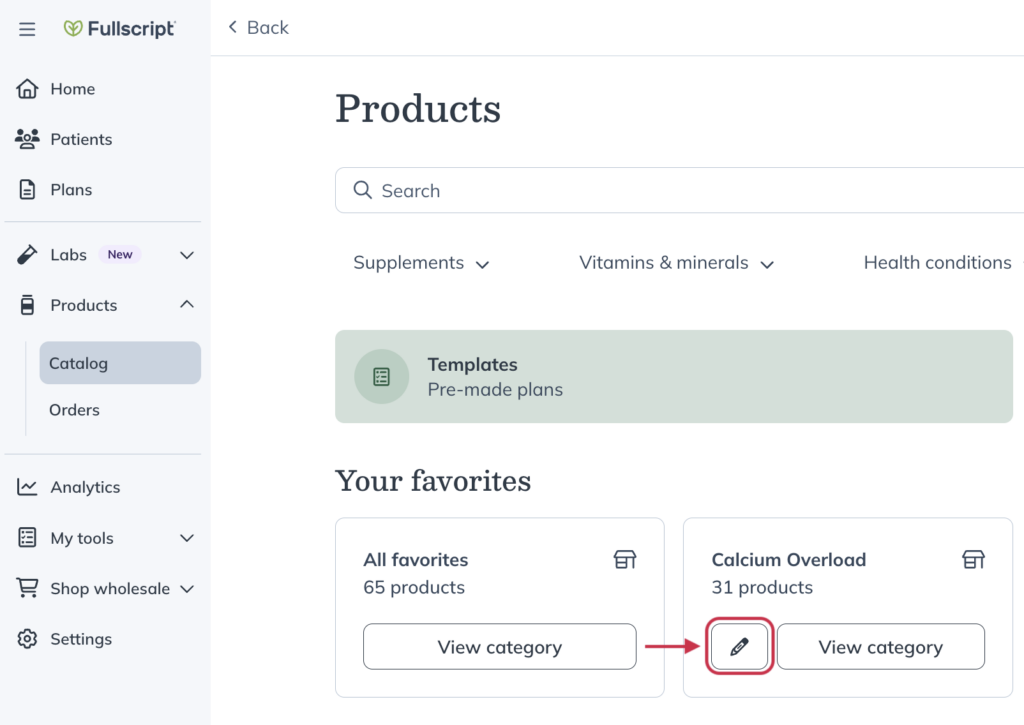
- Under Your favorites, find the category and click the pencil ( ) icon.
- Toggle Make visible to patients on or off to change the category’s visibility.
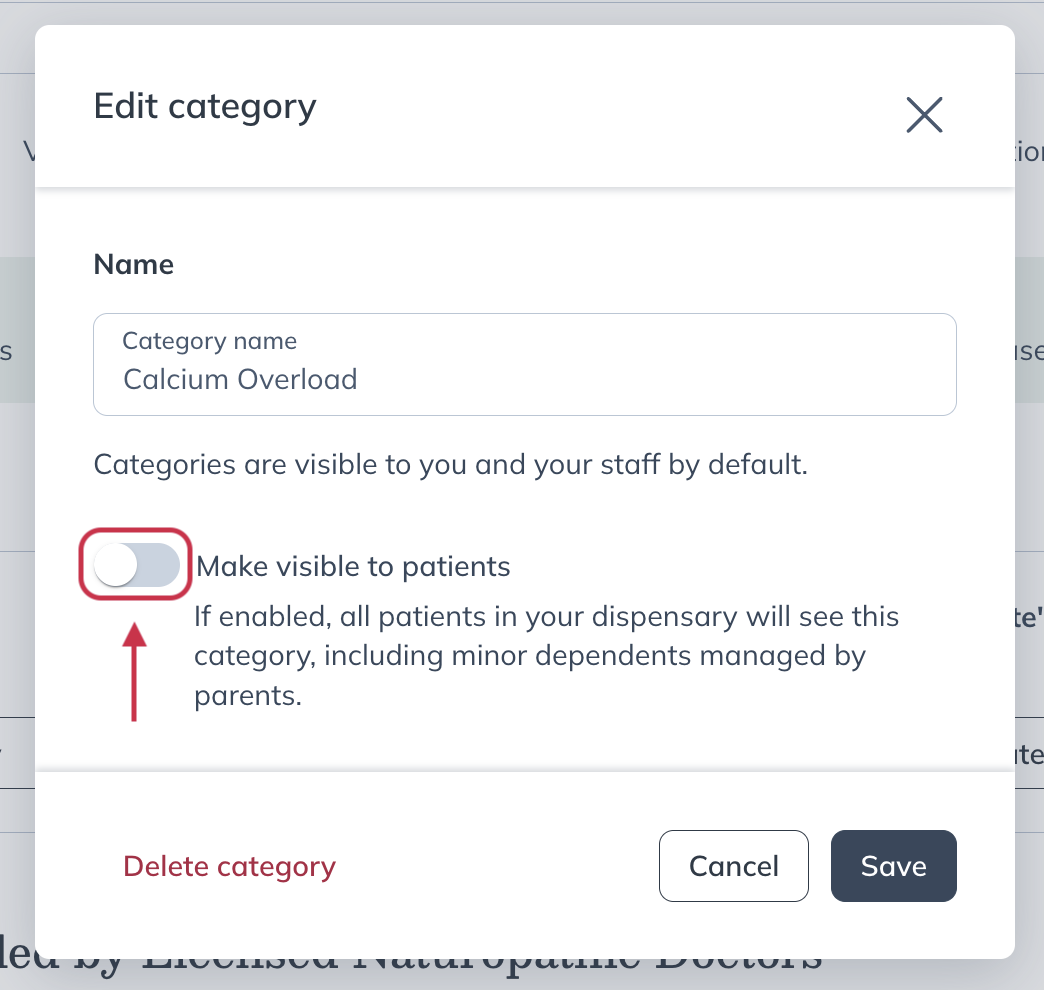
- Click Save.